Setup Gitea Git Server for MYLINEHUB Open-Source
Install and configure a lightweight self-hosted Git server using Gitea with systemd service and NGINX reverse proxy integration.
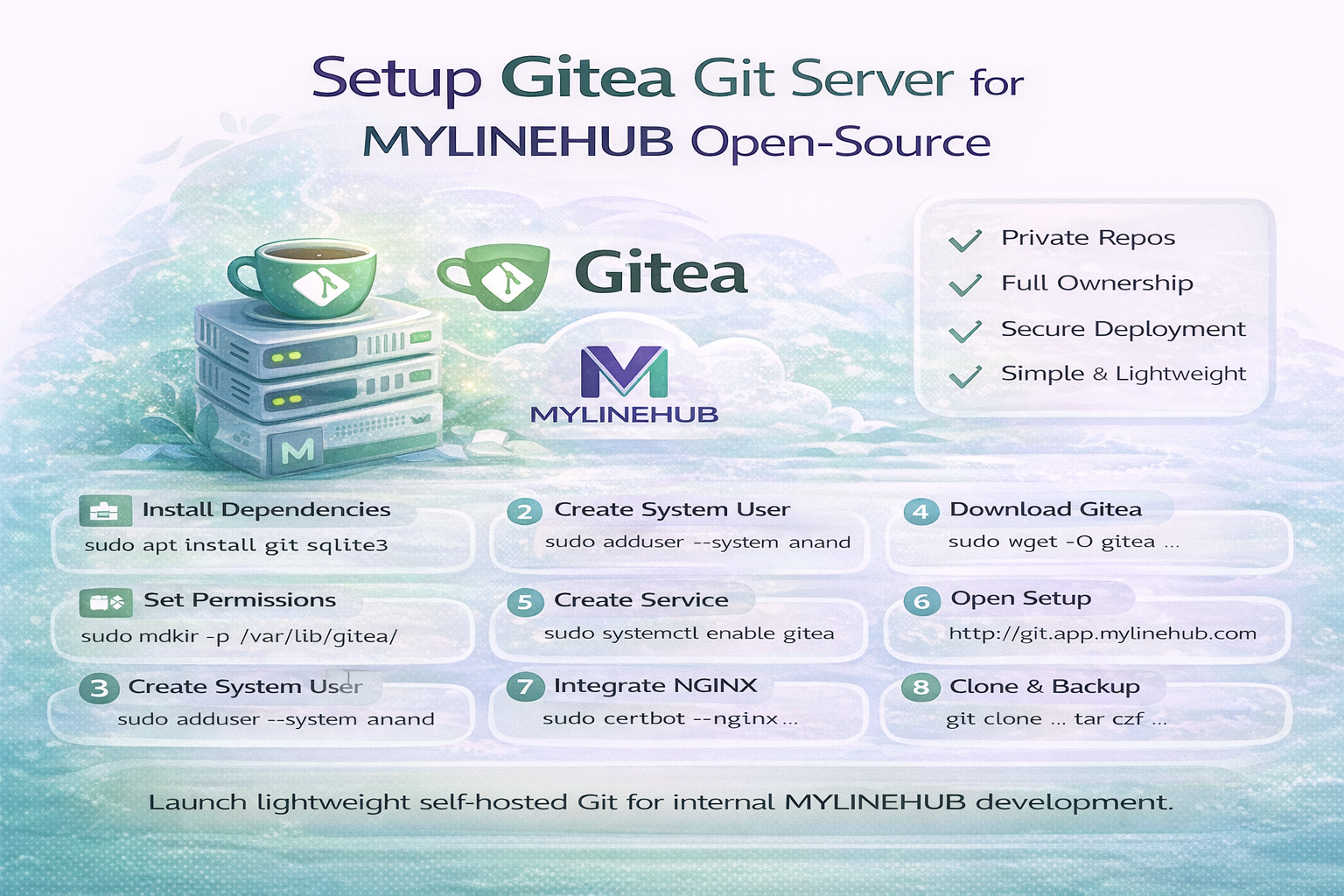
Every serious software platform eventually reaches a point where source-code ownership and controlled deployment become critical.
Public Git hosting is useful, but production telecom platforms like MYLINEHUB often require:
- Private repositories
- Internal deployment control
- Offline or restricted-network access
- Full data ownership
This is where a self-hosted Git server becomes essential.
Among all available options, Gitea is the most practical choice for MYLINEHUB deployments.
Why Gitea Is Recommended
Gitea is a lightweight Git server with a clean web UI similar to GitHub, but designed for self-hosting and simplicity.
- Extremely small footprint (≈ 1/10th of GitLab)
- Runs safely on any port without breaking NGINX
- Easy backup and restore
- Perfect for on-premise telecom environments
Most importantly, it integrates smoothly with the existing MYLINEHUB NGINX reverse-proxy architecture.
Step 1 — Install Dependencies
sudo apt update
sudo apt install -y git sqlite3
SQLite is sufficient for most MYLINEHUB internal repositories and keeps the setup minimal.
Step 2 — Create Dedicated System Users
sudo adduser --system --group --shell /bin/bash --home /home/anand anand
sudo adduser --system --group --shell /bin/bash --home /home/sourabh sourabh
Creating isolated users ensures:
- Controlled repository permissions
- Separation from application runtime users
- Safer production environments
Step 3 — Download Gitea Binary
cd /usr/local/bin
sudo wget -O gitea https://dl.gitea.com/gitea/1.22.3/gitea-1.22.3-linux-amd64
sudo chmod +x gitea
Always verify the latest stable version from:
https://dl.gitea.com/gitea/
Step 4 — Prepare Directories & Permissions
sudo mkdir -p /var/lib/gitea/{custom,data,log}
sudo groupadd giteausers
sudo usermod -aG giteausers anand
sudo usermod -aG giteausers sourabh
sudo mkdir /etc/gitea
sudo chown root:giteausers /etc/gitea
sudo chmod 770 /etc/gitea
sudo chmod -R 750 /var/lib/gitea
This structure stores:
- Repositories
- Logs
- Configuration
Step 5 — Create systemd Service
sudo nano /etc/systemd/system/gitea.service[Unit]
Description=Gitea (Git with a cup of tea)
After=network.target
Wants=network-online.target
[Service]
RestartSec=2s
Type=simple
User=git
Group=git
WorkingDirectory=/var/lib/gitea/
ExecStart=/usr/local/bin/gitea web --config /etc/gitea/app.ini
Restart=always
Environment=USER=git
Environment=HOME=/home/git
Environment=GITEA_WORK_DIR=/var/lib/gitea
LimitNOFILE=4096
[Install]
WantedBy=multi-user.targetEnable and start the service:
sudo systemctl daemon-reload
sudo systemctl enable gitea
sudo systemctl start gitea
Step 6 — Open Initial Setup Wizard
Visit:
http://app.mylinehub.com:3000Recommended configuration:
- Database: SQLite
- Application URL: https://git.app.mylinehub.com
- SSH Port: 22
- HTTP Port: 3000
- Create first admin user
Step 7 — NGINX Reverse Proxy Integration
sudo nano /etc/nginx/sites-available/gitea.confserver {
listen 80;
server_name git.app.mylinehub.com;
location / {
proxy_pass http://127.0.0.1:3000;
proxy_set_header X-Real-IP $remote_addr;
proxy_set_header Host $host;
proxy_set_header X-Forwarded-For $proxy_add_x_forwarded_for;
proxy_set_header X-Forwarded-Proto $scheme;
}
}sudo ln -s /etc/nginx/sites-available/gitea.conf /etc/nginx/sites-enabled/
sudo nginx -t
sudo systemctl reload nginxEnable SSL (optional but recommended):
sudo certbot --nginx -d git.app.mylinehub.comStep 8 — Clone & Use Repositories
git clone https://git.app.mylinehub.com/<username>/<repo>.gitOr via SSH:
git clone git@git.app.mylinehub.com:<username>/<repo>.gitStep 9 — Backup Strategy
tar czf /backup/gitea-$(date +%F).tar.gz /var/lib/giteaThis single archive contains:
- SQLite database
- Repositories
- Configuration
Why Gitea Fits Perfectly with MYLINEHUB
- Matches on-premise philosophy
- Works alongside telecom services without conflict
- Simple daily maintenance
- Full source-code ownership
In MYLINEHUB architecture, Gitea becomes the foundation of controlled deployment and open-source distribution.
Final Thought
Running your own Git server is not about complexity — it is about control, security, and independence.
With Gitea integrated into MYLINEHUB, your entire telecom platform remains:
- Self-hosted
- Auditable
- Future-proof
Want to see API-driven CRM + Telecom workflows in action? Try the WhatsApp bot or explore the demos.
Comments (0)
Be the first to comment.