How to Setup Two Ethernet Cables on One Machine (Ubuntu + Debian) for SIP & LAN Separation
Configure two Ethernet interfaces on one Linux server safely for telecom use—static IPs, routing priorities, and avoiding SIP/RTP instability.
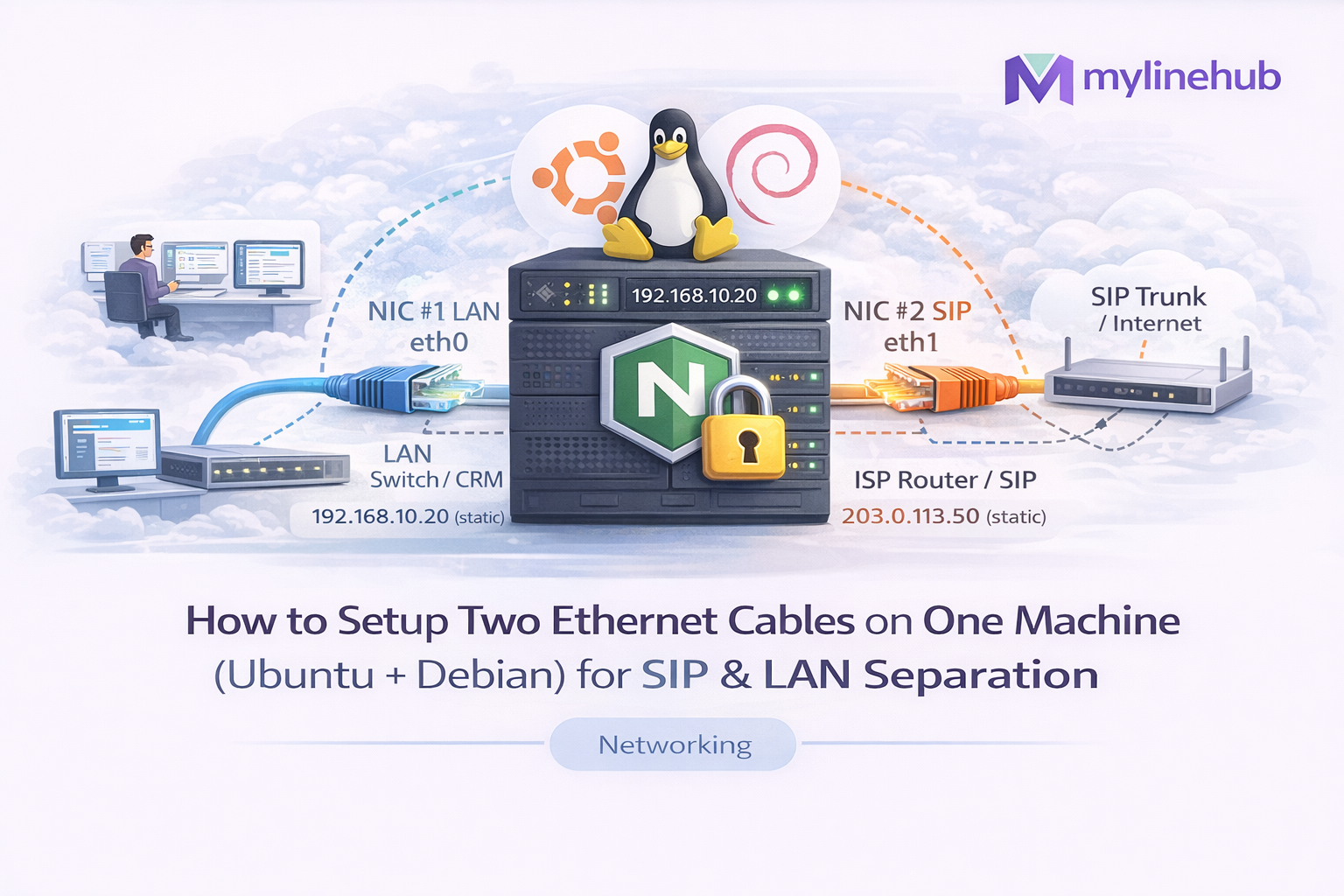
Assuming you are connecting Airtel / Tata SIP trunk to asterisk server where we already have internet ethernet cable. Running SIP/VoIP on a Linux server is sensitive to routing, NAT, and interface selection. The moment you plug a second Ethernet cable, common problems start: calls register but audio becomes one-way, SIP randomly drops, RTP goes out the wrong interface, or your server starts using the “wrong internet” for outbound traffic.
This guide shows how to configure two Ethernet interfaces (dual NIC) on Ubuntu and Debian in a production-safe way for telecom setups: separate LAN vs SIP/Internet, enforce stable routing, and avoid SIP/RTP instability.
Goal (most common telecom case):
NIC #1 → LAN / CRM / agents / internal services
NIC #2 → SIP trunk / internet / public traffic (or dedicated router/ISP)
Quick Navigation
Jump to the exact problem you are facing.
- Architecture Diagram: Dual NIC for SIP + LAN
- Before You Start: Identify interfaces correctly
- Common Dual-NIC Problems in VoIP (What people search)
- Ubuntu (Netplan): Static IP + metric routing
- Debian: /etc/network/interfaces static setup
- Best Practice: Policy Routing (force SIP/RTP out specific NIC)
- VoIP Checklist: SIP/RTP stability checks
- Verification Commands (must run)
- Real-world scenarios + fixes
- Related guides (NAT/Ports/Wireshark)
Architecture Diagram: Dual NIC for SIP + LAN Separation
This is the clean mental model: keep LAN stable and predictable, and keep SIP/RTP egress predictable. The biggest mistake is letting Linux “auto choose” the default route after the second NIC is added.
Important: If both NICs have a gateway/default route, Linux may randomly choose the wrong egress for RTP. That’s where one-way audio comes from.
Before You Start: Identify Your Interfaces Correctly
Do not guess interface names (eth0/eth1). On modern Ubuntu/Debian you’ll often see
enp0s3, ens160, etc. First, identify which interface is physically connected
to LAN and which is connected to SIP/WAN router.
# Show interfaces + IPs
ip -br a

# Show routes (this is what breaks after adding second NIC)
ip route

# Show which interface your default route is using
ip route | grep default

# Show link status (UP/DOWN)
ip -br link
Helpful trick: unplug one cable, run ip -br link, plug back in, observe which interface flips UP/DOWN.
Common Dual-NIC Problems in VoIP (What People Actually Search)
These are the most common “after adding second ethernet” issues in SIP/Asterisk/FreePBX setups. Each one has a specific root cause and fix.
Problem: “Calls connect but audio is one-way after adding second NIC”
Root cause: SIP signaling may work (5060/5061), but RTP (audio) uses dynamic ports. If RTP packets leave through the wrong interface, the provider sends audio back to a different public IP than the server expects → one-way or no audio.
- Fix: ensure only one default route, or use policy routing
- Fix: correct NAT/external address settings in your PBX
- Fix: ensure firewall/port-forward matches the correct NIC/public IP
Problem: “Server started using wrong gateway / internet after plugging second cable”
Root cause: both NICs have a gateway. Linux picks the “best” one by metric or last applied config. This breaks outbound calls, registrations, API callbacks, and WebRTC/WSS flows.
- Fix: set routing metrics properly (preferred interface has lower metric)
- Fix: keep only one default gateway unless you intentionally use policy routing
Problem: “SIP registration keeps flapping (register/unregister)”
Root cause: NAT + changing source IP/interface causes provider to see different Contact/source details. Sometimes it works for a few minutes then fails.
- Fix: enforce stable egress for SIP traffic (policy routing)
- Fix: confirm keep-alive / qualify settings and correct external address
Problem: “LAN users can’t reach server after second NIC setup”
Root cause: IP overlap, wrong netmask, or routes are pulling LAN replies out the WAN NIC. If replies don’t return via the same path, clients see timeouts.
- Fix: ensure correct subnet design (LAN and WAN must not overlap)
- Fix: ensure LAN subnet route uses LAN NIC
Design Rules (Do This First)
Use these rules before touching config files. They prevent 90% of failures.
- Rule 1: LAN subnet and WAN subnet must NOT overlap (example: LAN 192.168.10.0/24, WAN 192.168.1.0/24)
- Rule 2: Only ONE default gateway unless you explicitly use policy routing
- Rule 3: For VoIP stability, enforce that SIP/RTP always exits the same NIC/public IP
- Rule 4: Always verify using
ip route getand packet capture if needed
Recommended telecom approach: one default route + policy routing ONLY for SIP provider IP ranges (best stability).
Ubuntu (Netplan): Static IP + Correct Routing Metrics
Ubuntu Server commonly uses Netplan. Your goal is: assign static IPs, set only one default route (or control metrics), then verify egress.
Step 1 — Find your Netplan file
ls -l /etc/netplan/
You’ll typically see something like 00-installer-config.yaml or 50-cloud-init.yaml.
Open the file and configure both NICs.
Step 2 — Example: LAN + WAN, single default route (preferred WAN)
This example:
LAN is 192.168.10.10/24 with NO gateway,
and WAN is 192.168.1.50/24 with the default gateway.
sudo nano /etc/netplan/00-installer-config.yaml
network:
  version: 2
  renderer: networkd
  ethernets:
    enp0s31f6:   # NIC #1 - LAN
      dhcp4: no
      addresses: [192.168.10.10/24]
      nameservers:
        addresses: [192.168.10.1, 1.1.1.1]
    enp3s0:      # NIC #2 - WAN/SIP Router
      dhcp4: no
      addresses: [192.168.1.50/24]
      gateway4: 192.168.1.1
      nameservers:
        addresses: [1.1.1.1, 8.8.8.8]
Why no gateway on LAN?
Because if you set gateways on both NICs, you create two default routes, and VoIP traffic can exit unpredictably.
Step 3 — Apply and verify
sudo netplan generate
sudo netplan apply

ip -br a
ip route
ip route | grep default
Step 4 — If you absolutely must keep gateways on both NICs (use metrics)
This is not the best practice for VoIP, but if you must do it, set routing metrics so one default route is preferred. Lower metric = higher priority.
network:
  version: 2
  renderer: networkd
  ethernets:
    enp0s31f6:
      dhcp4: no
      addresses: [192.168.10.10/24]
      routes:
        - to: default
          via: 192.168.10.1
          metric: 300
    enp3s0:
      dhcp4: no
      addresses: [192.168.1.50/24]
      routes:
        - to: default
          via: 192.168.1.1
          metric: 100
Metrics can still fail with VoIP depending on NAT behavior and conntrack state. For telecom reliability, prefer policy routing.
Debian: /etc/network/interfaces Static Setup (Dual NIC)
Many Debian servers still use /etc/network/interfaces.
The goal is the same: predictable routing + stable egress for SIP/RTP.
Step 1 — Identify interface names
ip -br a
Step 2 — Example: LAN without gateway, WAN with gateway
sudo nano /etc/network/interfaces
# Loopback
auto lo
iface lo inet loopback

# NIC #1 - LAN (no default gateway)
auto enp0s31f6
iface enp0s31f6 inet static
  address 192.168.10.10
  netmask 255.255.255.0

# NIC #2 - WAN/SIP (default gateway here)
auto enp3s0
iface enp3s0 inet static
  address 192.168.1.50
  netmask 255.255.255.0
  gateway 192.168.1.1
  dns-nameservers 1.1.1.1 8.8.8.8
Step 3 — Restart networking safely
If this is a remote server, do this carefully (or use console access).
sudo systemctl restart networking

ip -br a
ip route
If you are on a remote SSH session and fear disconnect, test routes first using
ip route and ip route get before restarting networking.
Best Practice for VoIP: Policy Routing (Force SIP/RTP out the Correct NIC)
Policy routing is the clean “telecom-grade” fix. Instead of relying on metrics, you explicitly say: traffic to SIP provider IP(s) must go out WAN NIC.
Why this matters in telecom
SIP providers expect your server’s signaling and media to come from a consistent public IP. If Linux changes interface egress mid-call (or between registrations), providers interpret it as NAT conflict and the call breaks.
Diagram: Policy routing decision flow
Step 1 — Decide provider IP ranges
You need your SIP provider’s IP(s) or subnets. Example:
203.0.113.0/24. (Replace with your real provider IP ranges.)
Step 2 — Create a dedicated routing table
Add a table name (example: sipwan) to /etc/iproute2/rt_tables.
sudo nano /etc/iproute2/rt_tables
# Add at the bottom
200 sipwan
Step 3 — Add routes to that table (WAN gateway)
Replace:
enp3s0 = your WAN/SIP NIC, and
192.168.1.1 = its gateway.
# Route everything in table 200 via WAN gateway
sudo ip route add default via 192.168.1.1 dev enp3s0 table sipwan

# Optional but recommended: ensure the WAN subnet is known in that table
sudo ip route add 192.168.1.0/24 dev enp3s0 src 192.168.1.50 table sipwan
Step 4 — Add policy rule: provider IPs must use that table
# Example provider subnet - replace with your provider
sudo ip rule add to 203.0.113.0/24 lookup sipwan priority 1000
Step 5 — Verify decision using ip route get
# Should show "dev enp3s0" (WAN NIC) for provider IP
ip route get 203.0.113.10

# Should show LAN NIC for LAN targets
ip route get 192.168.10.50

# Confirm policy rules
ip rule show
ip route show table sipwan
Result: even if your main default route changes later, SIP provider traffic remains pinned to the correct interface.
Make it persistent (Ubuntu + Debian)
The above ip rule and ip route commands reset on reboot unless persisted.
A clean method on both Ubuntu and Debian is a small systemd unit.
sudo nano /etc/systemd/system/sipwan-policy-routing.service
[Unit]
Description=Policy routing for SIP provider traffic (dual NIC telecom stability)
After=network-online.target
Wants=network-online.target

[Service]
Type=oneshot
RemainAfterExit=yes
ExecStart=/bin/sh -c '\
  /sbin/ip route add default via 192.168.1.1 dev enp3s0 table sipwan || true; \
  /sbin/ip route add 192.168.1.0/24 dev enp3s0 src 192.168.1.50 table sipwan || true; \
  /sbin/ip rule add to 203.0.113.0/24 lookup sipwan priority 1000 || true; \
  '

ExecStop=/bin/sh -c '\
  /sbin/ip rule del to 203.0.113.0/24 lookup sipwan priority 1000 || true; \
  /sbin/ip route flush table sipwan || true; \
  '

[Install]
WantedBy=multi-user.target
sudo systemctl daemon-reload
sudo systemctl enable --now sipwan-policy-routing.service

# Verify after enabling
ip rule show
ip route show table sipwan
Replace provider subnet, gateway, interface name, and source IP with your real values. If you don’t know provider IP ranges, ask your SIP provider support. Guessing here causes random failures.
VoIP Checklist: What to Configure After Dual NIC (Avoid One-Way Audio)
Dual NIC is only half the story. SIP/RTP also depends on correct NAT + firewall exposure. Use this checklist immediately after routing is stable.
1) Confirm which IP Asterisk advertises (external/public)
If Asterisk/FreePBX advertises the wrong external IP, providers send RTP to the wrong place. On FreePBX, review SIP Settings / NAT / External Address.
- If you are behind NAT, ensure the correct public IP is used.
- If you have two WANs, you must pin SIP to the correct public IP (policy routing helps).
2) Confirm RTP port range and firewall
RTP uses many UDP ports (not just 5060). If firewall allows SIP but blocks RTP, audio fails.
Use your internal guide: Ports Required for FreePBX + Asterisk
3) Router NAT / SIP ALG
SIP ALG on routers breaks VoIP more often than it helps. Disable SIP ALG unless you have a proven reason. Use your internal guide: Router Configuration for SIP/VoIP: NAT, Port Forwarding, and SIP ALG
4) If audio still fails: confirm with Wireshark
Packet capture answers “where RTP is actually going”. Use your internal guide: Wireshark Live Monitoring for SIP & RTP
Verification Commands (Must Run After Any Change)
These commands confirm routing and help you catch VoIP issues before production users do.
1) Confirm default route + interface
ip route | grep default
2) Confirm route selection for provider IP
# Replace with real provider IP
ip route get 203.0.113.10
3) Confirm policy routing rules
ip rule show
ip route show table sipwan
4) Confirm listening ports (SIP + RTP expectations)
# SIP
sudo ss -lunp | grep -E ':(5060|5061)\b'

# RTP (example range varies by config)
sudo ss -lunp | head
5) Quick tcpdump for RTP direction
This is the fastest way to see if RTP is leaving the wrong NIC.
# Replace enp3s0 with your WAN NIC and port range with your RTP range
sudo tcpdump -ni enp3s0 udp portrange 10000-20000
Real-World Scenarios and Fixes
Scenario A: “After adding LAN NIC, outbound calls fail sometimes”
Usually means routing became unstable and outbound SIP requests sometimes use LAN gateway. Fix: keep only one default gateway OR add policy routing for provider IPs.
Scenario B: “Inbound calls work, outbound works, but audio is one-way”
Very common with dual NIC: SIP signaling path is correct, RTP path is not. Fix order:
- Verify provider IP route uses WAN NIC:
ip route get <provider-ip> - Verify firewall/NAT forwards RTP to correct internal server IP
- Verify Asterisk advertises correct external IP
- Confirm RTP with tcpdump/Wireshark
Scenario C: “LAN users can open CRM on server, but SIP breaks when CRM traffic is heavy”
This often means both LAN and SIP traffic compete on one NIC or wrong QoS/route decisions. Fix: separate NICs correctly, and pin SIP traffic with policy routing. For heavy VoIP sites, also consider DSCP/QoS at router level.
Key Takeaway
Dual NIC is powerful for telecom, but only if routing is deterministic. The stable production pattern is: one default gateway + policy routing for SIP provider networks + correct NAT/firewall settings for RTP.
If you implement this properly, you eliminate most “random SIP issues” that happen after adding a second ethernet cable.
Want to see API-driven CRM + Telecom workflows in action? Try the WhatsApp bot or explore the demos.
Comments (0)
Be the first to comment.