DID, SIP Trunk and PBX: How an Incoming Call Reaches Your Team
An incoming business call reaches your team through three connected building blocks: a DID, a SIP trunk, and a PBX. The DID is the public phone number the customer dials.
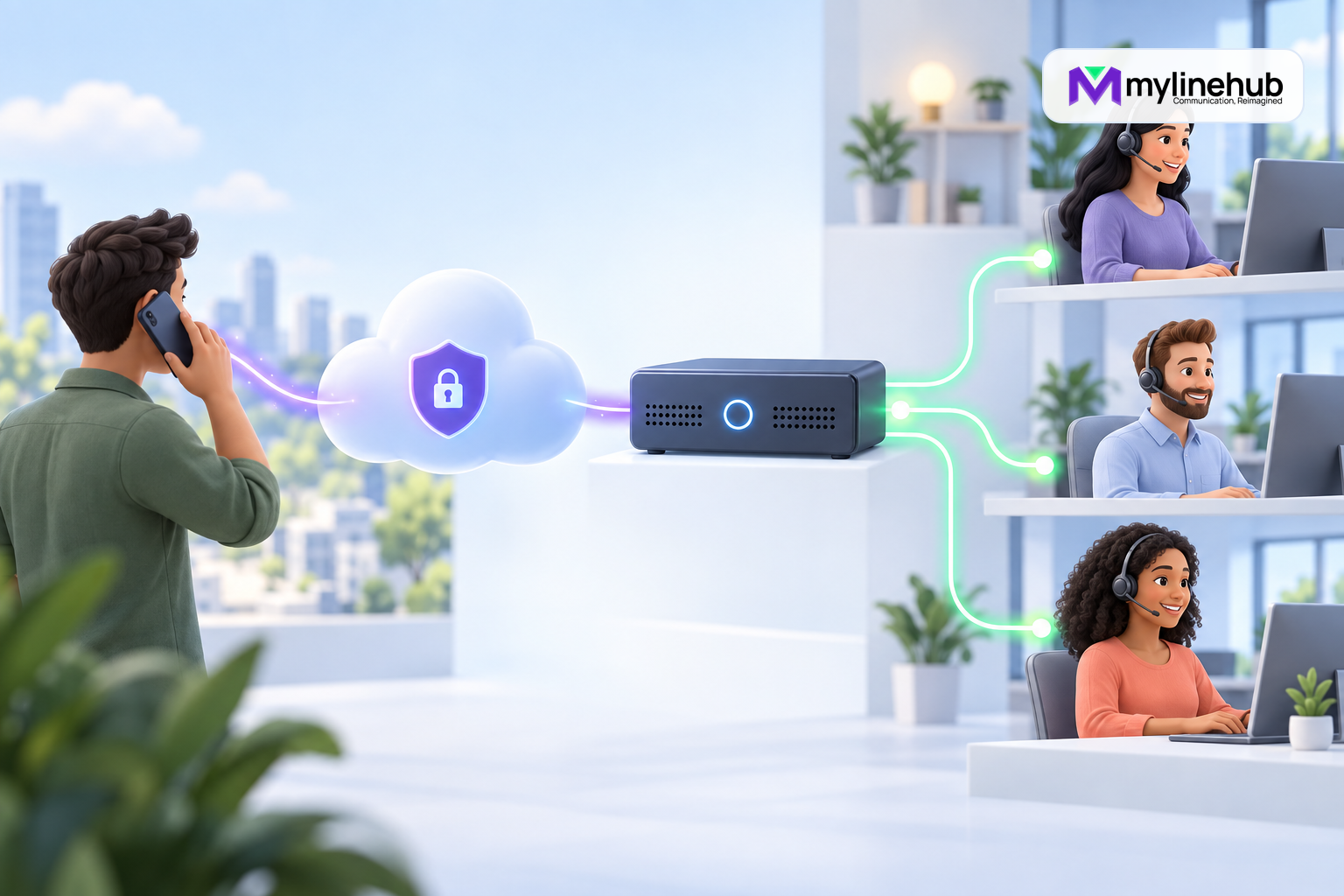
An incoming business call reaches your team through three connected building blocks: a DID, a SIP trunk, and a PBX. The DID is the public phone number the customer dials. The SIP trunk is the provider service that carries signalling and audio between the public telephone network and your business. The PBX is the local call-control system that recognises the number and sends the call to the correct destination. None of these parts is a complete phone system by itself. A number without delivery goes nowhere, a trunk without a route does not know which team should answer, and a PBX without a provider connection cannot receive a normal public call. Understanding the hand-offs makes purchasing, setup, and troubleshooting much easier.
DID: The Public Address Customers Call
DID commonly means direct inward dialling number. It is a provider-assigned public number, such as the number shown on a website, invoice, or support page. A business may have one number for all calls or several numbers for different branches, brands, languages, or departments. The provider controls delivery of the number under the service agreement.
A DID does not imply a dedicated physical line. Several numbers can be delivered over one SIP trunk, and one number may support several simultaneous calls when the provider contract and system capacity allow it. Conversely, owning several numbers does not automatically increase channel capacity. Ask the provider to state numbers and concurrent-call limits separately.
SIP Trunk: The Connection to the Provider
A SIP trunk is a logical service rather than a copper cable. SIP normally handles call setup and teardown, while RTP or another negotiated media method carries audio. The provider may authenticate the business with a username and password, recognise traffic from approved IP addresses, or use another documented arrangement. Some services register from the PBX to the provider; others expect inbound traffic at a fixed address without registration.
Registration is useful evidence only when registration is part of the design. Even a successful registration does not prove inbound DID delivery, outbound caller ID, or two-way audio. Similarly, an unsuccessful ping does not by itself prove that SIP service is unavailable. Tests must match the provider architecture and the specific stage under investigation.
PBX: The System That Applies Business Rules
The PBX receives the provider call and decides what happens next. In MYLO, Asterisk is the telephony engine responsible for endpoints, trunks, dialplan execution, routing, and live call behaviour. An inbound route typically matches the delivered called-number identity and selects a destination such as an extension, ring group, queue, IVR, or controlled external bridge.
This logic is where a public number becomes a useful business service. The same trunk might deliver a sales DID to a sales group and a support DID to a queue. A route can also change by time of day. However, every extra branch creates another behaviour that must be explained, maintained, and tested.
The Call Journey Step by Step
- Customer dials the DID. Their originating network analyses the public number and sends the call toward the provider that owns or hosts it.
- The provider accepts the call. Account status, number ownership, service rules, and capacity affect whether the provider proceeds.
- The provider sends SIP signalling. The call is delivered to the agreed address or registered contact using the documented identity and number format.
- The office edge passes expected traffic. Routing, firewall, NAT, and provider restrictions must allow the signalling and media relationship.
- Asterisk identifies the source. The call enters an inbound context designed for untrusted carrier traffic, rather than receiving broad internal privileges.
- The PBX normalises and matches the DID. Formatting differences such as country code, leading plus, or local presentation are handled deliberately.
- The chosen destination rings. The PBX applies the route, schedule, timeout, and fallback rules.
- Audio is negotiated. Both parties must be able to hear each other through a valid media path.
- The call ends and evidence remains. Appropriate events, dispositions, and authorised records support operations and troubleshooting.
Why Called-Number Format Matters
The number displayed in the provider portal may not be presented to the PBX in the same form. A provider could send a national format, an international format, a number with a leading plus sign, or an identity inside a particular SIP header. An inbound route that expects one exact representation may miss the call even though signalling reached the appliance.
Good configuration uses current provider documentation and live evidence, then normalises the identity without making the match dangerously broad. Each DID should have one deterministic destination in the relevant routing scope. Overlapping catch-all rules can hide mistakes and may route a customer to the wrong team.
Signalling and Audio Are Different Paths
A call can ring correctly but have no audio, one-way audio, or audio that stops after answer. This happens because successful SIP signalling does not guarantee a working media path. Network address translation, firewall behaviour, negotiated addresses, provider media ranges, codecs, and endpoint configuration can all affect RTP.
Troubleshooting should first classify the symptom. If the PBX never sees the call, inspect provider delivery and network reachability. If it sees the call but finds no route, inspect identity and context. If the destination rings but audio fails, inspect media negotiation and packet flow. Changing the inbound route cannot repair an unrelated RTP problem.
A Two-Number Business Example
A distributor publishes one number for sales and another for service. Its provider delivers both DIDs over the same trunk with four external channels. The PBX maps the sales number to a three-person ring group during business hours. The service number enters a small queue with a defined maximum wait. Outside hours, each number plays a department-specific message and offers the correct voicemail.
The team tests both DIDs independently. It also tests two simultaneous calls, a busy destination, after-hours routing, caller-ID visibility, and two-way audio. The four-channel contract is treated as provider capacity, not as a promise that every internal device or network path is ready for four calls. For planning the wider deployment, the guide to Internet requirements for an office phone system explains why bandwidth is only one part of readiness.
What MYLO Can and Cannot Own
MYLO can guide supported setup, collect necessary information, prepare controlled changes, validate them, and use live Asterisk evidence to verify outcomes. It can help an administrator describe that one number should reach sales and another should reach support. Consequential actions remain governed by permissions, approval, and deterministic execution.
The provider owns public-number delivery and its network. The customer owns its provider contract, lawful use, network, devices, staff processes, access controls, and continuity arrangements. MYLO cannot create carrier capacity, repair an external outage, or infer undocumented settings with certainty. Custom integrations or unsupported topologies require separate engineering assessment.
How to Read a Failure Without Guessing
Start with the earliest missing evidence. If the provider says it sent the call but the office edge and PBX show nothing, check the agreed destination address, source restrictions, firewall path, and provider trace. If Asterisk receives signalling but cannot select a route, inspect the inbound context and the actual called identity rather than changing credentials. If an endpoint never rings, inspect the selected destination and endpoint state. If it rings but audio fails, move the investigation to media negotiation and network flow.
Error messages should be translated into a business effect without discarding the technical detail. “No matching inbound route” means the call reached the PBX but the delivered number did not select a configured destination. “Endpoint unavailable” means routing progressed but the destination could not currently receive the call. That distinction tells the correct owner whether to contact the provider, fix PBX relationships, restore a device, or inspect the network.
Preserve timestamps and correlation identifiers where available, but protect credentials and customer data. A short, evidence-based incident note is more useful than screenshots of every setting. Once service is restored, record the verified cause and the test that proved recovery. Do not turn an unverified assumption into permanent provider knowledge.
End-to-End Verification Checklist
- Confirm the DID is active and assigned to the correct account.
- Confirm how the provider delivers calls and whether registration is expected.
- Record authoritative SIP server, identity, codec, network, and media requirements.
- Observe the called-number identity actually received by the PBX.
- Map each DID to one intentional destination and fallback.
- Verify the correct inbound security context and source identification.
- Test ringing, answering, caller ID, two-way audio, and hangup.
- Test busy, unanswered, closed-hours, and capacity conditions.
- Confirm call data and recordings follow approved access and retention policy.
- Document provider and internal escalation contacts.
The practical takeaway is simple: the DID identifies where the customer calls, the trunk transports the call, and the PBX applies the business decision. Reliable service comes from proving all three as one chain.
Called DID and Caller CLI Are Different
The called DID tells the PBX which public business number the customer reached; caller CLI identifies the external caller where the provider supplies it. Asterisk uses the called number and inbound route to select an IVR, queue, ring group or extension. MYLO helps configure and verify that path, but it must not replace the caller’s CLI with the business DID merely because both numbers appear in the same call.
Continue planning
Continue with How Can a Small Business Set Up an Inbound Support Number?; How Can a Small Business Set Up an Inbound Support Number?; What Is an IVR, and Does a Small Business Need One?. For deeper implementation context, use MyLineHub technical architecture guidance.
For a requirement outside the prepared MYLO scope, discuss the exact outcome with MyLineHub.
Want to see API-driven CRM + Telecom workflows in action? Try the WhatsApp bot or explore the demos.
Comments (0)
Be the first to comment.