What Internet Connection Does a MYLO Office Phone System Need?
An office phone system needs a stable, well-managed network connection more than an impressive headline speed. Business voice sends small, time-sensitive packets throughout a call.
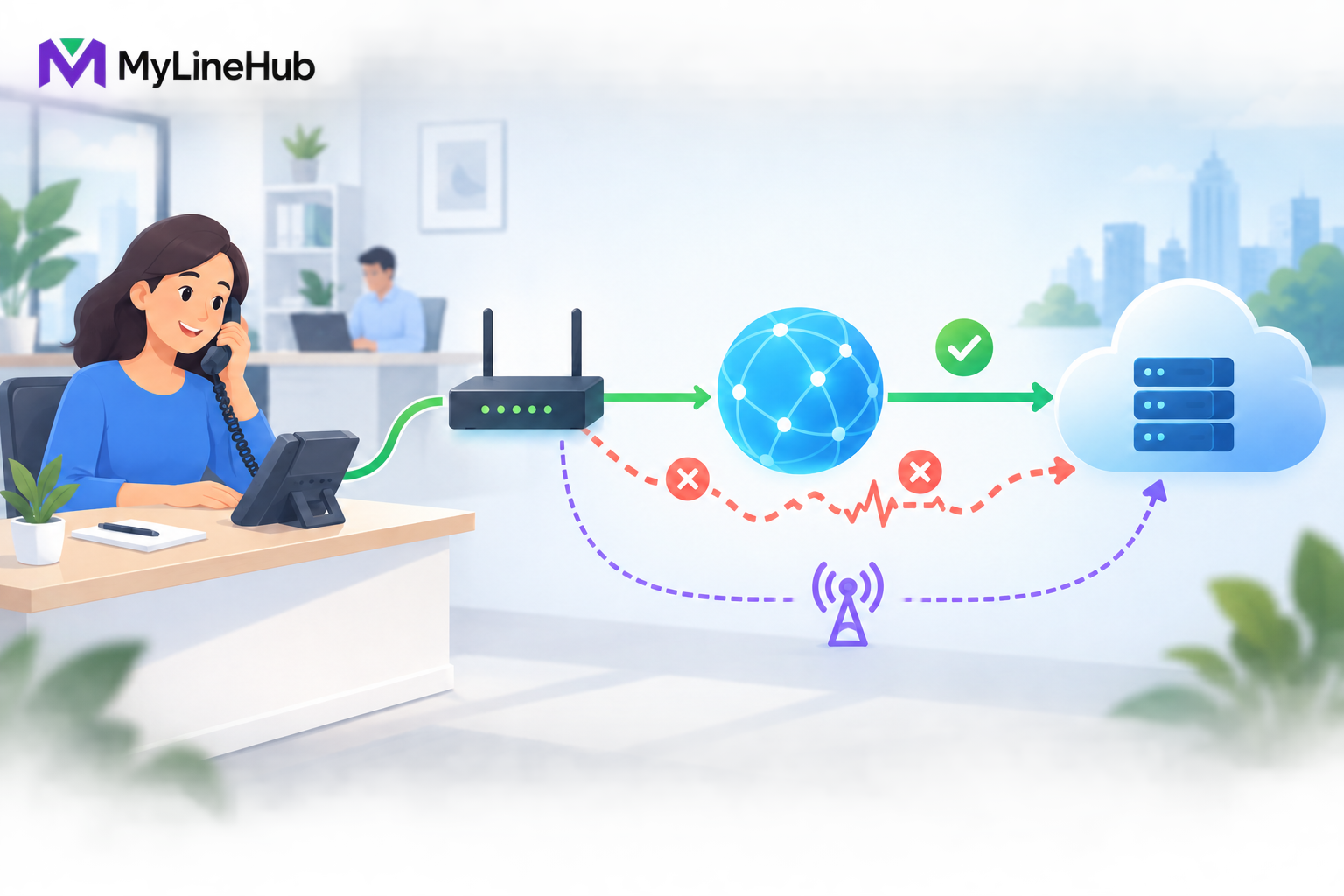
An office phone system needs a stable, well-managed network connection more than an impressive headline speed. Business voice sends small, time-sensitive packets throughout a call. Delayed, lost, or irregular packets can cause gaps, robotic speech, one-way audio, or dropped calls even while web pages appear fast. Plan for consistent upload and download performance, controlled latency and jitter, minimal packet loss, correct routing and firewall behaviour, and enough headroom for calls to coexist with office traffic. A backup connection can improve resilience, but only when failover is compatible with the actual SIP provider and has been tested. The right connection depends on simultaneous call legs, codecs, other applications, provider delivery, and whether endpoints use wired Ethernet, Wi-Fi, or remote networks.
Signalling and Audio Are Different Network Flows
SIP signalling sets up, changes, and ends calls. RTP or another supported media path carries the actual audio. Because these flows can take different paths or use different ports, successful registration does not prove that speech will work.
A system may register with the provider and ring a phone while audio is blocked. One person may hear clearly while the return path fails. A call may connect but sound broken only after other office traffic increases. Each symptom points to a stage of the network journey rather than automatically proving a PBX defect.
Verification should therefore use a real inbound and outbound call. Check destination, ringing, answer, two-way audio, keypad input where relevant, transfer behaviour, and clean termination. A ping, browser login, or saved configuration is useful evidence but not end-to-end proof.
Stability Matters More Than Marketing Speed
A high-speed broadband plan can still perform poorly for voice if packet timing varies sharply or upload traffic is congested. A file download can retransmit missing information and finish slightly later. Live speech cannot wait indefinitely for old packets without interrupting the conversation.
- Latency: the time traffic takes to travel between endpoints. Excessive delay makes conversation unnatural.
- Jitter: variation in packet arrival timing. Large variation can create distorted or missing speech.
- Packet loss: packets that never reach their destination. Sustained or burst loss can damage intelligibility.
- Upload quality: performance from the office towards the provider, often overlooked on consumer plans.
- Consistency: whether the connection remains usable during real busy periods, not only during one quiet test.
Measure these factors over time and under representative load. A single speed-test result taken beside the router early in the morning cannot describe afternoon Wi-Fi congestion or an upload path saturated by backup.
Estimate Capacity From Concurrent Call Legs
Bandwidth planning begins with calls active at the same time, not total employees or daily call count. Each media leg consumes bandwidth according to codec, packetisation, protocol overhead, encryption where used, and network direction. The design also needs headroom for signalling, ordinary office activity, and traffic bursts.
A customer speaking to an office extension may use one external carrier leg. A workflow connecting a customer phone to an agent mobile can use two external legs. The office must count the topology actually selected instead of assuming one conversation always equals one external path.
A universal “bandwidth per call” promise is unreliable without naming those assumptions. Ask the provider or network professional to calculate the requirement for the approved codec and maximum simultaneous topology, then preserve reasonable headroom. Read users, extensions, channels, and concurrent calls explained before converting a team size into a network estimate.
Office Traffic Competes With Voice
Cloud backup, software updates, video meetings, large uploads, security cameras, file synchronisation, and guest Wi-Fi can share the same Internet link. A connection that works during setup may degrade when the office reaches normal activity.
Appropriate quality-of-service policy on a managed network can prioritise voice through a local bottleneck. It cannot create capacity the Internet service does not have, repair provider-side loss, or protect calls when an unmanaged upstream link is saturated. Find the real bottleneck before buying a more powerful appliance or changing unrelated SIP settings.
Schedule predictable heavy transfers outside calling hours where practical. Separate guest access, keep network firmware maintained, and document who can change router or firewall policy. Changes made without a record can turn a stable voice path into an intermittent incident.
Wired Ethernet and Office Wi-Fi
Wired Ethernet usually provides more predictable latency and fewer interference variables than busy office Wi-Fi. The MYLO appliance and fixed desk phones should use suitable wired links where the supported deployment calls for them. Cabling and switch ports should be labelled so a future move does not place telephony equipment on the wrong network.
Softphones on laptops may use Wi-Fi, especially for flexible workers, but coverage, congestion, roaming, power-saving behaviour, and local interference become part of the voice path. A laptop can show a strong signal while sharing airtime with many devices or switching access points during a call.
Test from the real working locations and at the real busy time. If an employee works remotely, the home router, local Wi-Fi, and Internet service also affect the call. The office cannot guarantee a path it does not manage, so remote-use expectations and troubleshooting boundaries should be clear.
Why MYLO May Use Two Network Connections
Some deployments distinguish ordinary office or Internet connectivity from a telecom-provider-facing network. This can keep roles clearer and match the way an enterprise carrier delivers service. It does not mean every SIP trunk arrives through a separate physical circuit.
The actual provider document is authoritative. Do not bridge networks casually, guess routes, or assume every interface should obtain an address in the same way. Linux network state and live routing evidence determine where traffic can travel. A wrong default route may allow browser access while sending provider traffic to the wrong gateway.
Network separation also does not remove the need for security. Only required services and paths should be available. Administrative access should remain bounded, and provider credentials should not be exposed in general troubleshooting notes.
Firewall, NAT, and Provider Requirements
Routers and firewalls translate or filter traffic between networks. A provider may authenticate with credentials, permit traffic from an approved public IP, or deliver a private interface. The correct rules depend on that real model.
Broadly opening ports is not a responsible substitute for understanding the call path. Equally, a firewall that allows signalling but blocks the negotiated media range can produce ringing with no audio. SIP-altering router features may help in one environment and damage another; changes should be evidence-based, reversible, and tested.
Record the router model, public addressing, local subnets, routes, relevant firewall ownership, and provider contacts. That small network inventory speeds diagnosis and prevents several teams from changing the same path independently.
Backup Internet and Failover
A second broadband or mobile connection can protect browser access and some provider services, but it does not automatically preserve active or future calls. The provider may authorise a particular source IP, use a private network, depend on DNS behaviour, or maintain signalling state that changes when the route changes.
Define what failover is expected to protect. It may restore MYLO administration but not a private carrier trunk. It may support outbound service while inbound numbers still follow provider-side routing. Active calls may drop even when new calls can start after recovery.
Test the real backup path with inbound and outbound calls, two-way audio, and return to the primary connection. Protect the backup modem, router, switch, provider device, and appliance with suitable power backup. An unpowered secondary link is not resilience.
A Practical Small-Office Diagnosis
A ten-user office has fast broadband, but employees report broken audio every afternoon. Registration remains healthy, web browsing appears normal, and replacing SIP credentials changes nothing. Testing during the affected period shows that a cloud backup saturates the upload path.
The business reschedules the backup outside calling hours, applies appropriate local traffic management, and connects fixed phones by Ethernet. It then repeats representative inbound and outbound calls while ordinary office traffic is active. Call quality improves without replacing the MYLO appliance or reinstalling the phone system.
The lesson is to follow evidence through the whole path. A telephony symptom can originate in the endpoint, local network, Internet service, provider network, routing, firewall, or PBX configuration. The most visible component is not automatically the cause.
Internet and Network Readiness Checklist
- List the maximum expected simultaneous call legs by actual workflow.
- Confirm codecs and the provider’s delivery and authentication method.
- Measure latency, jitter, loss, upload, and download performance over representative periods.
- Identify backup, video, guest Wi-Fi, cameras, and other competing traffic.
- Use wired connections for fixed telephony equipment where practical.
- Test Wi-Fi and remote endpoints from their actual work locations.
- Document routers, firewalls, NAT, routes, subnets, and each network interface’s purpose.
- Protect required network equipment with suitable backup power.
- Test inbound, outbound, keypad, and two-way audio on the real provider path.
- Test backup-link failure and recovery rather than assuming continuity.
For the product boundary, review what is included in the MYLO box. Use a qualified network or telecom professional when provider routing, firewall policy, or failover requirements are unclear. The best Internet connection is the one whose complete voice path is understood, monitored, and proven under the office’s real workload.
Continue planning
Continue with What Is a Telephony Appliance for a Small Business?; Complete Cost of Starting a 20-User Office Calling System; Why a MYLO Appliance Uses Two Network Ports. For deeper implementation context, use MyLineHub technical architecture guidance.
Review current MYLO pricing, or discuss this requirement on WhatsApp.
Want to see API-driven CRM + Telecom workflows in action? Try the WhatsApp bot or explore the demos.
Comments (0)
Be the first to comment.