What Is Included in a MYLO Telephony Appliance?
A MYLO order centres on a prepared on-premise telephony appliance: selected business-grade computer hardware, the supported MYLO software environment, local browser-based management, and the documentation applicable to the package.
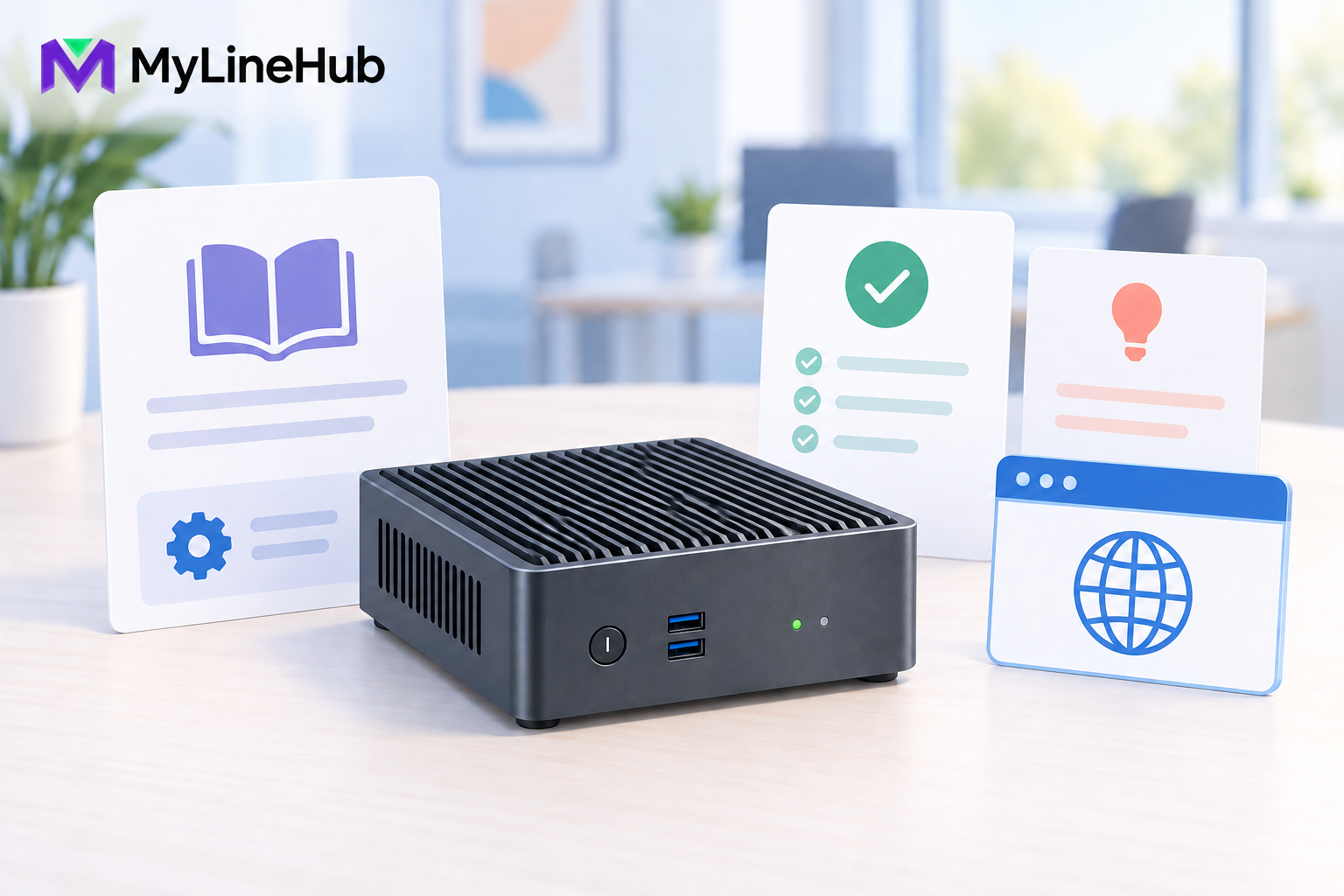
A MYLO order centres on a prepared on-premise telephony appliance: selected business-grade computer hardware, the supported MYLO software environment, local browser-based management, and the documentation applicable to the package. It is not a complete office telecom service packed into one carton. The exact physical items supplied must come from the current quotation, invoice, or packing list; cables, adapters, phones, headsets, routers, UPS equipment, and carrier devices should never be assumed. The customer also arranges the business numbers, SIP trunk, calling plan, and provider activation. A useful way to understand the product is that MYLO supplies the prepared local centre of the calling system, while the office and its telecom provider supply the services and equipment that connect that centre to employees and the public telephone network.
The MYLO Appliance
The central physical item is a compact business computer selected for the supported MYLO package. It hosts the local application and telephony environment and is intended to remain at the customer’s premises. This local role is important: the appliance is not merely an empty computer, and it is not a telephone or a carrier router. It is the controlled point where approved business configuration, users, call routing, and operational records meet the telephony engine.
MYLO may use refurbished business-grade hardware. Refurbished describes the equipment’s history, not an unlimited capacity promise. The relevant questions are whether the unit has been selected and prepared for its declared workload, which condition and warranty terms apply to the specific order, and whether the office will provide suitable cooling, power, and networking. Buyers can read why MYLO uses refurbished business-grade hardware for that decision in more detail.
The supplied power item, if any, should be confirmed from the packing list. Photographs and diagrams explain the product but do not add accessories to an order. On delivery, the customer should compare the contents with the invoice before connecting the appliance or reporting an item missing.
Prepared Software, Not Just Hardware
The value of a prepared appliance is the known starting point. The supported operating environment and MYLO application are installed for the product role. Asterisk remains responsible for executing telephony behaviour such as routes and calls. MYLO provides the supported application layer through which authorised people describe requirements, review proposals, manage relevant users and approvals, and understand the resulting operation.
Where guided AI assistance is available, it helps interpret a request, ask for missing information, and explain evidence. It does not receive unlimited authority over the phone system. Deterministic services enforce validation, permissions, persistence, and execution. Consequential changes should be reviewed by the responsible administrator before they are applied.
Preparation cannot include facts that are unique to a customer and have not yet been supplied. The appliance does not know the buyer’s trunk credentials, DIDs, departments, working hours, extensions, IVR wording, authorised caller IDs, recording decision, or network layout. These details are collected during setup and verified against the actual provider service.
Network Capability and the Customer’s Network
The appliance provides the network interfaces defined for its product design, but the surrounding network belongs to the customer. The office normally supplies Internet access, a router, switches where needed, correctly terminated Ethernet cabling, firewall policy, and any carrier termination equipment. Stable voice depends on the entire path, not on the MYLO box alone.
Some deployments distinguish ordinary office connectivity from a telecom-provider-facing connection. The final topology depends on how the chosen provider delivers its service. Two physical ports do not mean every carrier will install a second network, nor do they mean either cable can be connected at random. The provider document and the applicable MYLO setup instructions should determine each connection.
Network capability should also be separated from network readiness. A port can establish a link while routing, addressing, firewall rules, or provider activation are still incomplete. Connection is an early setup milestone; a successful real inbound and outbound call is stronger evidence of readiness.
Browser Management
An authorised administrator can use a browser on the appropriate office network to reach MYLO’s supported management experience. The browser is an access method, not a laptop or screen included in the carton. The customer uses an existing compatible computer or device.
The first login should be treated as ownership of an important business system. The administrator is responsible for protecting credentials, assigning suitable roles, approving consequential work, and coordinating accurate provider and office information. Browser convenience does not mean all employees should share one administrative account. Individual access and bounded roles improve accountability.
The broader open-source MyLineHub platform can support larger teams and custom technical deployments. That broader platform should not be mistaken for a promise that every open-source capability is included in a fixed MYLO appliance package. Requirements outside the product boundary need a separate assessment.
Documentation and Support Boundary
The applicable documentation should cover the delivery check, safe placement, initial connection, first access, customer information required for configuration, and the point at which provider or office responsibility begins. It should help the buyer move from an unopened appliance to a controlled setup process without pretending that every carrier and network is identical.
Support must be read from the current offer. A product purchase, a guided session, a defined implementation task, and custom engineering are different scopes. A fixed appliance does not imply unlimited redesign of a customer’s network, CRM, multi-site architecture, or provider integration. Any agreed service should identify prerequisites, outcome, evidence of acceptance, and work outside scope.
Commercial facts can change. Warranty duration, replacement process, shipping responsibility, included cables, session duration, and support period should be confirmed from the current order rather than inferred from an educational article.
What the Customer Arranges Separately
- Telecom service: a suitable SIP trunk or other supported carrier connection, including activation and escalation contacts.
- Business numbers: DIDs supplied or ported under the provider’s process.
- Channels and usage: enough provider capacity for the intended call flows, plus the applicable rentals and call charges.
- User endpoints: compatible softphones, desk phones, browsers, headsets, or approved mobile destinations.
- Site infrastructure: Internet service, router, switches, cabling, firewall decisions, ventilation, and secure placement.
- Power continuity: suitable backup for every required part of the calling chain, not only the appliance.
- Customer accounts: any customer-controlled external service account or AI-provider key required by a selected workflow.
- Business decisions: departments, users, call flows, prompts, consent procedures, recording policy, retention, and authorised numbers.
The companion guide to what is not included with a MYLO appliance explains why these items form part of the complete deployment cost.
A Practical Delivery-to-Calling Example
Consider a small service company that receives its MYLO appliance. The administrator first checks the physical delivery against the invoice and places the unit in a ventilated, protected location. The office connects it according to the supplied instructions, then locates the local browser interface and secures administrative access.
The company’s carrier supplies a business number, trunk details, and the capacity purchased under its contract. The administrator provides the intended departments, extensions, working hours, and call-routing decisions. Employees use devices selected for their jobs. The router, switch, provider device, and phones that require power are included in the office backup plan.
Only after the customer-specific configuration is approved does the team test actual inbound and outbound calls. It checks destination, caller identity, audio in both directions, keypad input where relevant, and recording behaviour if recording was selected. The appliance arriving safely was necessary, but the real business outcome is proven by the complete call journey.
Unboxing and Readiness Checklist
- Match every delivered item to the current invoice or packing list.
- Inspect the appliance and any supplied power equipment for shipping damage.
- Confirm the hardware condition and current warranty or replacement terms.
- Choose a secure, ventilated location with suitable network and protected power.
- Identify who will own the administrator account and approvals.
- Collect the provider document, DIDs, channel information, network details, and escalation contact.
- List required users, endpoints, departments, routes, prompts, and working hours.
- Confirm whether setup help, implementation, or custom work is part of the order.
- Test the agreed customer journeys with real calls before treating the system as ready.
For the overall product concept, start with what a telephony appliance for a small business combines. The final authority for anything physically supplied remains the current MYLO order, not a general article, illustration, or earlier offer.
Use a Delivery and Responsibility Checklist
When the box arrives, compare its physical contents with the current written offer and record shipping damage before installation. Confirm the appliance identity, supplied power items, listed cables, and package-specific accessories. Do not infer that an unlisted desk phone, headset, router, switch, UPS, SIP trunk, public number, calling balance, mobile plan, AI-provider credit, or custom integration is included merely because it may be needed in the finished solution.
Assign an owner to every external dependency. The customer normally owns Internet, LAN, power protection, user devices, carrier ordering, public numbers, channels, minutes, lawful calling policy, and administrator decisions. The telecom provider owns its trunk service and public network boundary. MYLO supplies the prepared appliance and supported product workflows described in the applicable offer. Broader MyLineHub open-source capabilities and custom engineering remain separate scopes.
Complete acceptance with a real call after site and provider configuration. A complete box can still sit inside an incomplete service chain. Verify browser access, network stability, endpoint readiness, inbound and outbound signalling, two-way audio, DTMF where used, hang-up, and recording behaviour. Retain the contents list and test record so future staff know what was supplied and what the business arranged separately.
The Prepared MYLO Layer
The supplied layer combines prepared hardware, the MYLO software environment, an Asterisk telephony environment, supported local application and database services, browser access, and two-network capability where the selected unit and deployment require it. A SIP trunk, DIDs, calling minutes and external AI-provider usage become usable only after the customer supplies and funds those external services; they are not silently included in the appliance price.
Continue planning
Continue with What Is a Telephony Appliance for a Small Business?; Why MYLO Uses Refurbished Business-Grade Hardware; What Is Not Included With a MYLO Appliance?. For deeper implementation context, use MyLineHub technical architecture guidance.
Review current MYLO pricing, or discuss this requirement on WhatsApp.
Want to see API-driven CRM + Telecom workflows in action? Try the WhatsApp bot or explore the demos.
Comments (0)
Be the first to comment.