Why MYLO Uses Two Network Ports: Internet and SIP-Trunk Network Separation
A MYLO appliance uses two network ports so that ordinary office or Internet connectivity can be kept distinct from a telecom-provider-facing connection when the deployment requires it.
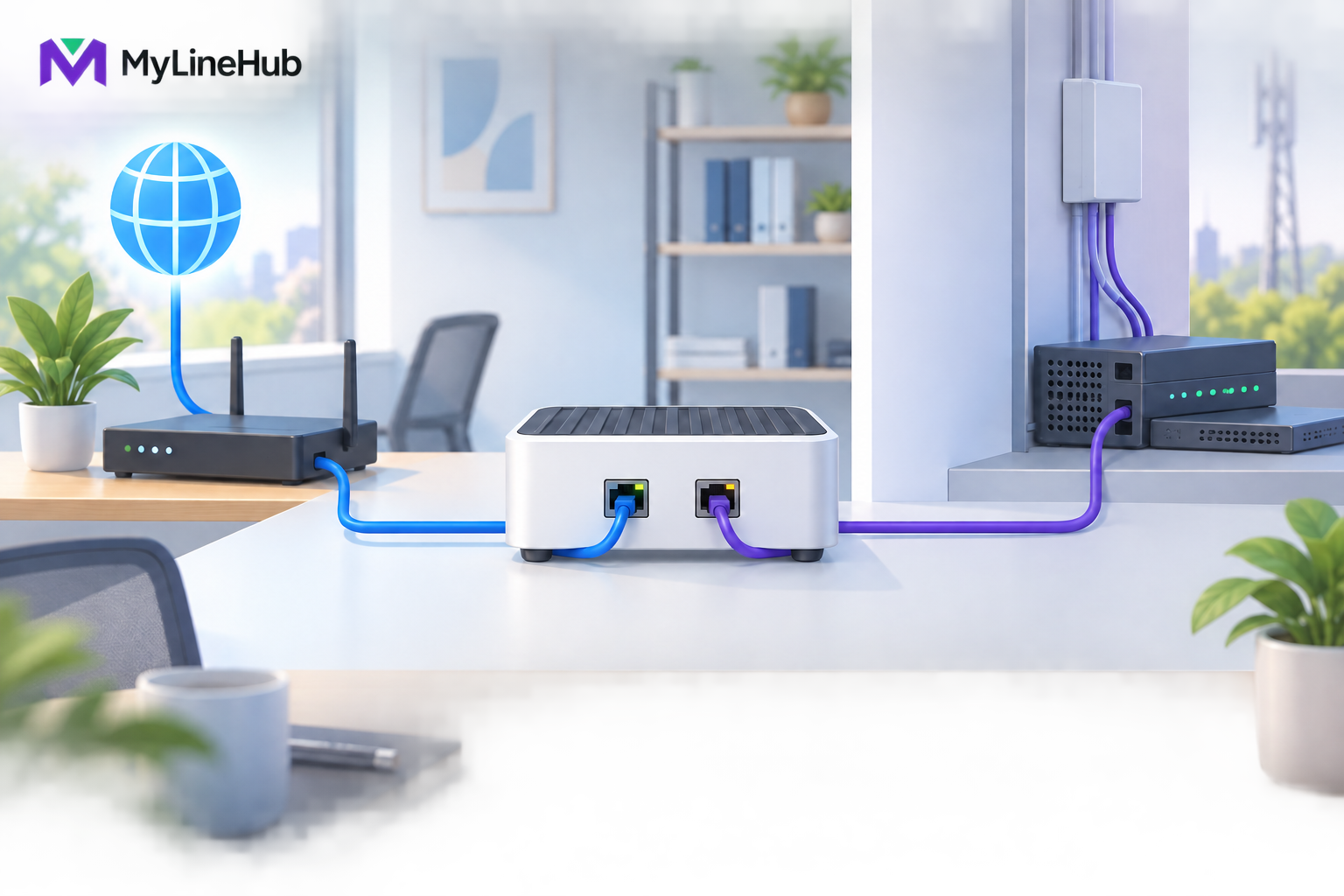
A MYLO appliance uses two network ports so that ordinary office or Internet connectivity can be kept distinct from a telecom-provider-facing connection when the deployment requires it. One port can connect MYLO to the office network for browser access, updates, and approved external services. The other can connect to the network through which a SIP trunk provider delivers signalling and voice traffic. This separation gives installers a clearer way to reason about routing, security, and faults. It does not mean every provider supplies a private cable or that both ports must always receive identical settings. The provider document and the site’s live network design determine how each interface is used. The purpose of two ports is flexibility and clarity, not a promise of one universal topology.
The Business Problem Behind Two Network Connections
A business call crosses several systems: the public number and trunk supplied by a carrier, the MYLO appliance, the office network, and the employee’s phone or software endpoint. If every connection is treated as “the Internet,” it becomes difficult to identify where a failed call actually stopped. Registration may fail because of carrier authentication, browser access may fail because of office addressing, and audio may fail because media is routed through the wrong interface.
Two physical ports create the option to give these roles separate paths. A clear path does not remove the need for correct configuration, but it makes the design easier to document. The administrator can identify which cable serves office access and which serves telecom service, while a technician can inspect the relevant route without guessing.
The Internet-Side Connection
The Internet-side or office-side port normally connects MYLO to the local business network. Authorised users on that network can open the MYLO interface in a browser. Subject to the approved configuration, this path may also support software updates, time synchronisation, name resolution, and a customer-selected external AI provider.
“Internet side” is a convenient description, not permission to expose the appliance directly to the public Internet. The router, firewall, addressing plan, and access policy remain part of the customer’s network responsibility. Remote access, if required, should be designed deliberately rather than created by an unsafe port-forwarding shortcut.
The office-side address may be assigned automatically or configured according to the site plan. An installer should inspect the actual Linux network state and router evidence before deciding that an address came from DHCP or should become static. A label on a cable cannot replace live evidence.
The Telecom-Side Connection
Some business SIP providers deliver service through dedicated termination equipment, a managed link, a private address range, or routing that is separate from normal broadband. In that design, MYLO’s second port provides a direct place for the telecom-facing network. SIP signalling can reach the provider through the intended route, and media can use the path described in the provider’s implementation document.
The provider should state the address, subnet, gateway or routing requirement, authentication method, server addresses, codecs, number format, and any permitted source addresses. The customer should not guess these values or copy them from another carrier. A successful physical link light proves only that Ethernet has connected; it does not prove trunk registration, inbound routing, outbound calling, or two-way audio.
Why Separating Traffic Can Help
Clearer routing
Two interfaces allow routes to be chosen according to destination. Office browser traffic can stay on the office network while provider destinations use the telecom path. This is especially useful when a carrier supplies a private network that cannot be reached through the ordinary Internet gateway.
Easier troubleshooting
When the interface roles are documented, support can ask precise questions. Can staff open MYLO through the office port? Can the appliance reach the carrier through the telecom port? Does SIP work while RTP audio fails? Separating these checks reduces random changes.
More deliberate security boundaries
A separated provider network can reduce unnecessary mixing of office and carrier traffic. It is not security by itself. Firewall rules, service binding, credentials, updates, and physical access still matter, and the two interfaces should never be bridged casually.
Provider Variations Matter
Not every SIP trunk arrives on a dedicated telecom network. Some providers use registration over the public Internet. Others authorise a fixed public IP, require a private circuit, or place their own router at the customer site. A hosted provider may deliver both signalling and media over the same broadband connection used by the office.
In those cases, the second port may be reserved for a later design, used according to an approved network plan, or remain unused. The existence of two ports should never be turned into a false claim that two Internet subscriptions are required. Equally, a provider-specific topology should not be presented as a feature that applies to every customer.
What If Both Services Arrive Through One Network?
If browser access and the SIP service both use the office network, MYLO can still participate in a properly designed single-network deployment. The installer must confirm addressing, NAT, firewall behaviour, SIP server reachability, RTP media paths, and provider authorisation. Voice and ordinary office traffic may also need capacity planning and appropriate traffic management.
Using one network does not automatically make the deployment unreliable. Using two ports does not automatically make it reliable. Reliability comes from a documented topology, stable connectivity, correct routes, controlled changes, and real call testing.
A Practical Office Example
A small service company has broadband for staff laptops and a carrier-managed device for its business trunk. The first MYLO port connects to the office switch, allowing the administrator to open MYLO locally. The second connects to the carrier device using the address and routes supplied by the carrier. Labels on both cables match a short network record kept by the business.
When browser access works but external calls fail, the technician can focus on the telecom interface, carrier reachability, trunk status, and media evidence. When calls work but the browser cannot be opened from a workstation, the office-side address and local routing become the relevant area. The separation shortens diagnosis because responsibilities are visible.
Responsibilities and Limitations
- The customer or network administrator owns the office router, switching, cabling, firewall, and access policy.
- The telecom provider owns the service it supplies and must provide current technical and commercial details.
- MYLO provides the prepared local system but does not turn an undocumented network into a supported design automatically.
- Addressing and routing changes are consequential and should be reviewed, backed up where applicable, applied through controlled tools, and verified.
- Passwords, provider credentials, and private network details should not be published in diagrams or support messages.
- A configuration reload is not proof of service; inbound, outbound, and two-way-audio tests are still required.
Two-Port Readiness Checklist
- Ask the provider whether the trunk uses public Internet, fixed-IP authentication, registration, a private link, or provider equipment.
- Obtain the provider’s written addressing, routing, signalling, media, codec, and number-format information.
- Identify and label the office-side and telecom-side cables.
- Record the purpose of each interface without storing secrets in the record.
- Confirm the office browser path and the carrier path independently.
- Do not bridge interfaces or add default routes without understanding the effect.
- Protect MYLO, the router, switches, and provider equipment with suitable power backup.
- Complete real inbound and outbound calls and confirm two-way audio.
Read what Internet connection an office phone system needs before planning the network, then continue with the two-cable MYLO connection journey. Contact MyLineHub or a qualified network professional when the provider topology is unclear or custom routing is required.
Two Ports Do Not Automatically Mean Redundancy
Two physical interfaces create design options; they do not by themselves provide failover, load balancing, firewall isolation, or a second Internet connection. Those outcomes require an approved network design, compatible routers or switches, correct Linux configuration, and testing. Connecting both ports to the same network without a plan can create duplicate paths, confusing address selection, or loss of access. Never bridge, bond, or readdress interfaces merely because the sockets are available.
A common design may reserve one interface for the office-management network and another for a provider or controlled telecom path, but that is not a universal MYLO requirement. The correct design follows the customer’s actual ISP, router, VLAN, provider delivery model, address plan, firewall rules, and recovery access. Linux remains the authority for live interfaces, addresses, routes, and link state; an old diagram or application record is reference material only.
Plan and Verify Every Interface Change
Before connecting or changing the second port, record the purpose of each interface, switch port, VLAN, address source, gateway, DNS, allowed management source, SIP signalling path, RTP path, and person responsible for the surrounding network. Confirm that only the intended interface supplies a default route unless the approved design explicitly says otherwise. Protect provider credentials and never copy example addresses from documentation into production.
Apply network changes during a controlled window with local recovery access. Verify browser management from the approved office segment, Internet reachability where required, provider signalling, inbound and outbound calls, and two-way audio. Then test restart and link-loss behaviour. If the office router, ISP, switch, or provider circuit fails, the MYLO appliance cannot repair that external component; the evidence should be handed to its owner.
NIC 1 and NIC 2 Have Different Jobs
In the standard planning model, NIC 1 faces the office LAN and Internet side, while NIC 2 faces the telecom or SIP-provider network where the provider supplies a separate handoff. The exact interface names and routes come from the actual unit and provider document. This separation makes routing and fault ownership clearer; it is an engineering pattern, not a blanket legal claim that every Indian PBX must use two physical ports.
Continue planning
Continue with What Is a Telephony Appliance for a Small Business?; What Internet Connection Does an Office Phone System Need?; Connecting the MYLO Box: The Two-Cable Journey. For deeper implementation context, use MyLineHub technical architecture guidance.
Review current MYLO pricing, or discuss this requirement on WhatsApp.
Want to see API-driven CRM + Telecom workflows in action? Try the WhatsApp bot or explore the demos.
Comments (0)
Be the first to comment.