RTP Direction, SSRC, Payload & Timing — Debugging Real Voice Streams
A practical RTP debugging guide: directionality, SSRC changes, payload mismatch, timestamp drift, and how to confirm real duplex audio on the wire.
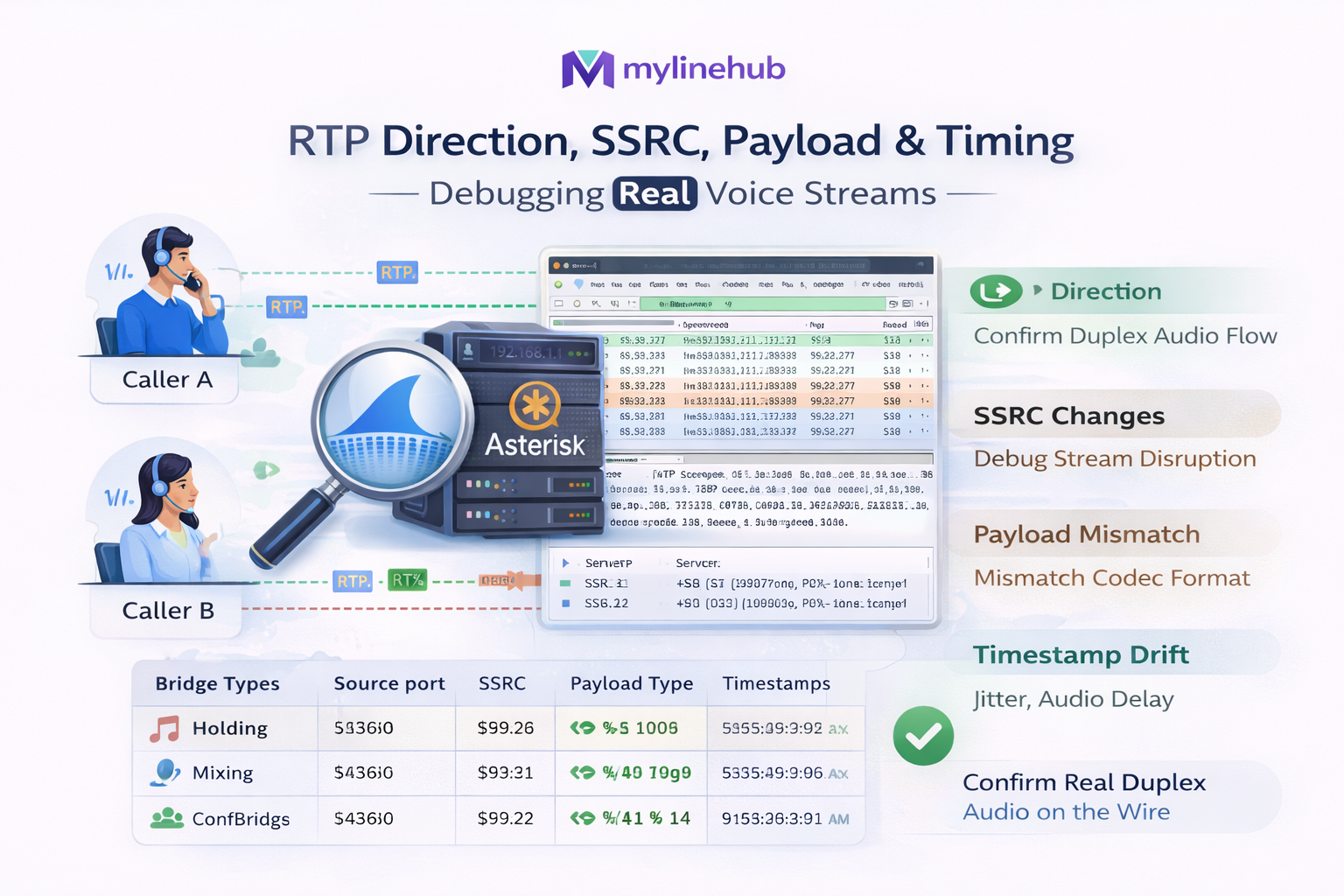
RTP Direction, SSRC, Payload Type & Timing — Debugging Real Voice Streams (Asterisk + ARI ExternalMedia)
If you are building real-time AI voice on Asterisk, the “hard part” is usually not your bot. The hard part is the media wire: RTP direction, SSRC, payload type, sequence/timestamps, and the NAT/firewall behaviors that turn “demo audio” into one-way / broken duplex.
This guide is for builders who want production-grade duplex between Asterisk and AI. It maps to the open-source MYLINEHUB VoiceBridge repository: mylinehub-voicebridge and references the deeper architecture article: MYLINEHUB VoiceBridge Architecture.
Why “audio works” is not enough
Many Asterisk “AI voice” integrations stop at: “I received audio” or “I played audio.” Real conversation needs duplex: the caller can speak while the bot speaks, interrupt (barge-in), and the system must keep RTP stable under real networks.
Production failures usually look like: one-way audio, random silence after 10–30 seconds, choppy playback, talk-over echo, or “works on LAN but breaks behind NAT.” These are almost always RTP direction + SSRC/PT + timing problems.
For the full system view (ARI + bridges + RTP + AI), read: MYLINEHUB VoiceBridge Architecture.
RTP fields you must track on the wire
1) RTP direction: the #1 cause of one-way audio
RTP is UDP. There is no “connection.” Direction is just: which IP:port is sending packets to which IP:port. If your bridge sends to the wrong peer (common under NAT), you inject into a black hole.
VoiceBridge uses a symmetric RTP endpoint pattern:
it learns the peer from the first inbound packet and sends outbound RTP back to the same socket.
See:
mylinehub-voicebridge/src/main/java/com/mylinehub/voicebridge/rtp/RtpSymmetricEndpoint.java.
2) SSRC: stream identity that can change mid-call
SSRC identifies the RTP stream source. In real Asterisk flows it can change due to re-invites, bridge changes, channel recreation, or ExternalMedia restarts. If you ignore SSRC changes, duplex can degrade “randomly.”
VoiceBridge learns SSRC from inbound packets and keeps outbound SSRC stable/predictable for the receiver.
The learning + validation behavior is documented in-code inside:
RtpSymmetricEndpoint.java.
3) Payload Type (PT): codec mismatch hiding as silence
Payload Type tells the receiver what codec is inside the RTP payload. Telephony commonly uses PCMU (G.711 µ-law) or PCMA (G.711 A-law). If you inject with the wrong PT, Wireshark shows RTP packets but you hear silence.
In VoiceBridge, outbound RTP header creation is centralized in:
mylinehub-voicebridge/src/main/java/com/mylinehub/voicebridge/rtp/RtpPacketizer.java
(PT, sequence, timestamps).
4) Sequence + timestamps: the “duplex secret”
Many samples “send audio” but burst packets too fast, pause randomly, reuse timestamps, or drift over time. Asterisk jitter buffer reacts with choppy output, delayed playback, or silence.
A production bridge must generate RTP with:
monotonic sequence, monotonic timestamps,
and stable frame pacing (typically 20ms per packet for G.711).
VoiceBridge enforces those rules in:
RtpPacketizer.java.
How VoiceBridge stays NAT-safe (Symmetric RTP)
Asterisk + ExternalMedia often runs where the bridge is not on the same LAN as Asterisk, or Asterisk is behind NAT. In these cases, the IP/port you “think” you should send RTP to can be wrong after NAT rewriting.
The key idea: learn the real peer from the first inbound packet
VoiceBridge: (1) binds a known local UDP port, (2) waits for the first inbound RTP packet, (3) records the sender IP:port, then (4) always sends outbound RTP back to that learned peer.
That’s why the project exposes RTP bind settings in Spring config:
mylinehub-voicebridge/src/main/resources/application.properties
(example: rtp.bind.port=4000, and your deployment can override).
Where this lives in the open-source repo
- Symmetric RTP endpoint:
.../rtp/RtpSymmetricEndpoint.java - RTP header creation + pacing:
.../rtp/RtpPacketizer.java - Port allocation (multi-call):
.../rtp/RtpPortAllocator.java
Wireshark workflow: confirm true duplex in minutes
Step 1 — Confirm there are two RTP streams
Duplex means you see both: Asterisk → VoiceBridge and VoiceBridge → Asterisk. If only one direction exists, it’s not duplex.
Step 2 — Verify the 5 header facts that decide everything
- Src/Dst IP:port (direction truth)
- SSRC (stable? changing?)
- Payload Type (codec match?)
- Sequence (monotonic, no huge jumps)
- Timestamp (monotonic, correct pacing)
Step 3 — Common failure signatures
- RTP visible but silence: wrong PT/codec or wrong injection port.
- Works for 5–15 seconds then dies: NAT pinhole closes, peer port changed, or SSRC changed and sender didn’t adapt.
- Choppy/robotic: burst sending, timestamp drift, or frame duration mismatch.
- One-way only on WAN: missing symmetric RTP (sending to wrong NAT-mapped peer).
How VoiceBridge builds correct RTP headers (PT, Seq, TS, SSRC)
Outbound RTP packet creation is centralized (not scattered). That’s intentional: RTP correctness must be consistent.
See:
mylinehub-voicebridge/src/main/java/com/mylinehub/voicebridge/rtp/RtpPacketizer.java.
What the packetizer is responsible for
- RTP version + header fields
- Payload Type (PT) for chosen codec
- Sequence number monotonic increment
- Timestamp increment aligned to frame duration
- Stable SSRC behavior for predictable receiving/jitter buffer handling
Why this is the foundation for “natural” duplex conversation
Duplex isn’t just “audio both ways.” It’s audio both ways with timing discipline. Your AI can be perfect, but if RTP timing is sloppy the call will feel broken or will fail under real jitter.
If you are implementing “send audio back to caller,” read: How to Send Audio Back to Caller Using ARI ExternalMedia (Working RTP Guide) .
Port planning: avoid collisions and firewall surprises
Scaling beyond a single call makes port planning non-optional. Collisions, mismatched firewall rules, and NAT mapping instability become frequent outages.
VoiceBridge approach
VoiceBridge uses a dedicated allocator:
mylinehub-voicebridge/src/main/java/com/mylinehub/voicebridge/rtp/RtpPortAllocator.java.
This supports predictable local binds and safe reuse rules under concurrency.
Production-safe guidance
- Reserve a dedicated UDP RTP range on the VoiceBridge host
- Match firewall rules to that exact range (avoid “open everything”)
- Keep Asterisk RTP range and VoiceBridge RTP range clearly separated
- Use symmetric RTP so NAT learns/stays stable
Firewall reference pairing: Ports Required for FreePBX + Asterisk (SIP, RTP, ARI, AMI, WebRTC) .
Where AI fits (Realtime, external bots, swapping providers)
Once RTP is stable, swapping AI providers is straightforward. VoiceBridge is designed as a telecom-grade bridge: Asterisk ⇄ VoiceBridge ⇄ AI (Realtime / external bot) without forcing vendor lock-in.
- Connect to real-time streaming AI
- Connect to your own external bot API
- Replace CPaaS-style voice APIs while keeping telecom on-prem and controlled
This is why VoiceBridge is a “full-duplex bridge” rather than “a bot.” The bridge owns telecom + duplex media; your bot layer can be replaced anytime.
Fast “RTP truth table” for debugging
If caller → bot works but bot → caller is silent
- Confirm outbound RTP packets leave VoiceBridge
- Confirm destination is the learned peer (symmetric RTP)
- Confirm PT matches what Asterisk expects (PCMU vs PCMA)
- Confirm seq/timestamps are monotonic and paced
If bot → caller works but caller → bot is silent
- Confirm Asterisk sends RTP to your bound port
- Check firewall/NAT inbound UDP range
- Confirm no port collision across concurrent calls
If duplex “works” but barge-in fails
- Transport is duplex, but interruption control is separate logic
- Detect caller speech during TTS
- Cut/duck audio without breaking RTP timing discipline
Related: Handling Interruptions, Barge-In, and Real-Time Speech Cut-Through .
Repository + file references (so builders can follow exactly)
Open-source repo: github.com/mylinehub/omnichannel-crm/tree/main/mylinehub-voicebridge
Key files referenced in this article
mylinehub-voicebridge/src/main/java/com/mylinehub/voicebridge/rtp/RtpSymmetricEndpoint.javamylinehub-voicebridge/src/main/java/com/mylinehub/voicebridge/rtp/RtpPacketizer.javamylinehub-voicebridge/src/main/java/com/mylinehub/voicebridge/rtp/RtpPortAllocator.javamylinehub-voicebridge/src/main/resources/application.properties
Recommended next reading (in order)
MYLINEHUB VoiceBridge exists because the world had plenty of “voice bot demos,” but not enough open, production-grade full-duplex bridges that integrate cleanly with existing Asterisk/FreePBX systems. If you want your AI bot to reach your current telephony without rebuilding your PBX, RTP correctness is the foundation.
Want to see API-driven CRM + Telecom workflows in action? Try the WhatsApp bot or explore the demos.
Comments (0)
Be the first to comment.