What Happens When the SIP Trunk Stops Working?
When a SIP trunk stops working, external inbound calls, outbound calls, or both may fail even though MYLO, Asterisk, local phones, and the office network appear available.
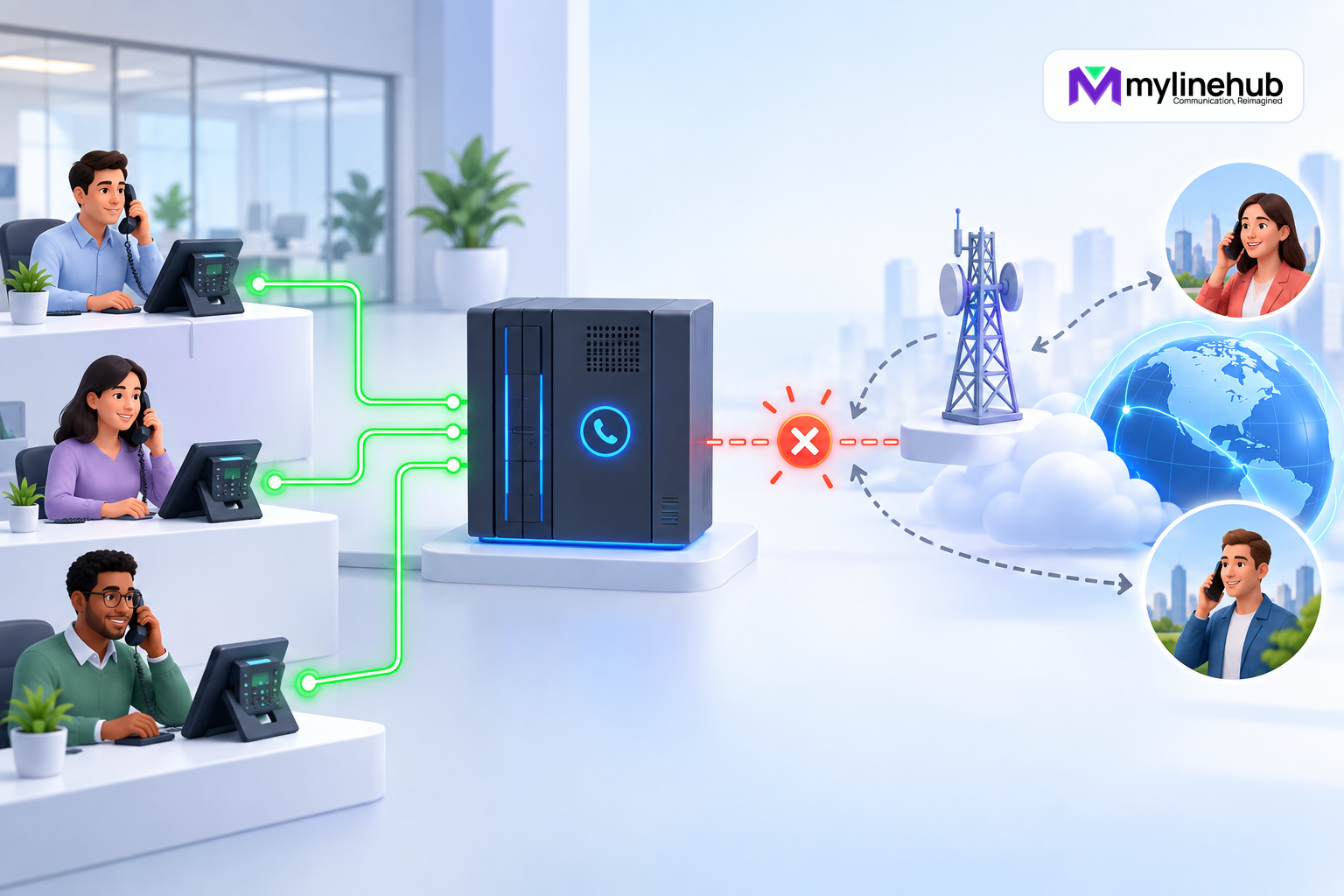
When a SIP trunk stops working, external inbound calls, outbound calls, or both may fail even though MYLO, Asterisk, local phones, and the office network appear available. Diagnosis must follow the real signalling and media path: network reachability, provider addressing, registration where used, authentication, number format, loaded Asterisk configuration, channel state, and call evidence. A successful ping alone does not prove trunk health.
Prevent the Same Failure From Becoming Routine
After restoration, review whether monitoring detected the actual customer impact or only a registration change. Add bounded checks for the relevant trunk type, direction, and media path; document provider escalation contacts and account references; and schedule a controlled test of any backup route. Review firewall, addressing, DNS, expiry, capacity, and recent change evidence without assuming the last incident has the same cause as the next one. Keep the runbook short enough to use under pressure and precise enough that a new administrator can collect the same evidence. The purpose of the review is not to assign blame. It is to shorten detection, protect customers during diagnosis, and make verified restoration repeatable.
Protect Customers While Diagnosis Continues
Stop or pause new outbound work that depends on the affected trunk. Repeatedly submitting calls does not repair a provider rejection and can create duplicate customer contact when service recovers. For inbound service, activate only the fallback previously agreed with the provider and business owner. A diversion to mobiles may preserve reachability, but it can bypass IVR, queue, recording, reporting, caller-context, and privacy controls.
Tell staff which journeys are unavailable, which fallback is approved, how long it should be used, and where to record urgent customer requests. Do not ask agents to use personal numbers or unapproved consumer applications simply because they work. If emergency or regulated calling is affected, follow the organisation’s separate continuity process and provider guidance rather than assuming an ordinary trunk workaround is sufficient.
Verify Restoration End to End
A registered endpoint or a green provider portal is not final proof. Place an authorised inbound call through the real business number and confirm number delivery, route selection, ringing, answer, transfer or queue behaviour, and two-way audio. Then place an authorised outbound call and confirm the selected business identity, answer, media, and final call record. Test the failure path that originally broke, not a simpler internal call.
Reconcile calls attempted during the outage before resuming campaigns or automated retries. Record timestamps, call identifiers, provider reference, observed SIP result, affected directions, customer impact, correction, and verification evidence. Separate facts seen in Asterisk, Linux, MYLO, and the provider network. If those sources disagree, keep the contradiction visible and escalate with a bounded evidence pack. The incident is closed only when the business journey is stable and the owner has accepted any remaining limitation.
Define the Actual Symptom
“Trunk down” can mean registration is rejected, outbound calls receive a provider error, inbound calls never arrive, calls reach the wrong route, ringing works but audio does not, or service fails only for some numbers. Record direction, number, time, caller origin, observed message, and whether the failure affects every call.
Pause campaigns or other repeated calling while the cause is unknown. Repeated attempts can create duplicate customer contact, provider enforcement, and noisy logs without adding useful evidence.
Registration Is Important Only Where the Trunk Uses It
Some trunks authenticate through registration; others use IP-based trust or a provider-specific arrangement. For a registration-based trunk, inspect current Asterisk registration state and the provider response. Rejection can reflect username, secret, realm, source address, expiry, transport, or provider account state.
Do not expose SIP credentials in chat, screenshots, logs, or support emails. Retrieve and update them only through the protected local interface and approved operation. A copied password in a diagnostic transcript creates a second incident.
Reachability Is More Than Ping
Ping tests ICMP reachability when the provider allows it. SIP signalling may use a different port, transport, hostname, route, or source-address policy, and RTP media uses its own negotiated path. A provider can answer ping while rejecting SIP; it can block ping while working normally.
Inspect current Linux interfaces, routes, DNS resolution where applicable, firewall and NAT conditions, and provider endpoint reachability using approved bounded checks. Compare the result with the provider’s documented delivery topology rather than a generic Internet assumption.
Inspect Loaded Asterisk State
Verify that the intended trunk configuration is loaded, the endpoint or peer status matches the design, and inbound identification and outbound route relationships exist. A file on disk is not enough if Asterisk rejected it or was not reloaded. Conversely, an old database record is not proof of the active trunk.
Use call identifiers and a narrow time window to inspect actual call events. Provider response codes and Asterisk channel outcomes can distinguish authentication, routing, unavailable destination, congestion, and other cases, but interpret them with the provider contract and full path.
Check Number and Caller-ID Handling
Inbound providers may present the called number in a specific format. If the route expects another representation, calls can reach the trunk but miss the intended destination. Outbound service may reject a called-number format or caller ID that is not authorised for the account.
Test using an approved number and provider-authorised caller ID. Do not “fix” rejection by presenting arbitrary identities. Preserve the exact provider response and ask the provider to confirm authorised formatting and resources.
Separate Signalling From Media
A call that sets up but has no audio or one-way audio is not a healthy trunk. Inspect negotiated media addresses, NAT, firewall, RTP range, codec agreement, and provider expectations. Confirm audio in both directions and after transfers or bridging.
Do not reset or rewrite unrelated configuration solely because media failed. First identify whether signalling completed and which leg lacks audio. This keeps corrective action proportional and preserves working parts of the system.
Escalate With a Useful Evidence Pack
Give the provider the account or trunk identifier, affected direction, called and calling numbers in appropriately protected form, timestamps with time zone, provider response, and a concise description of what succeeds and fails. Include bounded signalling evidence only through the approved support channel.
Avoid sending thousands of unrelated log lines or secrets. Ask the provider to confirm service status, registration or IP authorisation, number routing, caller-ID eligibility, and the event visible on its side. Record the case reference and outcome.
Trunk Recovery Checklist
- Pause repeated calls and define direction, scope, time, and symptom.
- Check the correct registration or IP-authentication model.
- Inspect live Linux and Asterisk state, not stale records.
- Use bounded call evidence and protect credentials.
- Verify number formats, authorised caller ID, signalling, and media.
- Escalate with timestamps and identifiers, then test inbound and outbound service.
Do Not Invent Failover
If the authoritative SIP trunk is unusable, MYLO must not invent an alternate trunk or silently send traffic through an unapproved provider. New campaign origination should stop or pause. After the provider or network fault is repaired, the responsible user verifies the authoritative path and gives the required Resume approval.
Continue planning
Continue with Is MYLO a PBX, an AI Agent or a Complete Appliance?; What Happens When the Office Internet Connection Goes Down?; How MYLO Turns Logs Into Understandable Telecom Evidence. For deeper implementation context, use MyLineHub technical architecture guidance.
For a requirement outside the prepared MYLO scope, discuss the exact outcome with MyLineHub.
Want to see API-driven CRM + Telecom workflows in action? Try the WhatsApp bot or explore the demos.
Comments (0)
Be the first to comment.