What Happens When the Office Internet Connection Goes Down?
What continues when the office Internet connection fails depends on the customer’s actual network and telecom topology.
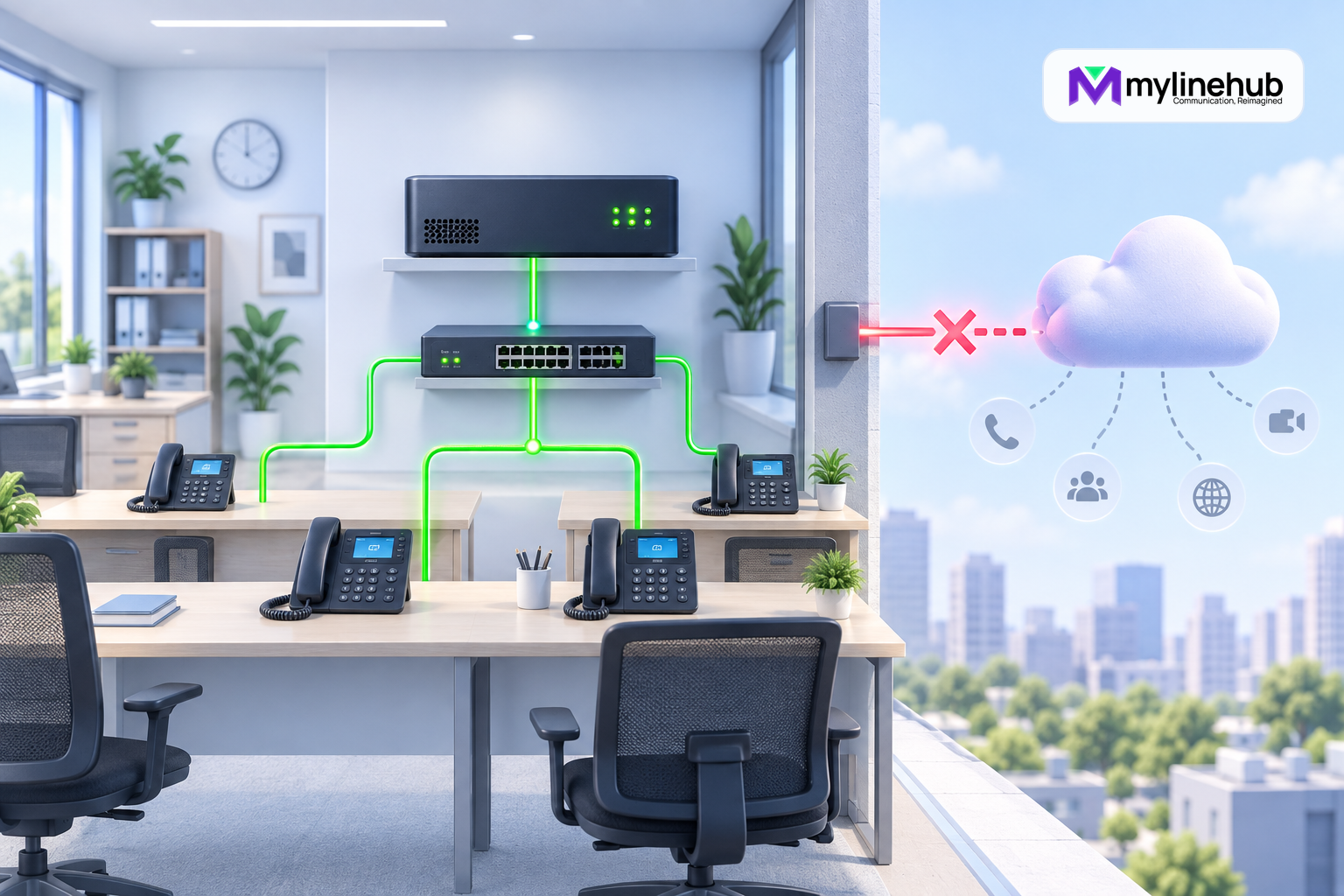
What continues when the office Internet connection fails depends on the customer’s actual network and telecom topology. A local MYLO browser may remain reachable over the office LAN, and some internal extension calls may continue, while cloud AI access and Internet-delivered SIP service become unavailable. A trunk delivered over a separate private circuit may behave differently. MYLO should inspect the real arrangement and explain observed evidence rather than promise one universal outage outcome.
Define Service Priorities Before an Incident
A small business should decide which journeys matter most while the network is healthy. Inbound emergency or support calls, internal extension calling, outbound customer contact, remote-agent access, CRM synchronisation, AI assistance, and software updates do not have equal urgency. Write a short continuity table showing each journey, its network dependencies, acceptable outage, owner, approved fallback, and verification call. That prevents an incident from becoming an argument about what “MYLO is down” means.
Fallbacks should be operationally realistic. Provider-side diversion may preserve inbound reachability, but it can change caller information, recording, queue behaviour, reporting, and privacy boundaries. Mobile failover may restore connectivity but lack the stable addressing or quality needed by a SIP provider. A manual callback list can help a small team, but only if customer data is protected and duplicate contact is controlled. Test each approved fallback, document its limitations, and train the people expected to use it.
Close the Incident With Evidence
When Internet service returns, do not immediately release every queued activity. Confirm stable reachability, name resolution, time synchronisation, provider status, endpoint registration where applicable, and the absence of unexpected route changes. Run a low-risk authorised inbound and outbound test, including two-way audio and the intended caller identity. If campaigns were paused, reconcile their current state and remaining eligible customers before resuming dispatch.
Create a short incident record containing start and recovery times, affected journeys, observed network evidence, provider references, fallback actions, customer impact, verification results, and follow-up owner. Do not paste secrets or unbounded logs into it. The objective is to improve routing, backup capacity, monitoring, and operating procedure for the next outage. Recovery is complete when the customer journey works consistently and the business understands any data or calls that require reconciliation.
Separate the Local Network From the Internet
Office users often use “the Internet” to mean every network function. The local area network connects browsers, phones, switches, and the MYLO appliance inside the site. The Internet connection provides reachability beyond the site. A router or access circuit failure may remove external access while local switching continues. A power failure can remove both. A DNS problem may break named external services while some direct connectivity remains.
First identify the failure domain: can a workstation reach the MYLO appliance’s current local address, can extensions reach one another, does Linux still have an active interface and default route, and can approved external destinations be reached? These are separate observations, not one “online/offline” flag.
Local Browser Access May Continue
If the appliance, user device, switch, and local network remain powered and correctly addressed, an authorised user may still open MYLO through its local address. This depends on the browser using the LAN path rather than a public hostname or authentication dependency that requires the Internet. The live Linux network state is the authority.
Local access does not mean every MYLO function remains available. Pages backed by local application services may work, while actions needing an external AI provider, telecom provider, remote API, or software service can fail safely. The interface should distinguish local availability from external dependency status.
AI-Assisted Conversation May Be Limited
MYLO uses the customer-selected AI provider for semantic assistance. If that provider is reached over the failed Internet path, new conversational interpretation, proposal preparation, or explanation requiring the provider will be unavailable. The product should return a clear dependency error without exposing credentials or pretending a model response succeeded.
Existing Asterisk configuration does not disappear because the AI provider is unreachable. Deterministic local services can continue only where their supported operation and dependencies remain available. The business should not equate “AI unavailable” with “PBX erased”, or assume that every new change can safely proceed without semantic assistance.
Internal Calling Depends on Local Telephony Design
Registered local endpoints and Asterisk may continue internal extension calling when signalling and media stay on the functioning LAN. This must be tested in the actual deployment. Phones that depend on remote provisioning, cloud registration, remote sites, external DNS, or Internet-routed media may not behave like purely local endpoints.
Emergency and public calling need special planning. A local extension call working does not prove that emergency or external service remains available. The organisation must understand provider requirements and maintain an appropriate continuity procedure for its location.
SIP Trunk Behaviour Depends on Delivery Topology
An Internet-delivered SIP trunk normally depends on the failed connection and may lose registration, signalling, media, or all three. A trunk delivered over dedicated provider equipment or a private path may continue even when general web access fails. Some deployments share a physical circuit but use different routing or provider devices.
Check provider reachability, SIP status, live call evidence, and media rather than relying on a ping result. ICMP may be blocked while SIP works, or an address may answer ping while authentication, number delivery, and RTP fail. Only the real call path proves service.
Plan Backup Connectivity Before the Outage
A secondary Internet service, mobile failover, provider diversity, or separate voice circuit can improve continuity only when routing, firewall, SIP source expectations, public addressing, bandwidth, and failback are designed and tested. Connecting a backup router during an incident does not guarantee that a provider will accept signalling from the new path.
Document which traffic may use backup capacity, who may activate it, how voice quality is protected, and how normal service returns. Test failover and failback with provider participation where required. Do not run an outbound campaign over an untested degraded path simply because basic web browsing works.
Recovery Procedure
- Pause new campaigns or consequential changes that depend on uncertain external service.
- Confirm power and local LAN reachability to the appliance and endpoints.
- Inspect current Linux interfaces, addresses, routes, and approved connectivity checks.
- Identify whether AI, SIP, DNS, remote endpoints, and provider services use the failed path.
- Contact the appropriate ISP or telecom provider with bounded timestamps and evidence.
- Restore or activate the approved backup path and verify routing and security controls.
- Place authorised inbound and outbound test calls with two-way audio before resuming work.
Continue planning
Continue with Is MYLO a PBX, an AI Agent or a Complete Appliance?; Can MYLO Work When AI Is Temporarily Unavailable?; What Happens When the SIP Trunk Stops Working?. For deeper implementation context, use MyLineHub technical architecture guidance.
For a requirement outside the prepared MYLO scope, discuss the exact outcome with MyLineHub.
Want to see API-driven CRM + Telecom workflows in action? Try the WhatsApp bot or explore the demos.
Comments (0)
Be the first to comment.