What Is an ICE Candidate? Host, srflx, relay Explained Clearly
Learn what an ICE candidate is in WebRTC, the difference between host, server reflexive, and relay candidates, and how candidate selection decides whether calls connect directly or through TURN.
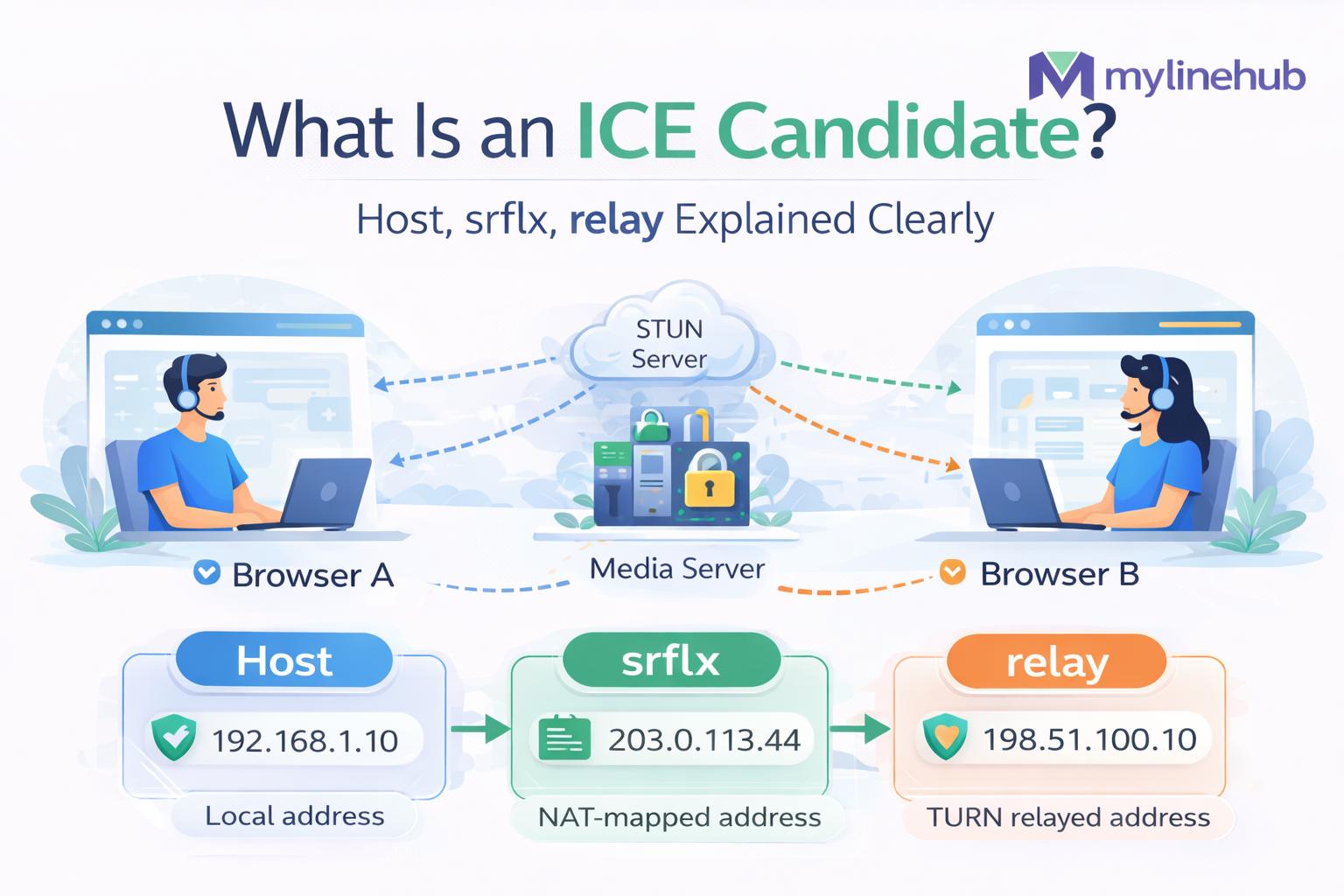
🌍 Start with the real problem
Suppose Browser A wants to send audio to Browser B.
In a simple world, Browser A would just send packets directly to Browser B’s IP and port. But real networks are messy.
• devices sit behind home routers and office gateways
• private IP addresses are not globally reachable
• NAT rewrites source addresses and ports
• firewalls block unexpected inbound traffic
• some networks allow direct reachability, others do not
• some connections need a relay server to work at all
So WebRTC cannot assume one fixed path. It has to discover multiple possible paths, exchange them, test them, and choose one that actually works.
🧠 What does ICE itself mean?
ICE = Interactive Connectivity Establishment.
ICE is the framework that helps two peers discover and test network paths for real-time media.
ICE does things like:
• gather local and external addresses
• exchange those addresses between peers
• build candidate pairs
• run connectivity checks
• nominate the best working pair
So an ICE candidate is one small object inside the larger ICE process.
🌐 Before ICE candidates: what is an IP address?
An IP address is the network address used to identify where packets should go.
In very simple terms:
If a postal address tells the mail system where to deliver a package, an IP address tells the network where to deliver a packet.
But one important detail is often missed: a device can have more than one usable address view depending on whether you are looking from inside its local network or from the public internet.
🔓 Public IP vs private IP
| Type | What it means | Example | Reachability |
|---|---|---|---|
| Private IP | Used inside local networks | 192.168.1.20 | Usually not directly reachable from the public internet |
| Public IP | Visible on the public internet | 203.0.113.44 | Can be routable on the wider internet |
A laptop inside your home Wi-Fi often has a private IP, while the router or NAT gateway exposes some public-facing mapping to the outside world.
🧠 Why NAT exists
NAT stands for Network Address Translation.
NAT became common because many devices inside one home or office need internet access, but they do not each get a directly exposed public IP in the simplest design.
NAT helps by:
• allowing many private devices to share one public-facing internet connection
• hiding internal address structure from the public internet
• translating local source addresses/ports into external ones
But NAT also creates a challenge: the browser cannot always tell the remote side, “just send media directly to my private IP.” That usually will not work across the internet.
📦 The three main ICE candidate types
In practice, the three most important ICE candidate types are:
| Type | Meaning | Where it comes from | Typical use | Simple memory line |
|---|---|---|---|---|
| host | Local interface address | Device itself | LAN or same-network direct path | “My own local address” |
| srflx | Server reflexive address | STUN response | Public NAT-mapped address | “How the internet sees me” |
| relay | Relayed address | TURN server | Fallback when direct path fails | “Send through the relay” |
🏠 1) Host candidate
A host candidate is the browser’s own local IP address and port on one of its interfaces.
Example:
192.168.1.20:54400
This address is usually directly usable only when:
• both peers are on the same local network
• or there is a special routing environment where the private path is reachable
Host candidates are often the lowest-latency and most efficient, but they are frequently useless across the public internet.
🌍 2) Server reflexive candidate (srflx)
A server reflexive candidate is the public-facing address that a STUN server sees for your browser.
Your device may think it is sending from:
192.168.1.20:54400
But the router/NAT may expose it externally as:
203.0.113.44:62015
That public NAT-mapped address becomes the srflx candidate.
This is often the candidate that enables direct peer-to-peer communication across many normal home and office NAT environments.
🔁 3) Relay candidate
A relay candidate is a candidate allocated by a TURN server.
Instead of sending packets directly to the other peer, each side sends media to the TURN server, and the TURN server relays it onward.
Relay candidates become important when:
• symmetric NAT blocks direct traversal
• strict firewall rules prevent direct connectivity
• enterprise or mobile networks are restrictive
• reliability matters more than “pure” peer-to-peer routing
Relay candidates are usually the most reliable fallback, but they add server cost and often a little more latency.
🧠 So what exactly is the purpose of STUN?
STUN stands for Session Traversal Utilities for NAT.
In very practical terms, STUN helps a browser ask:
“When I send traffic to the outside world, what public address and port do you see me coming from?”
STUN does not magically solve all NAT problems. It mainly helps the browser discover its public-facing mapped address.
That discovered mapping becomes the srflx candidate.
🔁 And what exactly is the purpose of TURN?
TURN stands for Traversal Using Relays around NAT.
TURN is used when address discovery is not enough. Sometimes both sides know about each other’s possible addresses, but direct traffic still cannot pass.
TURN solves that by saying:
• “Send your traffic to me”
• “I will receive it”
• “I will relay it to the other side”
So STUN is mostly about discovering a reachable mapping, while TURN is about providing a relay path when direct reachability is not possible.
📄 What does an ICE candidate look like?
In SDP or in browser candidate events, you may see lines like these:
candidate:842163049 1 udp 1677729535 192.168.1.20 54400 typ host
candidate:3011219415 1 udp 33562367 203.0.113.44 62015 typ srflx raddr 192.168.1.20 rport 54400
candidate:1186342591 1 udp 41819902 198.51.100.10 50020 typ relay
| Field | Meaning | Why it matters |
|---|---|---|
| foundation | Grouping identifier for related candidates | Helps ICE reason about candidate families efficiently |
| component | Media component id | Historically RTP vs RTCP components; often simplified when rtcp-mux is used |
| transport | Usually UDP | Defines transport protocol for checks and media |
| priority | Relative preference value | Helps ICE decide which paths to favor |
| IP + port | Candidate transport endpoint | This is the actual address/port being tested |
| typ | Candidate type: host / srflx / relay | Tells you what kind of route it represents |
| raddr / rport | Related local address/port | Often helps interpret how a mapped candidate came from a local one |
🧩 What is a candidate pair?
One candidate alone is not enough. ICE works by combining:
• one local candidate from Browser A
• one remote candidate from Browser B
That combination becomes a candidate pair.
Example pairs:
• host ↔ host
• host ↔ srflx
• srflx ↔ srflx
• srflx ↔ relay
• relay ↔ relay
ICE then runs connectivity checks on these pairs to discover which pair actually works under real NAT and firewall conditions.
📶 Which candidate is usually preferred?
WebRTC usually tries to prefer the most direct, lowest-cost path first.
Very roughly, the preference idea is:
• direct/local if possible
• public mapped direct path if possible
• relay only when necessary
But the final selected pair depends on connectivity checks, priority values, role logic, nomination rules, and real network behavior — not only on the type names.
🔍 How candidate gathering happens over time
Candidate gathering is usually not one giant instant event. Browsers gather candidates progressively.
1. Browser starts local gathering
2. Host candidates appear first
3. STUN requests discover srflx candidates
4. TURN allocation may produce relay candidates
5. Candidates are signaled to the remote side
6. ICE checks begin as candidate pairs become available
7. One pair is nominated and selected
This is why many apps use trickle ICE, where candidates are sent as soon as they are found instead of waiting for gathering to finish completely.
🧪 Trickle ICE vs full gathering
| Mode | What happens | Benefit | Tradeoff |
|---|---|---|---|
| Trickle ICE | Candidates are sent as soon as they appear | Faster start, more responsive setup | Needs signaling that can handle incremental candidate messages |
| Full gathering first | App waits for broader gathering before sending | Simpler signaling logic | Can delay connection setup |
🛠️ Common real-world problems with ICE candidates
1) Only host candidates appear
This often means STUN or TURN is missing, misconfigured, unreachable, or blocked by the environment.
2) srflx candidates appear but the call still fails
NAT may be symmetric, firewall rules may block the flow, or the candidate pair may fail reverse checks.
3) Relay candidates are missing
TURN credentials, transport policy, TURN allocation, or TURN reachability may be broken.
4) Calls work on Wi-Fi but fail on mobile networks
Mobile and enterprise networks are often more restrictive and may need TURN relay more often.
5) Candidate exchange via signaling is broken
Candidates may exist locally, but if the remote peer never receives them, ICE cannot form working pairs.
⚠️ Common misunderstandings
❌ “An ICE candidate is the other person’s IP”
No. It is one possible transport endpoint/path entry, not simply “the other peer’s IP”.
❌ “One candidate is enough”
No. WebRTC often needs many candidates because the first-looking path may not actually work.
❌ “STUN and ICE are the same thing”
No. STUN helps discover addresses. ICE uses those addresses and runs the full connectivity process.
❌ “TURN is only for bad systems”
No. TURN is a normal production fallback for restrictive networks and is essential in many real deployments.
❌ “If candidates were gathered, the call should always work”
No. Gathering candidates is only the beginning. Candidate pairs still need to pass connectivity checks and nomination.
🪜 Beginner → advanced understanding ladder
Beginner level
An ICE candidate is a possible network address/path that WebRTC can try for media.
Intermediate level
Browsers gather host, srflx, and relay candidates using local interfaces, STUN, and TURN. These are exchanged and tested as candidate pairs.
Advanced level
ICE candidates are transport endpoints with priority and type metadata. ICE forms candidate pairs, runs STUN-based connectivity checks, and nominates the best pair that can sustain WebRTC media under real NAT and firewall conditions.
Expert mindset
Do not ask only “what candidates were gathered?” Ask which pairs were formed, which checks succeeded, which one was nominated, and why the preferred path won or failed.
❓ Quick FAQ
Is a relay candidate worse than srflx?
Not “worse” in correctness. It is usually less direct and may add cost/latency, but it is often the most reliable fallback.
Can media work with only host candidates?
Yes, if both peers are in a reachable local or special routing environment. But that is not enough for many public internet scenarios.
Why does ICE use many candidates?
Because real networks are messy, and WebRTC needs several possible routes to find one that actually works.
What is the cleanest memory line?
An ICE candidate is one possible route for WebRTC media — not the guaranteed final route.
✅ Final takeaway
The cleanest summary is:
An ICE candidate is one possible route for WebRTC media.
WebRTC gathers many of them because real networks are messy: local addresses, NAT-mapped public views, and relay paths all matter. Then ICE checks which candidate pair actually works.
Once you understand private IP vs public IP, NAT, STUN, TURN, candidate gathering, and pairing, WebRTC connection debugging becomes much easier to read. 🎯
Want to see API-driven CRM + Telecom workflows in action? Try the WhatsApp bot or explore the demos.
Comments (0)
Be the first to comment.