How to Scale Asterisk to Hundreds of Concurrent Calls Using Kamailio (Complete Install & Integration Guide)
Step-by-step Kamailio installation, SIP proxy basics, shared database routing, and full integration with Asterisk to support large-scale concurrent call handling.
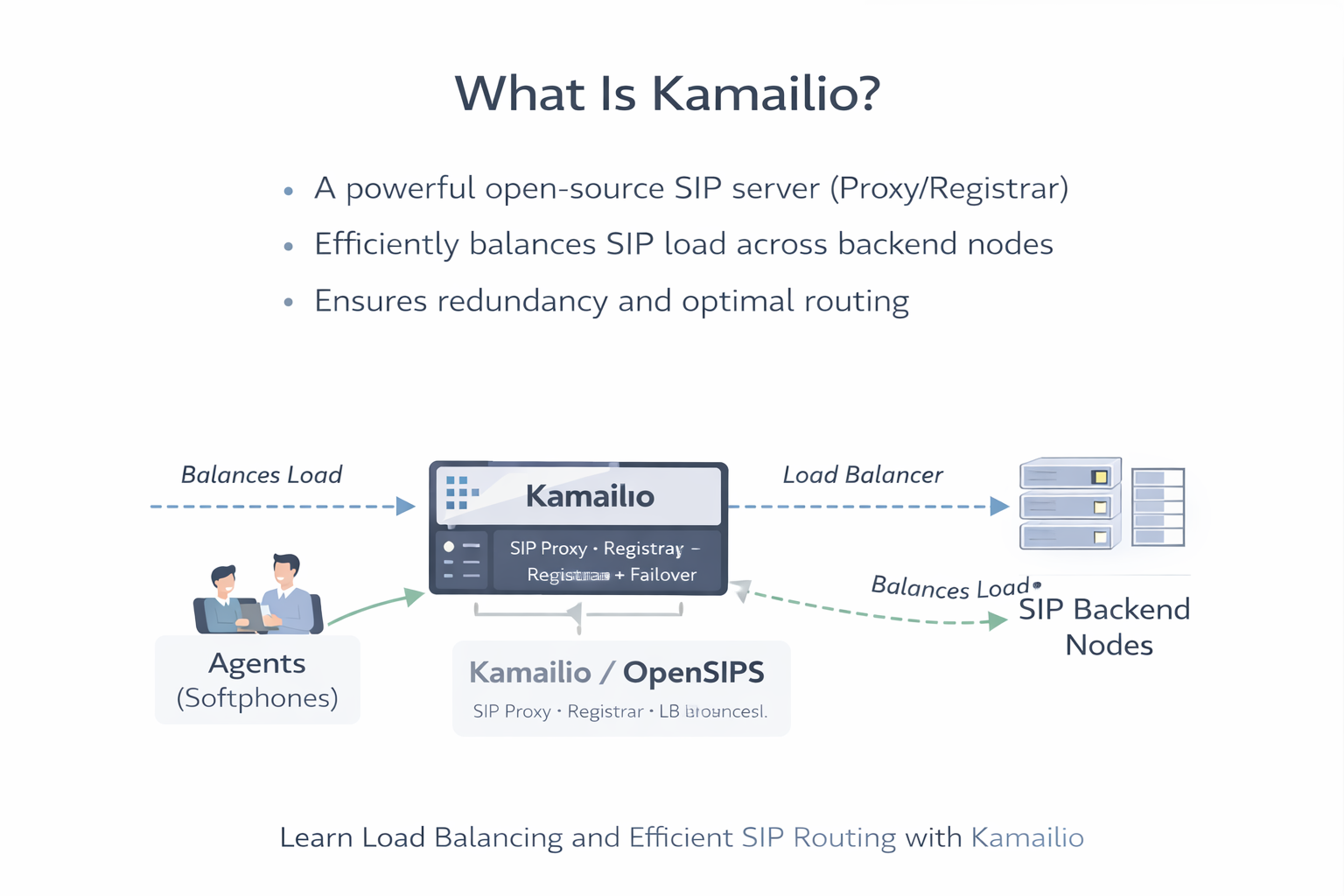
How to Handle 200+ Concurrent Calls: Install Kamailio and Use It with Asterisk for High-Concurrency SIP
If you are trying to handle 200+ concurrent calls (or 500 / 800+), the first thing that breaks is usually not “Asterisk dialing”. What breaks is your SIP signaling layer: registrations, NAT churn, bursts of INVITEs, failover, and routing decisions.
This is why high-scale deployments split the system into:
- Kamailio → SIP edge, registration, routing, load balancing, failover
- Asterisk (multiple nodes) → media (RTP), dialplan execution, IVR, queues, recording
In simple terms: Kamailio keeps SIP stable at scale, while Asterisk does what it does best: call logic + media handling.
When You Actually Need Kamailio (Symptoms People Google)
If you searched for this topic, you likely hit one or more of these issues:
- “Asterisk max calls limit” when traffic spikes (INVITE storms)
- Register floods (many extensions re-registering after ISP blips)
- One Asterisk box becomes a single point of failure
- Inbound SIP trunk traffic should distribute across multiple servers
- Need active-active failover without moving trunks every time
- Need shared routing logic for many Asterisk nodes
Kamailio solves these at the signaling layer by being extremely efficient at SIP routing and state handling, and by making multi-Asterisk setups clean and predictable.
Architecture You Are Building (SIP vs RTP Separation)
The key design principle is: SIP signaling does not equal RTP media. Kamailio handles SIP, while Asterisk handles RTP (media).
For firewall correctness and SIP/RTP stability, also keep your ports clean and explicit. Use this reference: Ports Required for FreePBX + Asterisk: Complete Firewall Guide.
Why FreePBX Becomes a Problem in This Architecture
FreePBX is not “bad” — it is excellent for many single-server PBX deployments. But once you move into multi-node Asterisk clusters, FreePBX can become a constraint because:
- It is designed around a single PBX instance controlling dialplan generation
- It has its own internal state and DB assumptions (extensions, routes, modules)
- Multi-node consistency and shared routing becomes operationally heavy
At 200+ concurrency and especially 800+, the operations goal is: stateless SIP edge + scalable Asterisk media nodes. That is the Kamailio pattern.
What “800 Concurrent Calls” Looks Like (Realistic Flow)
Here is how an inbound call typically behaves in a scaled setup:
Notice: Kamailio is not the media server here. After SDP negotiation, RTP usually flows between endpoints and Asterisk (unless you intentionally anchor RTP). To deeply understand SIP/SDP/RTP: Protocols Used for Your Call Legs Using Asterisk (SIP, SDP, RTP, SRTP, TLS, WebRTC).
Install Kamailio on Ubuntu or Debian (Production-Safe)
Kamailio has official packaging instructions. Use the official repositories so you get consistent updates. See the official install documentation for Debian/Ubuntu packages. :contentReference[oaicite:0]{index=0}
Ubuntu 22.04 / 24.04
sudo apt update
sudo apt install -y gnupg2 curl ca-certificates lsb-release
Add Kamailio repository (follow the official method for your distro codename and version). :contentReference[oaicite:1]{index=1}
# Example pattern (follow official instructions for your exact distro release)
# 1) Add repo
# 2) Add signing key
# 3) apt update && install kamailio
sudo apt update
sudo apt install -y kamailio kamailio-mysql-modules kamailio-utilsDebian 12 (Bookworm)
sudo apt update
sudo apt install -y gnupg2 curl ca-certificates lsb-releaseAdd the Kamailio repo for Debian, then install packages (same official flow). :contentReference[oaicite:2]{index=2}
sudo apt update
sudo apt install -y kamailio kamailio-mysql-modules kamailio-utilsIf you prefer PostgreSQL instead of MySQL, install the respective DB modules and adapt the DB URL later.
Database Setup: Why You Want a Shared DB in Multi-Node Systems
In a multi-node design, shared DB is mainly used for:
- registrations (location/usrloc) — if you want centralized registration knowledge
- dispatcher destination lists — to manage Asterisk nodes in one place
- routing tables — if you implement per-tenant / per-DID routing rules
Kamailio supports DB-backed dispatcher lists and provides selection functions for routing. :contentReference[oaicite:3]{index=3}
Example: MySQL Database (Simple Start)
sudo apt install -y mariadb-server
sudo mysql_secure_installation
sudo mysql -u root -p
CREATE DATABASE kamailio;
CREATE USER 'kamailio'@'localhost' IDENTIFIED BY 'StrongPasswordHere';
GRANT ALL PRIVILEGES ON kamailio.* TO 'kamailio'@'localhost';
FLUSH PRIVILEGES;
EXIT;Initialize Kamailio DB schema using the provided tools.
sudo kamdbctl createDuring setup, select MySQL (or your DB) and confirm table creation. This generates tables including dispatcher-related tables when modules are enabled.
Enable Kamailio Modules You Need for Asterisk Load Balancing
For the most common “Kamailio in front of multiple Asterisk nodes” deployment, you typically use:
- tm (transaction management)
- sl (stateless replies)
- rr (record-route)
- registrar + usrloc (if you handle registrations here)
- dispatcher (load balancing, probing, failover) :contentReference[oaicite:4]{index=4}
- auth modules (if you authenticate REGISTER at Kamailio)
The dispatcher module provides destination selection functions like ds_select_dst() and health probing features. :contentReference[oaicite:5]{index=5}
Core Kamailio Config: Dispatcher-Based Routing to Asterisk Nodes
Below is a clean, minimal pattern to route inbound trunk calls to one of multiple Asterisk nodes. This is not a “full megaconfig” — it is intentionally small so you can reason about it.
File: /etc/kamailio/kamailio.cfg
#!KAMAILIO

####### Global Parameters #########

listen=udp:0.0.0.0:5060
# If using TLS:
# listen=tls:0.0.0.0:5061

#!define DBURL "mysql://kamailio:StrongPasswordHere@localhost/kamailio"

####### Modules Section ########

loadmodule "sl.so"
loadmodule "tm.so"
loadmodule "rr.so"
loadmodule "pv.so"
loadmodule "maxfwd.so"
loadmodule "textops.so"
loadmodule "siputils.so"
loadmodule "xlog.so"

# Dispatcher
loadmodule "dispatcher.so"
modparam("dispatcher", "db_url", DBURL)
modparam("dispatcher", "table_name", "dispatcher")

# If you plan to do probing:
modparam("dispatcher", "ds_ping_interval", 30)
modparam("dispatcher", "ds_probing_mode", 1)

####### Routing Logic ########

request_route {
  if (!mf_process_maxfwd_header("10")) {
    sl_send_reply("483","Too Many Hops");
    exit;
  }

  if (is_method("OPTIONS")) {
    sl_send_reply("200","OK");
    exit;
  }

  if (is_method("INVITE")) {
    route(TO_ASTERISK);
    exit;
  }

  # Pass-through for other methods (REGISTER handled separately if needed)
  route(TO_ASTERISK);
}

route[TO_ASTERISK] {
  # Select destination from dispatcher group 1 using algorithm 4 (hash-based)
  # Algorithms vary; pick based on your scaling goal.
  if (!ds_select_dst("1", "4")) {
    sl_send_reply("503", "No Destination");
    exit;
  }

  # Forward to chosen Asterisk node
  t_relay();
  exit;
}
The key step is ds_select_dst(set, alg), which selects a destination from a dispatcher set. :contentReference[oaicite:6]{index=6}
Add Asterisk Nodes to Dispatcher (DB-backed)
You can maintain destination lists in DB so scaling is operationally easy. Example conceptual entries:
-- Example rows (conceptual)
-- setid=1 for your Asterisk farm
-- destination like "sip:10.10.10.21:5060" etc.

INSERT INTO dispatcher (setid, destination, flags, priority, attrs) VALUES
(1, 'sip:10.10.10.21:5060', 0, 0, ''),
(1, 'sip:10.10.10.22:5060', 0, 0, ''),
(1, 'sip:10.10.10.23:5060', 0, 0, '');
If you enable probing, Kamailio can mark nodes down/up based on responses and route away from failures. :contentReference[oaicite:7]{index=7}
How Asterisk “Knows Which Dialplan to Use” When Calls Come from Kamailio
This is the most misunderstood part. Asterisk doesn’t magically “read Kamailio’s DB”. Asterisk decides dialplan based on:
- Which PJSIP endpoint matched the inbound request (by IP/identify or auth)
- The context assigned to that endpoint
- Headers / R-URI patterns you route into specific contexts
In practice, you do one of these clean patterns:
Pattern A: Match Kamailio IP as a Trunk Endpoint (Most Common)
Each Asterisk node defines a single trunk endpoint “from-kamailio”.
Everything that arrives from Kamailio lands in a dedicated context like from-kamailio.
; /etc/asterisk/pjsip.conf

[transport-udp]
type=transport
protocol=udp
bind=0.0.0.0

[from-kamailio]
type=endpoint
transport=transport-udp
context=from-kamailio
disallow=all
allow=ulaw,alaw
aors=from-kamailio

[from-kamailio]
type=aor
max_contacts=1

[from-kamailio]
type=identify
endpoint=from-kamailio
match=10.10.10.10  ; Kamailio IP
Now in extensions.conf, you route based on DID, R-URI, or headers.
; /etc/asterisk/extensions.conf

[from-kamailio]
exten => _X.,1,NoOp(Inbound from Kamailio: ${EXTEN})
 same => n,Goto(inbound-router,${EXTEN},1)

[inbound-router]
; Example: route based on DID prefix
exten => _1800X.,1,Goto(support-ivr,s,1)
exten => _1400X.,1,Goto(sales-ivr,s,1)
exten => _X.,1,Goto(default-ivr,s,1)
Pattern B: Use a Header to Select Tenant/Context (Clean Multi-Org)
Kamailio can add a header such as X-Org: acme.
Asterisk reads it and routes.
; In Kamailio before t_relay():
append_hf("X-Org: acme\r\n");
; In Asterisk dialplan:
[from-kamailio]
exten => _X.,1,NoOp(Org: ${PJSIP_HEADER(read,X-Org)})
same => n,GotoIf($["${PJSIP_HEADER(read,X-Org)}"="acme"]?acme-ivr,s,1)
same => n,Goto(default-ivr,s,1)This gives you a scalable “shared edge / shared routing / separate dialplans” model.
Routing Calls to the “Least Busy” Asterisk Node (Practical Reality)
Many teams ask: “How does Kamailio know which Asterisk is least busy?” There are two realistic approaches:
- Simple hashing (stable distribution): good enough for many systems
- Health + congestion-aware routing: use dispatcher probing + metrics-driven decisions
Dispatcher supports selection algorithms and probing/marking destinations. :contentReference[oaicite:8]{index=8} If you need true “least calls”, you usually feed a metric (active channels) into routing logic via external integration.
Firewall and Network Requirements That Break High-Concurrency Systems
At 200+ calls, tiny mistakes become outages. The big recurring problems:
- RTP range not opened (one-way audio / silent calls)
- SIP ALG enabled on routers (rewrites SIP, breaks NAT)
- Wrong public/local IP settings in PJSIP NAT (contact rewriting issues)
- Conntrack exhaustion on Linux firewall/router under load
Use these supporting references when you deploy at scale:
Debugging: What to Capture When Calls Fail Under Load
Under heavy concurrency, guessing is expensive. Capture the truth:
- Kamailio logs (transaction failures, destination selection)
- Asterisk PJSIP logs (endpoint match, auth, SDP)
- Wireshark SIP + RTP capture during failure windows
Follow this step-by-step capture workflow: Wireshark Live Monitoring for SIP & RTP: Capture Calls, Decode Audio, and Detect One-Way Voice.
Production Checklist Before You Go Live
- At least 2 Asterisk nodes behind dispatcher (test failover)
- RTP port range fixed and open (no random ranges)
- Health checks enabled so dead nodes are removed automatically :contentReference[oaicite:9]{index=9}
- Kamailio and Asterisk time synced (NTP) to avoid TLS/auth weirdness
- Document your routing rules (DID mapping, tenant header mapping)
Key Takeaway
Asterisk can handle large call volumes — but building a reliable 200+ / 800+ concurrent system is about architecture: put Kamailio at the edge for SIP routing + failover, and scale Asterisk nodes horizontally for dialplan + media.
Next related reading: How to Setup Two Ethernet Cables on One Machine (Ubuntu + Debian) for SIP & LAN Separation
Want to see API-driven CRM + Telecom workflows in action? Try the WhatsApp bot or explore the demos.
Comments (0)
Be the first to comment.