How to Send Audio Back to Caller Using ARI ExternalMedia (Working RTP Guide)
A working RTP guide to inject audio back to the caller using ARI ExternalMedia, including RTP headers, payload type, and timing rules.
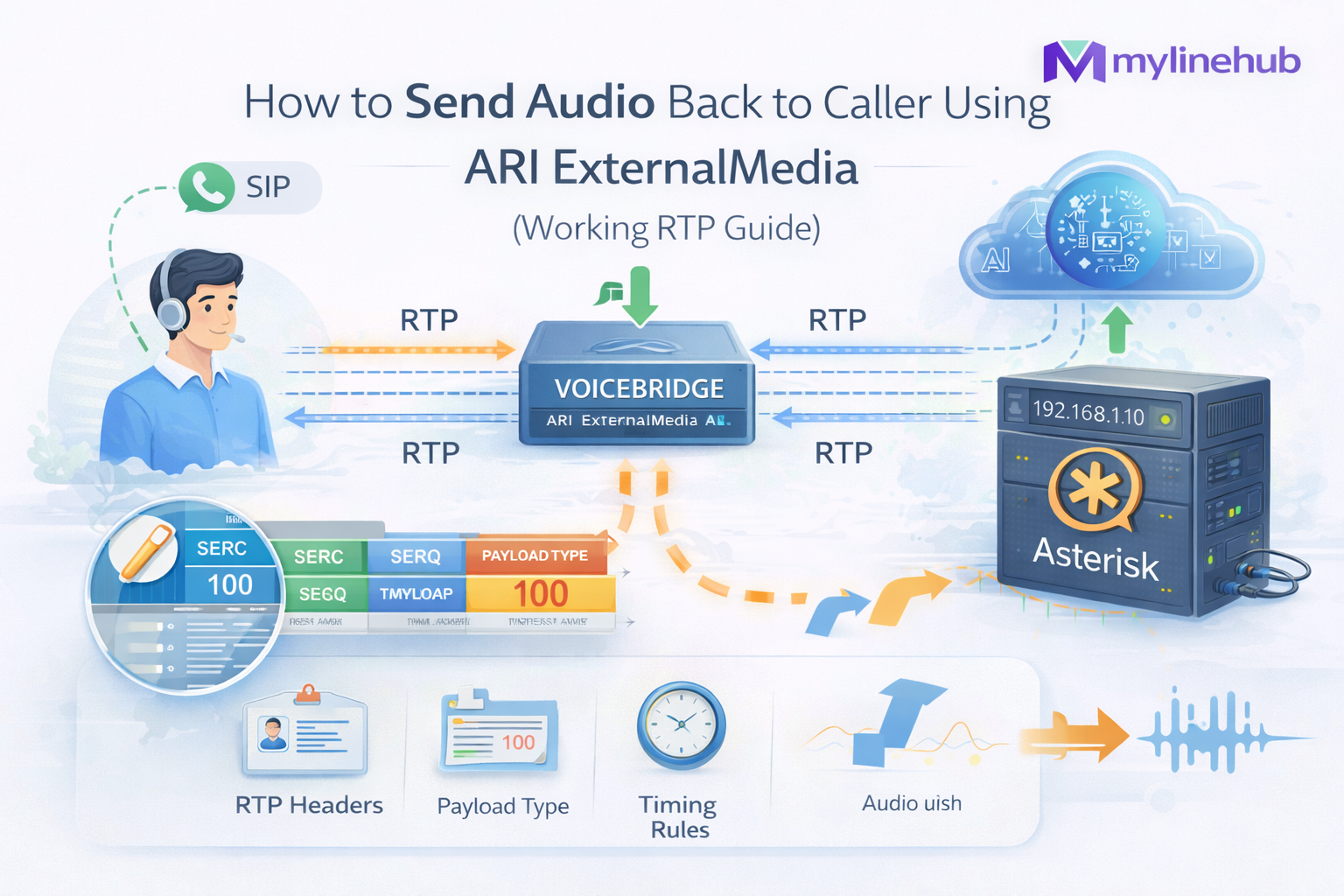
This guide shows the working method to send audio back to a caller when you use Asterisk ARI ExternalMedia. Most demos can receive RTP, but fail at the hard part: injecting RTP back in a way Asterisk will actually play (correct peer, payload type, sequence, timestamps, pacing).
The approach below matches the production pattern used by MYLINEHUB VoiceBridge: a single Java application that bridges Asterisk/FreePBX to an AI bot (OpenAI Realtime, or any external bot API) while keeping your PBX stable.
Related reading (architecture): https://mylinehub.com/articles/mylinehub-voicebridge-architecture
What ExternalMedia Really Does (and Why “Send Back” Is Non-Trivial)
ARI ExternalMedia creates a special channel in Asterisk that speaks RTP to an external host. When you bridge your caller channel with the ExternalMedia channel, you get:
- Inbound audio (caller → your app) as RTP packets arriving to your UDP socket
- Outbound audio (your app → caller) only if you send RTP back to the right place, with the right codec/payload, and with correct RTP timing
What usually breaks in real systems:
- Wrong peer IP/port (sending to your own listening port instead of Asterisk’s peer port)
- Payload type mismatch (Asterisk expects PT 0 for PCMU, PT 8 for PCMA, etc.)
- No pacing (sending “as fast as possible” causes jitter, buffer overflow, chopped audio)
- Bad timestamps/sequence (Asterisk drops or de-jitters the packets incorrectly)
- NAT/firewall directionality (Asterisk learns the peer from packets — if you don’t send back correctly, it never locks)
Working Duplex Flow (Diagram)
The Exact Project Files That Implement This
In the open-source repository (VoiceBridge module), the send-back logic is not a “random RTP sender”. It is implemented as a symmetric RTP endpoint that learns the correct peer and payload, then packetizes outbound audio with disciplined timing.
-
ExternalMedia creation + codec mapping:
https://github.com/mylinehub/omnichannel-crm/tree/main/mylinehub-voicebridge/src/main/java/com/mylinehub/voicebridge/ari/impl/ExternalMediaManagerImpl.java -
Call pipeline wiring (ingress + egress):
https://github.com/mylinehub/omnichannel-crm/tree/main/mylinehub-voicebridge/src/main/java/com/mylinehub/voicebridge/ari/impl/AriBridgeImpl.java -
RTP packetization (sequence/timestamp, 20ms frames):
https://github.com/mylinehub/omnichannel-crm/tree/main/mylinehub-voicebridge/src/main/java/com/mylinehub/voicebridge/rtp/RtpPacketizer.java -
Application port binding (where your UDP listener runs):
https://github.com/mylinehub/omnichannel-crm/tree/main/mylinehub-voicebridge/src/main/resources/application.properties
If you are reading this from the ZIP, these same files exist under:
src/main/java/com/mylinehub/voicebridge/ari/impl/ExternalMediaManagerImpl.java,
src/main/java/com/mylinehub/voicebridge/ari/impl/AriBridgeImpl.java,
and src/main/java/com/mylinehub/voicebridge/rtp/RtpPacketizer.java.
Step 1 — Create the ExternalMedia Channel Correctly
The ARI API call (conceptually) is:
POST /ari/channels/externalMedia
  ?app={STASIS_APP}
  &external_host={YOUR_APP_IP}:{YOUR_APP_UDP_PORT}
  &format=ulaw
  &direction=both
In MYLINEHUB VoiceBridge, this is wrapped in code that also maps your DB-driven codec value into the ARI
format string (for example: ulaw, alaw, opus where applicable).
See mapCodecToAriFormat() in the ExternalMedia manager:
https://github.com/mylinehub/omnichannel-crm/tree/main/mylinehub-voicebridge/src/main/java/com/mylinehub/voicebridge/ari/impl/ExternalMediaManagerImpl.java
Important: external_host must be reachable from Asterisk.
If Asterisk is on a different server, do not use 127.0.0.1.
Use a real LAN IP (recommended) or a public IP with correct firewall rules.
Step 2 — Bridge Caller ↔ ExternalMedia Inside Asterisk
ExternalMedia is just a channel. Audio won’t flow unless the caller channel and the ExternalMedia channel are in a bridge.
In ARI apps, the standard pattern is:
- Put the incoming caller channel into your Stasis application
- Create a mixing bridge
- Add caller channel + external media channel to the bridge
VoiceBridge follows exactly this pattern while keeping a per-call session object
that stores the channel IDs, bridge ID, RTP endpoints, and AI session state.
That wiring happens in the ARI bridge implementation:
https://github.com/mylinehub/omnichannel-crm/tree/main/mylinehub-voicebridge/src/main/java/com/mylinehub/voicebridge/ari/impl/AriBridgeImpl.java
Step 3 — Receive RTP from Asterisk (Ingress)
Receiving audio is the easy part: you bind a UDP socket (your external_host port) and read RTP packets.
In VoiceBridge, the UDP bind port comes from Spring Boot config (example):
# application.properties
rtp.voicebridge.bind.port=12100
From there, your app:
- validates RTP header (version, payload type, sequence)
- extracts payload (typically PCMU/PCMA in telecom)
- decodes to PCM16 for STT / AI / mixing
The important warning: ingress proves nothing about duplex. True success is only when you can send RTP back and hear it on the call.
Step 4 — Discover the Correct RTP Peer for Sending Back
This is the most important part. When ExternalMedia is created, Asterisk exposes runtime variables that tell you where to send RTP back:
UNICASTRTP_PEER_ADDRESSUNICASTRTP_PEER_PORTUNICASTRTP_LOCAL_ADDRESSUNICASTRTP_LOCAL_PORT
VoiceBridge reads these variables via ARI and builds an InetSocketAddress that represents the
Asterisk peer endpoint (the place your outbound RTP must go).
This logic is implemented here:
https://github.com/mylinehub/omnichannel-crm/tree/main/mylinehub-voicebridge/src/main/java/com/mylinehub/voicebridge/ari/impl/ExternalMediaManagerImpl.java
If those vars are missing, your ARI channel is not the right type or is not ready yet. VoiceBridge throws a clear error in that scenario (look for the “UNICASTRTP vars missing” message).
Step 5 — Packetize Outbound Audio as Real RTP (Not Raw UDP)
Asterisk expects valid RTP packets, not raw PCM bytes. Each packet must contain:
- RTP header (V=2, sequence, timestamp, SSRC)
- payload type that matches the codec
- payload bytes (for telephony often 160 bytes of PCMU for 20ms @ 8kHz)
VoiceBridge uses a dedicated packetizer to enforce this discipline:
https://github.com/mylinehub/omnichannel-crm/tree/main/mylinehub-voicebridge/src/main/java/com/mylinehub/voicebridge/rtp/RtpPacketizer.java
Practical telephony defaults:
- PCMU (G.711 u-law): PT=0, 8kHz, 20ms frame → 160 bytes
- PCMA (G.711 A-law): PT=8, 8kHz, 20ms frame → 160 bytes
- PCM16: usually not sent directly to Asterisk RTP; used inside your AI pipeline, then encoded to PCMU/PCMA
If you want the deep codec background, see: https://mylinehub.com/articles/g711-ulaw-pcm16-alaw-opus-audio-explained
Step 6 — Pacing: Send One RTP Packet Every 20ms
Even with correct headers, duplex fails if you don’t respect timing. RTP is a real-time stream — your sender must pace packets like a clock.
- For 8kHz audio, 20ms = 160 samples
- Timestamp typically increases by 160 per packet (for PCMU/PCMA)
- Sequence increases by 1 per packet
VoiceBridge implements playout scheduling so outbound packets are emitted at stable intervals,
even when AI audio arrives in bursts.
Look for the playout scheduler usage in the ARI bridge pipeline:
https://github.com/mylinehub/omnichannel-crm/tree/main/mylinehub-voicebridge/src/main/java/com/mylinehub/voicebridge/ari/impl/AriBridgeImpl.java
Step 7 — The “Symmetric Endpoint” Trick That Makes Duplex Reliable
In real networks, Asterisk may be behind NAT, your app may be behind NAT, and RTP can be rewritten. A production-safe approach is to treat RTP as symmetric:
- learn the inbound source (Asterisk → app)
- use ARI-provided UNICASTRTP peer as fixed target (app → Asterisk)
- optionally update the peer if Asterisk changes it during call setup
In VoiceBridge, this is why you see the class name RtpSymmetricEndpoint being used for ingress and egress.
The outbound endpoint is created with a fixed peer derived from UNICASTRTP_PEER_ADDRESS/PORT.
This is exactly what prevents “it works in localhost but fails in production”.
See the outbound endpoint creation in:
https://github.com/mylinehub/omnichannel-crm/tree/main/mylinehub-voicebridge/src/main/java/com/mylinehub/voicebridge/ari/impl/AriBridgeImpl.java
Minimal “Send Back” Checklist (Debug Like a Pro)
- Confirm you can hear inbound audio (RTP packets arriving to your UDP port)
-
Log the ARI vars:
UNICASTRTP_PEER_ADDRESS,UNICASTRTP_PEER_PORT, payload type - Ensure your outbound UDP socket sends to peer_address:peer_port (not to your own port)
- Ensure payload type matches codec (PCMU=0, PCMA=8)
- Ensure 20ms pacing (no burst send)
- Capture with Wireshark and verify you see two RTP directions on the wire
If you still get one-way audio, read: https://mylinehub.com/articles/asterisk-externalmedia-one-way-audio-root-causes-fixes
RTP Header Rules You Must Follow (Concrete Numbers)
If you want this to work every time, treat RTP like a protocol with invariants — not “UDP packets with audio”. Below are the exact rules that Asterisk (and most RTP stacks) expect.
Header fields (what they mean)
- Version: always 2
- Payload Type (PT): identifies the codec in this stream (PCMU=0, PCMA=8)
- Sequence: increments by 1 for every packet you send
- Timestamp: increments by the number of samples per packet
- SSRC: a random 32-bit stream identifier; keep it stable for the call
Timestamp increments (telephony defaults)
- 8kHz clock + 20ms frames → 160 samples per packet → timestamp += 160
- 8kHz clock + 10ms frames → 80 samples per packet → timestamp += 80
If your sender uses “whatever size came from the TTS API” (e.g., 3 seconds in one chunk), you must slice it into fixed-size frames and pace them. VoiceBridge does exactly that before calling its packetizer.
Minimal RTP Packet Layout (PCMU Example)
RTP header is typically 12 bytes (without CSRC/extensions):
0               1               2               3
0 1 2 3 4 5 6 7 8 9 0 1 2 3 4 5 6 7 8 9 0 1 2 3 4 5 6 7 8 9 0 1
+-+-+-+-+-+-+-+-+-+-+-+-+-+-+-+-+-+-+-+-+-+-+-+-+-+-+-+-+-+-+-+-+
|V=2|P|X|  CC   |M|     PT      |       sequence number         |
+-+-+-+-+-+-+-+-+-+-+-+-+-+-+-+-+-+-+-+-+-+-+-+-+-+-+-+-+-+-+-+-+
|                           timestamp                           |
+-+-+-+-+-+-+-+-+-+-+-+-+-+-+-+-+-+-+-+-+-+-+-+-+-+-+-+-+-+-+-+-+
|           synchronization source (SSRC) identifier            |
+-+-+-+-+-+-+-+-+-+-+-+-+-+-+-+-+-+-+-+-+-+-+-+-+-+-+-+-+-+-+-+-+
|                         payload (audio)                       |
+-+-+-+-+-+-+-+-+-+-+-+-+-+-+-+-+-+-+-+-+-+-+-+-+-+-+-+-+-+-+-+-+
For PCMU @ 8kHz with 20ms frames:
- payload bytes per packet: 160
- packets per second: 50
- payload bandwidth (no IP/UDP/RTP overhead): ~8kbps
This is why “send back” feels deceptively simple — until you realize you must maintain sequence + timestamps like a metronome.
Wireshark: Prove Duplex on the Wire
Do not debug duplex by listening to “sometimes I hear sound”. Debug it by verifying two RTP streams exist and have stable timing.
Filters
- Show RTP only:
rtp - Show UDP to your app port (example 12100):
udp.port == 12100 - Show RTP streams for a call:
rtp.ssrc == 0xXXXXXXXX(after you identify SSRC)
What “good” looks like
- You see one flow: Asterisk → your app (ingress)
- You see another flow: your app → Asterisk (egress)
- Sequence increases by 1, timestamps increase by 160 (for 20ms @ 8kHz)
- No huge gaps, no bursts of hundreds of packets
For a complete Wireshark workflow, see: https://mylinehub.com/articles/wireshark-live-monitoring-for-sip-and-rtp
Common Failure Modes (and the Fix That Actually Works)
1) You send to the wrong port
Symptom: inbound audio works, outbound audio never heard.
Fix: send to UNICASTRTP_PEER_ADDRESS:UNICASTRTP_PEER_PORT from ARI, not to your bind port.
2) Payload type mismatch
Symptom: Asterisk receives packets (you see them) but plays silence.
Fix: ensure PT matches the negotiated codec (PCMU=0, PCMA=8). If you choose format=ulaw,
your outbound must be PT 0 and payload must be PCMU bytes.
3) Timing burst
Symptom: you hear robot/choppy audio or only the first syllable. Fix: schedule emission every 20ms; do not dump audio as fast as the CPU can send it.
4) NAT/Firewall rewrites break return path
Symptom: works on same LAN, fails across networks. Fix: open RTP ranges, disable SIP ALG, and follow a NAT-safe RTP design. See: https://mylinehub.com/articles/common-nat-firewall-issues-break-duplex-audio-in-asterisk
A Practical “Hello World” Duplex Test (Without AI)
Before integrating OpenAI (or any bot), prove you can send a simple tone or a fixed WAV phrase back. A good test sequence is:
- Receive inbound RTP and log packet stats
- On first inbound packet, start sending a short known audio sample back (encoded to PCMU)
- Verify duplex in Wireshark
- Only then connect AI streaming output
Local testing methods (no SIP provider required) are covered here: https://mylinehub.com/articles/test-full-duplex-voice-locally-without-sip-providers
Why This Lets You Replace CPaaS “Voice APIs” Cleanly
Providers like Exotel/Ozonetel expose voice APIs, but they still hide the real media mechanics. With ExternalMedia + a robust RTP sender, you own the entire voice layer:
- Keep your existing Asterisk/FreePBX call routing
- Attach AI to any DID / IVR / queue using ARI Stasis
- Swap bot vendors (OpenAI / Google / self-hosted) without changing PBX logic
- Keep recordings/transcripts inside your infrastructure
In other words: your AI bot becomes a replaceable module — not a locked-in telecom platform.
How This Enables AI Voice (OpenAI Realtime or Any Bot)
Once outbound RTP injection works, everything else becomes “just an audio pipeline”:
- RTP ingress → decode → PCM16
- PCM16 → streaming STT + reasoning (OpenAI Realtime) OR your own bot API
- bot audio stream → PCM16 → encode to PCMU/PCMA
- packetize → paced RTP egress → Asterisk → caller
That is the core of a real conversational bot: the caller can interrupt, and the bot can speak back naturally. This is why duplex is the “missing piece” in most Asterisk AI integrations.
Open-source repo:
https://github.com/mylinehub/omnichannel-crm/tree/main/mylinehub-voicebridge
Conclusion
Asterisk ExternalMedia is powerful, but production duplex depends on a few non-negotiables: correct peer discovery, payload correctness, and RTP timing discipline. MYLINEHUB VoiceBridge packages these rules into a clean Java module so you can connect any Asterisk system to an AI bot without rewriting telephony internals.
Next article in this series: https://mylinehub.com/articles/snoop-channel-vs-externalmedia-vs-audiosocket-true-full-duplex-comparison
Want to see API-driven CRM + Telecom workflows in action? Try the WhatsApp bot or explore the demos.
Comments (0)
Be the first to comment.