Why Asterisk Voicebridge ExternalMedia Audio Becomes One-Way (Root Causes & Fixes)
The real causes of one-way audio with ARI ExternalMedia—RTP direction, ports, NAT, SSRC, timing—and fixes that restore duplex media.
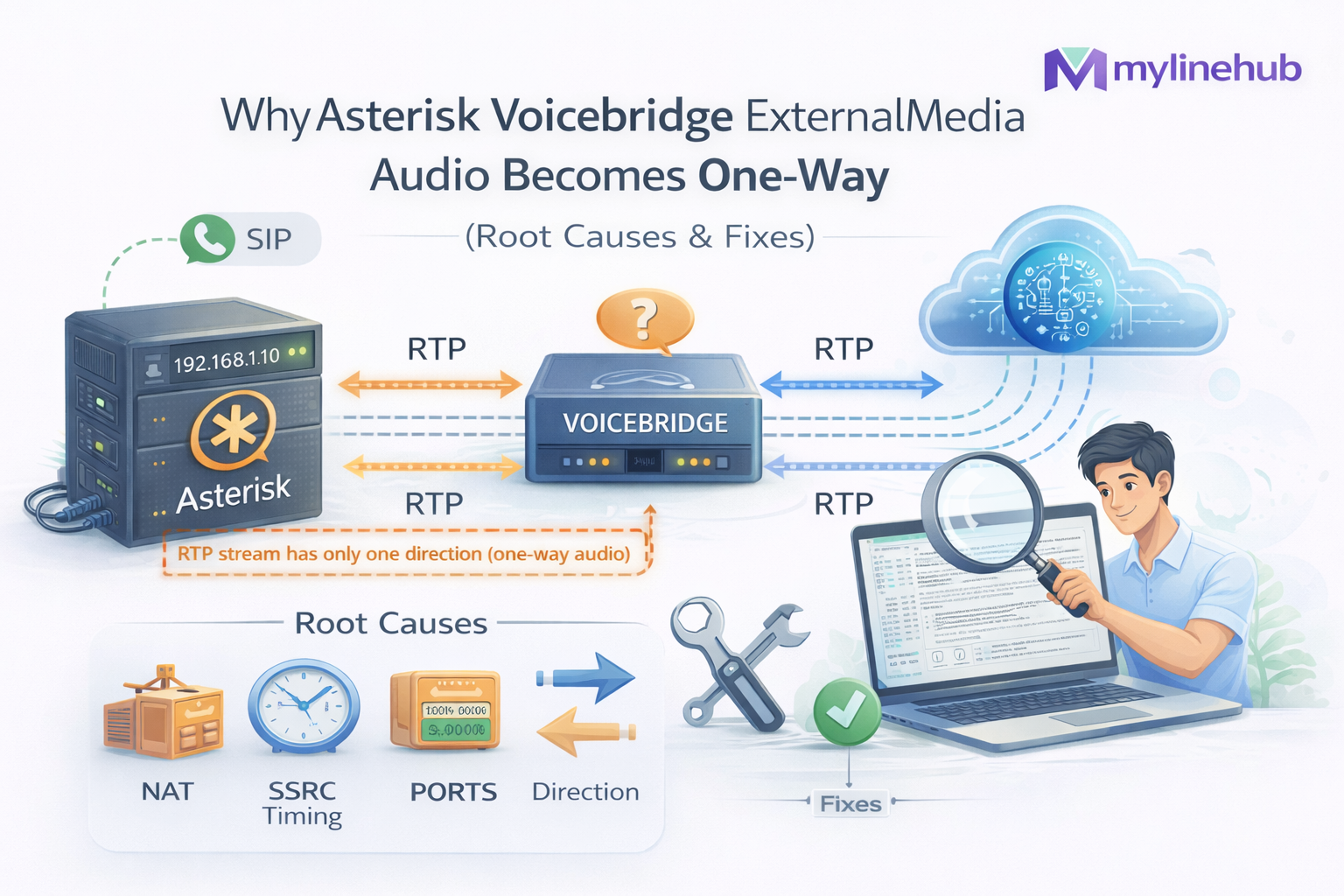
VoiceBridge • Asterisk ARI • ExternalMedia • RTP Debugging
Why Asterisk ExternalMedia Audio Becomes One-Way (Root Causes & Fixes)
If you are building an AI voice bot (or any external media pipeline) on Asterisk using ARI ExternalMedia, you will eventually hit this: you can hear the caller, but the caller cannot hear you. Or the opposite. Or it works on localhost but breaks the moment you deploy behind NAT.
This article explains the real reasons one-way audio happens with ExternalMedia, how to confirm each reason on the wire, and the fixes that make media reliably full-duplex in production. It also shows how MYLINEHUB VoiceBridge solves these issues using a clean ARI + RTP design (without breaking your existing PBX flows).
Context: ExternalMedia is the ARI feature that creates a special Asterisk channel that sends RTP to an external_host (your app) and also expects RTP back from that app.
If either direction breaks (ports, NAT, timing, bridge type, codec, variables), the caller experiences one-way audio.
What you will learn
1) Symptoms and fastest diagnosis 2) How ExternalMedia actually moves RTP 3) Root causes of one-way audio 4) How VoiceBridge avoids one-way audio (code-level) 5) How to verify duplex RTP (Wireshark + CLI) 6) Production checklist 7) Project references (open-source)Quick links
- VoiceBridge Architecture
- Send audio back using ExternalMedia (RTP guide)
- NAT/Firewall duplex issues
- RTP direction, SSRC, payload & timing
This article is written to be practical: you can run each test, and you can map the fix to a concrete setting or code location.
1) Symptoms and the fastest diagnosis
Symptom A
You can hear the caller, caller cannot hear you.
- Asterisk is successfully sending RTP to your app.
- Your app is not sending RTP back correctly to the port Asterisk is listening on, or the bridge is wrong.
Symptom B
Caller can hear you, you cannot hear the caller.
- Your app is successfully injecting RTP to Asterisk.
- Asterisk is not sending RTP to your app (wrong external_host, NAT/firewall, codec mismatch, or directmedia bypass).
Fastest test: run a live RTP capture on the VoiceBridge host and on the Asterisk host.
# On Asterisk host (confirm Asterisk is sending RTP out)
sudo tcpdump -n -s 0 -i any udp and portrange 10000-20000

# On your app host (confirm you receive RTP and also transmit RTP back)
sudo tcpdump -n -s 0 -i any udp and host <ASTERISK_IP>
If you only see RTP in one direction on the wire, this is not “an AI issue”. It is RTP routing/port/bridge behavior.
2) How ExternalMedia actually moves RTP (the part most tutorials skip)
ExternalMedia creates a channel in Asterisk which has a media socket. When you call the ARI endpoint, you give Asterisk an external_host and a format (codec). Asterisk then:
- Sends RTP from Asterisk → to external_host (your app)
- Listens for RTP from your app → into Asterisk (on a port chosen by Asterisk)
- Exposes the channel to ARI so you can place it into a bridge with the caller leg
The key mistake: many implementations only do “Asterisk → app” correctly.
They forget that Asterisk may not accept your RTP back unless you send it to the exact port Asterisk negotiated for the ExternalMedia channel, with the correct codec payload type, timing, and bridge membership.
3) Root causes of one-way audio with ExternalMedia
Root cause #1: You are sending RTP back to the wrong port (or you never learned the port)
ExternalMedia is not “send RTP to external_host and you're done”. Asterisk chooses a local RTP port for that ExternalMedia channel. Your app must send RTP to that port.
In VoiceBridge code, this is handled by reading ARI channel variables: UNICASTRTP_LOCAL_ADDRESS and UNICASTRTP_LOCAL_PORT.
// mylinehub-voicebridge/src/main/java/.../ExternalMediaManagerImpl.java
// getVariable(channelId, "UNICASTRTP_LOCAL_ADDRESS")
// getVariable(channelId, "UNICASTRTP_LOCAL_PORT")
If you never query these variables (or you ignore them), you will very often send RTP to the wrong place.
Root cause #2: ExternalMedia channel is in the wrong bridge type
Some bridge types or call states produce behavior that looks like “media is connected” but only one direction flows. For duplex AI voice, you normally want a mixing bridge and you must add the correct channels to it.
VoiceBridge explicitly creates and uses mixing bridges and controls which channel is “listen-only” vs “talk-only” using two ExternalMedia channels + a snoop channel strategy.
Root cause #3: The caller leg is not actually in Stasis / your dialplan bypasses the bridge
ExternalMedia only helps if the caller channel is managed under ARI and placed in the correct bridge. If your dialplan lets the call continue in a normal dialplan flow (or direct media is enabled), the media path might bypass your ExternalMedia bridge.
Fix: ensure your dialplan sends the channel into your Stasis app (the name must match your ARI application), and verify with ARI events that the channel entered Stasis.
Root cause #4: NAT or firewall breaks one direction (most common in production)
RTP is UDP. Many “it works locally” projects fail as soon as there is: a cloud VM, a home router, a symmetric NAT, or strict firewall.
- VoiceBridge host cannot reach Asterisk RTP ports
- Asterisk cannot reach VoiceBridge UDP port range (inbound)
- External host IP is private/unroutable from Asterisk
- SIP ALG / NAT rewriting creates mismatched RTP targets
Root cause #5: Codec/payload mismatch (PCMU vs PCM16 vs Opus)
ExternalMedia's format must match what you actually send. If Asterisk expects ulaw/PCMU but your app injects PCM16 raw audio (or wrong RTP payload type), you get “silence” (which users perceive as one-way audio).
Deep reference: G.711 u-law vs PCM16 vs Opus.
Root cause #6: RTP timing and SSRC rules are violated
Asterisk is strict about RTP: sequence numbers, timestamps, packet pacing, and SSRC changes. Many “send RTP back” examples send packets too fast, too slow, or with broken timestamps.
Reference: RTP direction, SSRC, payload & timing.
Practical mental model: ExternalMedia is two independent RTP legs (in + out). If you cannot point at the exact UDP 4-tuple for both directions, you do not have duplex.
Duplex means: (Asterisk → VoiceBridge) AND (VoiceBridge → Asterisk) are both visible as RTP flows in packet capture.
4) How VoiceBridge avoids one-way audio (code-level, not marketing)
The VoiceBridge approach is simple: treat duplex as a first-class requirement. Many demos create one ExternalMedia channel and hope it behaves as a bi-directional sound card. In real deployments, that approach breaks under load, NAT, or bridge quirks.
Fix A: Use two ExternalMedia channels and control direction explicitly
In the VoiceBridge call setup, it creates: extIn (Asterisk → VoiceBridge RTP) and extOut (VoiceBridge → Asterisk RTP), then uses proper bridges so the caller always receives injected audio.
// mylinehub-voicebridge/src/main/java/com/mylinehub/voicebridge/ari/impl/AriBridgeImpl.java
// createBridge(..., "mixing")
// createExternalMediaChannel(..., extIn)
// createExternalMediaChannel(..., extOut)
// createSnoopChannel(...) for capture/control
This is why VoiceBridge can implement real barge-in and stable duplex under RTP drift.
Fix B: Always read the negotiated RTP peer (UNICASTRTP_*) before injecting audio
The most common one-way mistake is “sending RTP back to the wrong place”. VoiceBridge queries the ExternalMedia channel variables and builds the correct RTP target for injection.
// mylinehub-voicebridge/src/main/java/com/mylinehub/voicebridge/ari/impl/ExternalMediaManagerImpl.java
UnicastRtpPeer peer = getUnicastRtpPeer(channelId);
// peer.host = UNICASTRTP_LOCAL_ADDRESS
// peer.port = UNICASTRTP_LOCAL_PORT
This is the difference between a demo and a production bridge.
Fix C: DB-driven runtime config prevents “works on my machine” audio bugs
VoiceBridge does not depend on scattered JSON configs. Runtime values (stasis app config, RTP ports, hostnames, AI instruction blocks) are loaded from PostgreSQL, so your deployment can be corrected without rebuilding binaries.
See: VoiceBridge DB-driven configuration: stasis_app_config + instructions.
Fix D: ARI + firewall rules are treated as part of the product
One-way audio is usually not “ARI is broken”; it is mis-exposed ports: ARI HTTP/WebSocket, RTP ranges, and host routing. MYLINEHUB documents this and provides production-safe defaults.
Reference: Ports required for FreePBX + Asterisk.
5) How to verify duplex RTP (Wireshark + Asterisk CLI)
Wireshark checklist
- Confirm two RTP streams exist (Asterisk→app and app→Asterisk)
- Payload type matches codec (PCMU/PCMA/etc.)
- Timestamps increment consistently (no huge jumps/drift)
- SSRC stays stable (or changes predictably)
- No ICMP “Port unreachable” bursts
Full workflow: Wireshark live monitoring for SIP & RTP.
Asterisk-side checks
asterisk -rvvvvv

# See active channels (confirm ExternalMedia channels exist)
core show channels concise

# Check RTP settings and strict RTP behavior
pjsip show settings

# Turn on RTP debugging briefly (careful: noisy)
rtp set debug on
rtp set debug off
If RTP debug shows only “Sent RTP packet…” but not “Got RTP packet…”, your app isn’t reaching Asterisk’s chosen port.
6) Production checklist (use this before blaming your bot)
| Check | What “good” looks like | Common failure |
|---|---|---|
| ExternalMedia external_host | Routable IP/host from Asterisk | Private/LAN IP used across networks |
| RTP ports (Asterisk) | UDP range open both ways | Only outbound allowed (or narrow range) |
| RTP ports (App) | Your app binds ports and receives UDP | Random ephemeral ports blocked by firewall |
| Codec + payload | PCMU/PCMA aligned end-to-end | Inject PCM16 into PCMU expectation |
| Negotiated peer discovery | Read UNICASTRTP_* vars | Assume ports or hardcode targets |
| Bridge membership | Correct channels in mixing bridge | ExternalMedia not bridged / wrong bridge type |
| NAT/ALG | SIP ALG off, correct external media IPs | ALG rewrites SDP/RTP targets silently |
Rule of thumb: if you cannot draw the two RTP legs with exact IP:port pairs, your system is not duplex yet.
7) Project references (open-source)
VoiceBridge is part of the MYLINEHUB open-source stack: github.com/mylinehub/omnichannel-crm. The VoiceBridge module lives here: mylinehub-voicebridge.
Key files referenced in this article
- ExternalMedia creation + UNICASTRTP peer lookup: ExternalMediaManagerImpl.java
- Duplex bridge strategy (two ExternalMedia + snoop + mixing bridge): AriBridgeImpl.java
- Spring Boot runtime basics: mylinehub-voicebridge/src/main/resources/application.properties
Want to connect an external bot (OpenAI Realtime / ChatGPT models / your own bot API) without rewriting your PBX? VoiceBridge is designed for exactly that — one Java service that sits next to your existing Asterisk/FreePBX and bridges calls to AI safely.
Want to see API-driven CRM + Telecom workflows in action? Try the WhatsApp bot or explore the demos.
Comments (0)
Be the first to comment.