VoiceBridge vs Asterisk ExternalMedia Sample — Real Differences
Why demo snippets fail in production: real differences between VoiceBridge and basic ExternalMedia samples across duplex, timing, NAT, and observability.
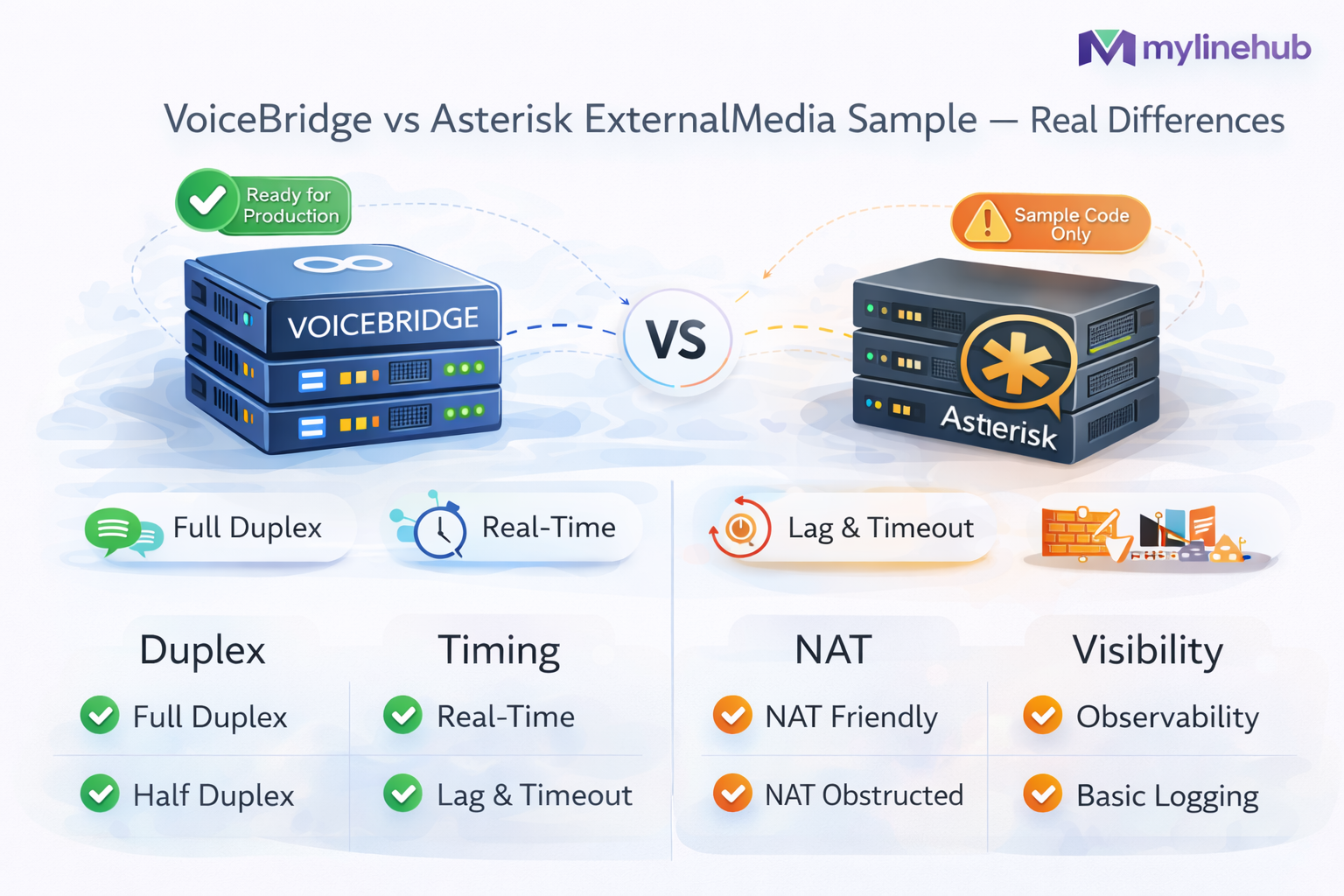
VoiceBridge vs Asterisk ExternalMedia “Sample” — Real Differences (What Breaks in Production)
Asterisk ARI ExternalMedia is a powerful primitive: it can create an RTP endpoint and connect it to a bridge so you can stream audio out of Asterisk (and sometimes inject audio back). But most “sample” code you find online proves only one thing: you can receive RTP packets. Production full-duplex AI calling needs far more than that.
This article explains the non-obvious gaps between a simple ExternalMedia demo and MYLINEHUB VoiceBridge—and why those gaps are exactly where real deployments fail (one-way audio, timing drift, NAT, concurrency, barge-in, observability, security).
VoiceBridge repo:
https://github.com/mylinehub/omnichannel-crm/tree/main/mylinehub-voicebridge
Canonical architecture reference:
https://mylinehub.com/articles/mylinehub-voicebridge-architecture
What a Typical ExternalMedia Sample Actually Does (And Why It Looks “Working”)
Most ExternalMedia examples follow the same pattern:
- Connect to ARI
- Answer a channel
- Create a bridge
- Create ExternalMedia to an IP:PORT
- Add channels to the bridge
- Read UDP packets and maybe write some back
If you can see RTP arriving on your UDP socket, you assume you “integrated AI voice”. But a duplex conversational agent requires two correct real-time legs:
- Capture caller audio reliably (Asterisk → VoiceBridge RTP)
- Inject bot audio reliably (VoiceBridge → Asterisk RTP) with strict timing and correct RTP header rules
A demo often “works” for 10 seconds in a lab because NAT is simple, jitter is low, and you don’t stress concurrency. Production is where it collapses.
Difference #1: RTP Correctness Is Not Optional (Samples Usually Cheat)
The biggest difference is that VoiceBridge treats RTP as a real protocol with rules, not just “UDP audio”. In production, Asterisk will ignore, drop, or distort injected audio if you violate basic RTP invariants:
- Payload type mismatch (PCMU vs PCMA vs Opus vs PCM16)
- Timestamp progression errors (too fast, too slow, drift)
- Sequence number behavior (jumps, resets, out-of-order injection)
- SSRC instability (unexpected changes confuse receivers and analyzers)
- Packet pacing (bursty sends cause jitterbuffer pain and talk-over artifacts)
In VoiceBridge, these concerns are centralized in the RTP layer:
-
src/main/java/com/mylinehub/voicebridge/rtp/RtpPacketizer.java— creates RTP packets with correct headers, sequencing, and timing discipline -
src/main/java/com/mylinehub/voicebridge/docs/codec_sampling.md— practical notes on audio framing and sampling expectations
A sample typically sends “audio bytes” on UDP and hopes Asterisk plays it. VoiceBridge implements RTP like a telecom component must.
Difference #2: NAT Reality (Samples Assume Perfect Routing)
ExternalMedia in the real world runs into NAT and firewall behavior that lab demos rarely reproduce:
- ExternalMedia is created with an IP/port, but RTP return path may not match due to NAT translation
- Cloud firewalls and UDP timeouts silently kill one direction (classic “one-way audio”)
- Symmetric NAT means “send to the port you received from” is the only stable rule
- Some routers do UDP pinhole creation only after outbound traffic exists
VoiceBridge explicitly handles this with symmetric endpoint learning:
-
src/main/java/com/mylinehub/voicebridge/rtp/RtpSymmetricEndpoint.java— learns the real source endpoint and replies symmetrically (NAT-safe RTP) -
src/main/java/com/mylinehub/voicebridge/docs/mylinehub-asterisk-config.mdandsrc/main/java/com/mylinehub/voicebridge/docs/mylinehub-freepbx-config.md— deployment notes that prevent “works in lab, fails in customer site”
A sample usually hard-codes the remote address or replies to the configured address. That’s exactly how you create one-way audio in production.
Difference #3: Port Allocation and Concurrency (Samples Don’t Survive Scale)
ExternalMedia samples usually bind a single UDP port (or pick random ports) and ignore capacity planning. At 1–2 calls, this looks fine. At 50–200 calls, it fails in predictable ways:
- Port collisions (two sessions fighting for the same port)
- Ephemeral port chaos (hard to firewall, hard to debug)
- No deterministic mapping from call → RTP sockets (observability nightmare)
- OS resource exhaustion (socket buffers, file descriptors)
VoiceBridge treats RTP ports as a scarce resource and allocates them deterministically:
-
src/main/java/com/mylinehub/voicebridge/rtp/RtpPortAllocator.java— responsible for safe port allocation for concurrent duplex sessions -
src/main/resources/application.properties— where bind ranges and runtime knobs are controlled (production-safe defaults) -
docker-compose.ymlanddocker/Dockerfile— show the intended “service” deployment model (not a one-off script)
In production you don’t “pick a port”. You design a port plan, firewall it, monitor it, and keep it stable across restarts.
Difference #4: ARI Media Graph Design (Samples Usually Build the Wrong Graph)
Full duplex is not “put everything in one bridge and hope”. Asterisk bridges, snoop channels, and ExternalMedia have behaviors that can cause one-way audio, echo-like artifacts, or missing talk/listen direction if you build the wrong graph.
VoiceBridge implements the duplex media graph intentionally in the ARI implementation layer:
-
src/main/java/com/mylinehub/voicebridge/ari/impl/AriBridgeImpl.java— constructs the correct bridging strategy for duplex routing (call leg + external media leg) -
src/main/java/com/mylinehub/voicebridge/ari/impl/ExternalMediaManagerImpl.java— manages ExternalMedia creation and lifecycle safely -
src/main/java/com/mylinehub/voicebridge/ari/AriWsClient.java— ARI WebSocket client event handling (real-time call state) -
src/main/java/com/mylinehub/voicebridge/docs/enable_ari.md— enabling ARI correctly in real FreePBX/Asterisk environments
Samples often ignore lifecycle edge cases: bridge destroyed early, channel leaves, ExternalMedia created before call is stable, etc. VoiceBridge is built around real ARI event flow and state management.
Difference #5: Session State and “Owning the Call” (Samples Are Stateless)
A production duplex system needs per-call state:
- Call correlation IDs
- Which UDP sockets belong to this call
- Codec and payload assumptions
- AI stream state (partial TTS, truncation, barge-in)
- Cleanup rules on hangup/failure
VoiceBridge models this explicitly:
-
src/main/java/com/mylinehub/voicebridge/session/CallSession.java— the per-call state container -
src/main/java/com/mylinehub/voicebridge/session/CallSessionManager.java— creates, tracks, and cleans sessions deterministically -
src/main/java/com/mylinehub/voicebridge/crm/mapper/CallSessionToCdrDTO.java— maps session state to reporting/CDR layers (production visibility)
Stateless demos leak resources, fail on retries, and “work until it doesn’t”. VoiceBridge is built as a service that must survive thousands of calls.
Difference #6: Barge-In and Truncation (Samples Don’t Handle Talk-Over)
Duplex AI calling is not only “play bot audio while hearing the caller”. It’s also:
- Detect caller interruption while TTS is playing
- Cut/stop bot output quickly (“truncate”) to avoid talking over humans
- Resume the dialog with minimal latency
Samples rarely implement real truncation logic because it requires coordination between RTP output, AI stream state, and ARI control. VoiceBridge contains dedicated AI client and truncation components:
src/main/java/com/mylinehub/voicebridge/ai/AiClientFactory.javasrc/main/java/com/mylinehub/voicebridge/ai/RealtimeAiClient.javasrc/main/java/com/mylinehub/voicebridge/ai/impl/RealtimeAiClientImpl.javasrc/main/java/com/mylinehub/voicebridge/ai/impl/OpenAiRealtimeTruncateManager.javasrc/main/java/com/mylinehub/voicebridge/ai/TruncateManager.java
This is where “IVR-like bots” become “conversational agents”. Without truncation and barge-in, users will feel constant talk-over and lag.
Difference #7: Deployment Discipline (Samples Are Scripts, VoiceBridge Is a Service)
Production requires:
- Predictable configuration (env vars / properties)
- Repeatable deployments
- Health checks, restart policies, log structure
- Safe defaults and explicit port exposure
VoiceBridge ships with a service-minded structure:
docker/Dockerfile— container builddocker-compose.yml— local or single-node orchestration.env.example— environment-driven configurationsrc/main/resources/application.properties— runtime knobs and defaultsdocs/project_structure.md— explains modules and layout
A sample “run this Python/Node script and bind UDP” is not a deployment story. VoiceBridge is meant to run as a managed Java service.
Difference #8: Observability (Samples Can’t Explain Failures)
In production, the question is never “does it work once?” The question is:
- Which calls experienced one-way audio and why?
- Was RTP received but not accepted due to timing errors?
- Did NAT rewrite the source port mid-call?
- Did jitter exceed tolerance causing drift and choppy playback?
- Did ARI events stop or did the channel leave a bridge unexpectedly?
VoiceBridge’s session model and service layout are designed so these questions can be answered with correlation and state. Samples typically don’t log enough to diagnose RTP-level issues.
Practical advice: if your integration cannot tell you the RTP SSRC, payload type, expected timestamp step, and observed remote endpoint per call, you are blind in production.
What “Real Differences” Looks Like as a Checklist
If you are evaluating “ExternalMedia sample” vs VoiceBridge, ask whether the solution has:
- NAT-safe symmetric RTP reply (
RtpSymmetricEndpoint.java) - Deterministic port allocation (
RtpPortAllocator.java) - Correct RTP packetization and pacing (
RtpPacketizer.java) - Intentional ARI media graph (
AriBridgeImpl.java,ExternalMediaManagerImpl.java) - Per-call session state and cleanup (
CallSession.java,CallSessionManager.java) - Truncation/barge-in support (truncate managers and AI client layer)
- Deployment artifacts (Dockerfile, compose, env example)
- Docs that match real PBX setups (enable ARI, FreePBX/Asterisk config docs)
If the answer is “no” to most of these, it’s not a production duplex system—it’s a demo.
Bottom Line
ExternalMedia is a low-level building block. A “sample” proves you can connect that block to a socket. VoiceBridge is the engineering required to make that block survive reality: NAT, jitter, timing discipline, concurrency, session lifecycle, barge-in, observability, and secure deployment.
If your goal is a real-time, full-duplex AI voice agent on Asterisk/FreePBX, the hardest work is not “getting RTP”. The hardest work is making RTP correct, stable, and diagnosable across thousands of calls.
Repo: https://github.com/mylinehub/omnichannel-crm/tree/main/mylinehub-voicebridge
Want to see API-driven CRM + Telecom workflows in action? Try the WhatsApp bot or explore the demos.
Comments (0)
Be the first to comment.