VoiceBridge DB-Driven Runtime Configuration Explained
How VoiceBridge loads runtime configuration from the database: call routing, RTP params, AI instructions, and environment-specific overrides without redeploys.
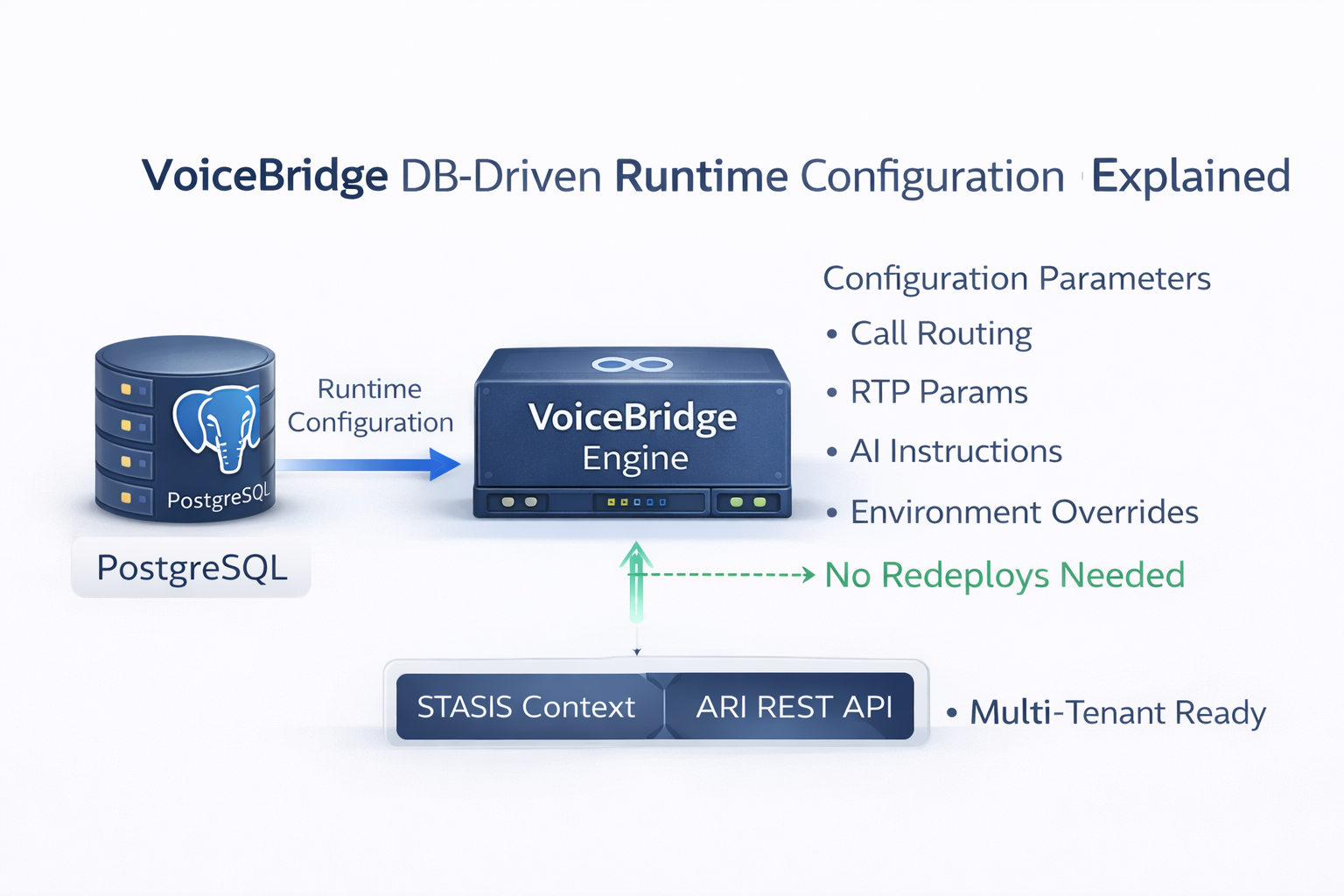
VoiceBridge DB-Driven Runtime Configuration Explained
Most “Asterisk ↔ AI” demos hardcode everything in JSON files, environment variables, or one-off scripts. That works for a single lab call—but it collapses the moment you need multi-tenant config, hot changes, multiple Asterisk servers, and per-bot routing without redeploying.
MYLINEHUB VoiceBridge solves this by loading operational configuration from PostgreSQL at runtime. In production, your “Voice AI system” is not just code— it’s a control plane: credentials, endpoints, RTP strategy, and bot instructions must be editable like telecom routing rules.
This article explains exactly how that DB-driven model works in VoiceBridge, which tables matter, and how those records map to Java classes inside the open-source project: github.com/mylinehub/omnichannel-crm/tree/main/mylinehub-voicebridge.
If you want the full media pipeline first (ARI → RTP → AI → RTP), read: MYLINEHUB VoiceBridge Architecture . This page focuses specifically on DB-driven configuration: how VoiceBridge decides what to connect, how to connect, and which bot instructions to run.
Why DB-driven config exists in VoiceBridge
VoiceBridge is designed to run as a single Java service that can attach to:
- one Asterisk server, or many Asterisk servers
- one bot endpoint, or multiple bot providers
- one environment, or multiple customer deployments
If configuration stays inside application.properties or local JSON files, you get:
- Redeploy-based changes (slow + risky in telecom)
- Single-tenant assumptions (breaks multi-org deployments)
- No audit trail of what changed and when
- Hard migration between “lab → staging → production”
DB-driven config turns VoiceBridge into a proper telecom-grade component: you can change routing, credentials, and bot behavior using controlled inserts/updates, just like you would manage SIP providers, DID mapping, or IVR rules.
The two key tables
VoiceBridge reads two central entities from PostgreSQL:
-
stasis_app_config— connection + runtime parameters for an ARI “app” (Asterisk host, ARI credentials, RTP direction details, bot endpoints, CRM callbacks, etc.) -
stasis_app_instruction— the instruction/prompt payload that controls bot behavior (what the AI should do, how it should respond, policy constraints, call flow rules)
In the Java project, these are represented by:
-
src/main/java/com/mylinehub/voicebridge/models/StasisAppConfig.java -
src/main/java/com/mylinehub/voicebridge/models/StasisAppInstruction.java
The DB-driven model is deliberate: VoiceBridge does not want “config files” per customer. It wants a stable binary that becomes “customer-aware” purely through database records.
How VoiceBridge loads config at runtime (the actual flow)
The runtime loader is implemented in:
src/main/java/com/mylinehub/voicebridge/service/StasisAppConfigService.java.
Conceptually it does three things:
- On startup, fetch active configs from DB (only what is enabled).
- Cache them in memory for fast call handling (telecom traffic can’t do DB reads per audio frame).
- Build ARI clients dynamically from DB values (host/port/user/pass/app).
The service keeps an in-memory map like:
Map<String, StasisAppConfig> (keyed by stasisAppName).
That means your Asterisk dialplan only needs to drop calls into a Stasis application name,
and VoiceBridge picks the right config instantly.
When configuration changes, VoiceBridge can rebuild ARI clients and refresh its cache without rewriting server config files or redeploying the binary.
StasisAppConfig: what fields exist (and why they matter)
The “big” config object is:
StasisAppConfig (JPA entity mapping to stasis_app_config).
You can see the fields in:
src/main/java/com/mylinehub/voicebridge/models/StasisAppConfig.java.
The table is intentionally wide because it is the runtime contract between: Asterisk ↔ VoiceBridge ↔ Bot/AI ↔ CRM.
1) ARI connection fields (Asterisk control plane)
asteriskHost,asteriskPort— where ARI HTTP/WebSocket livesasteriskUsername,asteriskPassword— ARI user credentialsstasisAppName— the ARI application name Asterisk sends calls intoisActive— enables/disables a config row without deleting it
This is why DB-driven config matters: you can connect VoiceBridge to multiple Asterisk servers by inserting multiple rows, each with its own host/ARI creds and app name.
2) RTP/media parameters (duplex audio behavior)
rtpListenIp,rtpListenPort— where VoiceBridge receives RTP from AsteriskrtpSendIp,rtpSendPort— where VoiceBridge sends RTP back (injection)payloadType— RTP payload type alignment (critical for correct audio decode)codec— e.g., PCMU/PCMA assumptions for telephony legs
Duplex voice is not “turn based.” RTP direction, timing, payload, and port planning decide success. Keeping these in DB allows safer production iteration (especially under NAT/firewall constraints).
3) Bot routing and integration endpoints
botType— which bot driver to use (internal/external patterns)botUrl,botAuthToken— external bot endpoint + authcrmBaseUrl,crmAuthToken— CRM callbacks for call events/dataaudioFormat,sampleRate— how audio is handled for bot legs
This is exactly how you replace proprietary CPaaS/voice-bot “APIs”: you keep your telephony on Asterisk/FreePBX, and change only the bot endpoint in DB. VoiceBridge remains the stable bridge.
4) Operational toggles (production controls)
enableRecording,recordingPathenableBargeIn(or equivalent behavior toggles)silenceTimeoutMs,maxCallDurationSec
In telecom, “feature flags” are not a luxury—they are survival. DB-driven toggles let you turn on/off riskier features per deployment.
StasisAppInstruction: the bot brain, stored in DB
A VoiceBridge deployment typically needs different AI instructions per:
- campaign
- phone number / DID
- department
- customer organization
Hardcoding prompts into code is fragile and makes support impossible.
VoiceBridge stores “instructions” in:
stasis_app_instruction, mapped by the entity:
src/main/java/com/mylinehub/voicebridge/models/StasisAppInstruction.java.
Typical columns include:
stasisAppName— ties an instruction set to a config/appinstructionText(or similar) — the actual system prompt / behavior rulesisActive— allows safe rollouts and “blue/green prompts”createdAt,updatedAt— auditing
The important architecture point: VoiceBridge treats bot instructions as runtime data, so your AI behavior is deployed with a DB update—not with a build pipeline.
DB-driven config in the code: repositories and services
VoiceBridge uses Spring Data repositories:
-
src/main/java/com/mylinehub/voicebridge/repository/StasisAppConfigRepository.java(queries active configs) -
src/main/java/com/mylinehub/voicebridge/repository/StasisAppInstructionRepository.java(queries active instruction sets)
The orchestration happens in:
src/main/java/com/mylinehub/voicebridge/service/StasisAppConfigService.java,
which:
- loads config rows
- builds ARI clients (per app)
- keeps an in-memory config map for fast routing
This is the key difference vs “demo code”: VoiceBridge is written like a telecom control-plane component, not like a script.
What stays in application.properties (and what does not)
Your Spring Boot service still needs baseline infrastructure settings like:
- server port
- PostgreSQL connection URL/user/password
- logging level
Those live in:
src/main/resources/application.properties.
Example categories you’ll typically see there:
- Datasource:
spring.datasource.url,spring.datasource.username - JPA: DDL settings, dialect, SQL logging
- Server:
server.port
But the following should not be hardcoded in properties in a production multi-tenant system:
- ARI credentials per Asterisk
- bot endpoints
- RTP port strategies
- instruction prompts
That’s why VoiceBridge separates “infrastructure config” (properties) from “telecom runtime config” (database).
Operational model: one binary, many deployments
With DB-driven configuration, VoiceBridge becomes portable:
- You can run it on a laptop for testing (local Asterisk + local DB), then move the same jar to a server.
- You can host on-premise (recommended for data ownership and latency), or run on cloud, or hybrid.
- You can attach it to any Asterisk system (including FreePBX), as long as ARI is enabled.
In real deployments, the “deployment” is often just: start one Java service + point it to the database. Everything else is configured by inserting/updating DB rows.
Visual: DB-driven control plane (dark SVG diagram)
The diagram below shows why DB-driven config is not “extra complexity”—it is the layer that makes VoiceBridge operational at scale.
The important point: the DB is the control plane. VoiceBridge loads connection details + instructions from DB, then runs duplex media bridging in real-time.
How to bootstrap: minimal DB records you need
A typical first-time setup requires:
- Create DB + tables (your schema migration approach)
- Insert a
stasis_app_configrow for your ARI app - Insert a
stasis_app_instructionrow for your bot behavior - Enable ARI on Asterisk/FreePBX, and route a DID into
Stasis(yourApp)
Your “first working call” happens when:
- Asterisk pushes a call into the Stasis app name
- VoiceBridge receives the ARI event and looks up
stasis_app_configby app name - VoiceBridge starts duplex RTP bridging using the ports/IPs from DB
- VoiceBridge loads instruction text and sends it to your bot endpoint
For a production-safe ARI enablement workflow (especially on FreePBX), follow: Enable ARI on FreePBX 17 (Asterisk 20): Complete Guide .
How DB-driven config improves reliability (real-world reasons)
1) You can disable a broken integration instantly
If a bot endpoint is down, you can set isActive=false for that configuration row
and safely stop new AI calls from entering that pipeline—without restarting Asterisk or redeploying VoiceBridge.
2) You can run multiple Asterisk servers cleanly
DB-driven ARI connection rows allow a single VoiceBridge deployment to manage multiple Asterisk hosts (multi-site, failover, or scale-out).
3) You can rotate credentials without touching binaries
ARI credentials are sensitive. Keeping them in DB (with proper access control) allows rotation procedures without rebuilding containers or changing local files.
4) You can roll out new instructions like feature flags
The instruction table supports staged rollout: activate the new prompt, keep the old prompt stored for rollback, and compare outcomes.
Security note: treat DB config like telecom secrets
DB-driven runtime configuration is powerful, but it also means your database becomes part of the security boundary. Apply telecom-grade practices:
- restrict DB network access (private subnet / firewall allowlist)
- use a dedicated DB user with least privilege
- audit changes to config tables
- encrypt backups and control who can restore them
In other words: if someone can edit stasis_app_config, they can redirect calls to malicious endpoints.
Protect DB like you protect SIP trunk credentials.
Troubleshooting checklist (DB-driven config issues)
VoiceBridge starts but no calls connect
- Verify Asterisk dialplan actually calls
Stasis(stasisAppName) - Confirm the row exists in
stasis_app_configandisActive=true - Confirm ARI host/port reachable from VoiceBridge server
ARI connects but audio is one-way
- Verify RTP listen/send IPs match real network paths (especially under NAT)
- Confirm payload type + codec expectations match the call leg
- Use Wireshark to confirm duplex RTP packets exist in both directions
Deep dive if you hit one-way audio with ExternalMedia style RTP: Why Asterisk ExternalMedia Audio Becomes One-Way (Root Causes & Fixes) .
Bot responds incorrectly or ignores business rules
- Confirm
stasis_app_instructionrow exists and is active - Ensure the correct instruction row matches the same
stasisAppName - Log and compare the instruction payload being sent to the bot endpoint
How this enables “replace any vendor API” (including Exotel-like flows)
Many proprietary voice platforms work like: “send call events to vendor API → vendor controls bot → vendor hosts the audio loop.”
VoiceBridge flips that architecture:
- You control telephony (Asterisk/FreePBX)
- You control the bridge (VoiceBridge)
- You control the bot endpoint (OpenAI Realtime, or any external bot API)
- You control the CRM integration (MYLINEHUB CRM or your own)
DB-driven config is what makes “vendor replacement” practical: switching from one bot provider to another becomes a DB change (bot URL/token/instructions), not a full system rewrite.
Project references (open-source)
- Repo root: mylinehub-voicebridge (GitHub)
- Config entity: StasisAppConfig.java
- Instruction entity: StasisAppInstruction.java
- Runtime loader/service: StasisAppConfigService.java
- Architecture reference: MYLINEHUB VoiceBridge Architecture
This is the foundation that allows VoiceBridge to be installed as a simple Java service, yet behave like an enterprise-grade telecom component: stable binary, dynamic runtime control.
Want to see API-driven CRM + Telecom workflows in action? Try the WhatsApp bot or explore the demos.
Comments (0)
Be the first to comment.