Janus WebRTC Gateway Installation on Ubuntu (Production Guide)
Step-by-step production installation of Janus WebRTC Gateway on Ubuntu, including libsrtp, libnice, coturn, firewall rules, and common build failures.
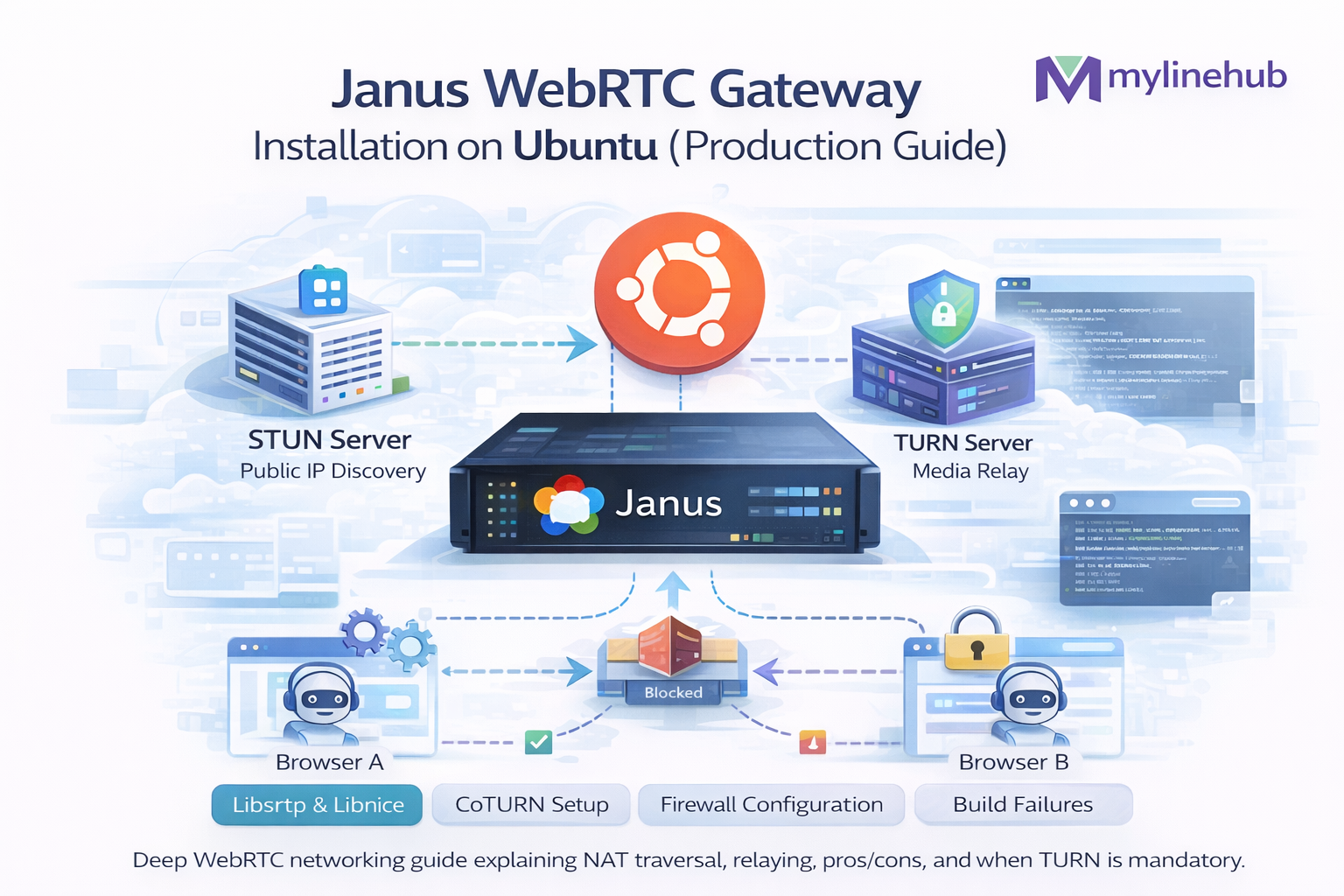
Janus • WebRTC Gateway • Ubuntu • Production Hardening • NAT/ICE/TURN
Janus WebRTC Gateway Installation on Ubuntu (Production Guide: from Zero → Hardened)
This is a production-focused guide to installing Janus WebRTC Gateway on Ubuntu, with the exact decisions you must make for real traffic: which Ubuntu version, which Janus version strategy, why we run TURN, how to set NAT/ICE, how to run Janus as a service, how to secure it, and how to validate audio works end-to-end.
What Janus is (layman version): Janus is a “WebRTC network translator” server.
- Browsers speak WebRTC (DTLS, SRTP, ICE candidates, NAT traversal)
- Many systems (SIP/PBX/AI pipelines) don’t speak WebRTC natively
- Janus sits in the middle: browsers connect to Janus via WebRTC, and Janus connects to the rest via plugins (SIP, streaming, recordings, etc.)
If you’re building a website “voice button” that talks to a PBX/AI bot, Janus is often the simplest stable bridge. See: https://mylinehub.com/articles/webrtc-website-voice-button-ai-bot-architecture
Table of contents
1) Choosing versions: Ubuntu, Janus, plugins 2) Production architecture (why Janus + TURN + firewall) 3) Server prerequisites and sizing 4) Install dependencies (safe defaults) 5) Build & install Janus from source (recommended) 6) Core Janus config (janus.jcfg) 7) ICE / STUN / TURN: what to configure and why 8) NAT, public IP, and tricky cloud networking 9) SIP plugin basics (optional but common) 10) Run Janus with systemd (service, logs, restarts) 11) Firewall ports & network rules (tables) 12) TLS: HTTPS, WSS, and secure signaling 13) Validation & troubleshooting (what to test first) 14) Production checklist (copy/paste) 15) References and next articlesQuick links (same URL format)
- https://mylinehub.com/articles/ice-vs-stun-vs-turn-complete-webrtc-networking-guide
- https://mylinehub.com/articles/webrtc-website-voice-button-ai-bot-architecture
- https://mylinehub.com/articles/why-webrtc-calls-fail-behind-nat-turn-fix
This guide assumes you want a stable “it works for real users behind NAT” deployment.
1) Choosing versions: Ubuntu, Janus, plugins
Ubuntu version: what to use and why
For production, use an Ubuntu LTS. The main reason is not “features”, it’s stability and predictable updates. Janus depends on low-level libraries; LTS reduces surprises.
| Ubuntu | Recommended? | Why |
|---|---|---|
| 22.04 LTS | Yes | Stable toolchain, modern libs, long support window |
| 24.04 LTS | Yes | Also fine, but verify any custom patches/plugins you use |
| Non-LTS | No | More churn and unexpected dependency changes |
If your team is new to WebRTC infrastructure, start with 22.04 LTS for maximum “known good” stability.
Janus version strategy (practical)
Janus is commonly installed from source so you can control features and plugin build options. In production, you want:
- A repeatable build process
- A pinned release or git tag (not “random latest commit”)
- A rollback plan (keep previous binaries)
Rule of thumb: pin a Janus release tag, and only upgrade after testing in a staging environment with real browsers + real NAT paths.
2) Production architecture (why Janus + TURN + firewall)
The most common reason “WebRTC worked in my laptop test but fails in production” is networking: NAT, UDP policies, and missing TURN.
Why Janus (practical reasons):
- Browsers speak WebRTC; PBX systems typically speak RTP/SIP
- Janus is a proven middle layer with plugins and good observability
- It keeps your PBX/AI pipeline clean: WebRTC ↔ Janus ↔ SIP/PBX/AI
If you’re combining WebRTC + Asterisk + AI, also read: https://mylinehub.com/articles/send-audio-back-to-caller-using-ari-externalmedia-working-rtp-guide
3) Server prerequisites and sizing
Minimum server sizing (starter)
| Component | Starter | Notes |
|---|---|---|
| CPU | 2–4 vCPU | WebRTC encryption + packet handling is CPU sensitive |
| RAM | 4–8 GB | Janus itself is light, but plugins/logging add overhead |
| Network | 1 Gbps | RTP media is bandwidth-heavy; TURN (if colocated) increases usage |
| Disk | 20+ GB | Mostly for OS, logs, optional recordings |
If you run TURN on the same box, plan more bandwidth and monitor egress costs.
Network reality check (before you install)
- Do you have a public IPv4 (recommended) or only IPv6?
- Are you behind cloud NAT? (some providers do this by default)
- Can you open a UDP port range for RTP?
- Do you have or plan a TURN server? (recommended)
If you cannot open UDP ports: WebRTC can still work using TURN over TCP/TLS, but latency increases.
4) Install dependencies (safe defaults)
Janus is C-based and commonly built from source. The dependency list looks long, but you can treat it as “build tools + crypto + WebSockets + codecs”.
Production habit: do updates first, and keep dependency installs in a script so you can reproduce builds.
# 1) Update OS packages
sudo apt-get update
sudo apt-get -y upgrade

# 2) Build tools + common libs
sudo apt-get install -y \
  git autoconf automake libtool pkg-config \
  build-essential cmake ninja-build \
  libmicrohttpd-dev libjansson-dev libssl-dev \
  libsrtp2-dev libcurl4-openssl-dev \
  libsofia-sip-ua-dev \
  libglib2.0-dev libopus-dev libogg-dev libini-config-dev \
  gengetopt libconfig-dev

# Optional but common:
sudo apt-get install -y \
  libnice-dev \
  libwebsockets-dev \
  libnanomsg-dev

# Helpful tools
sudo apt-get install -y \
  unzip wget curl htop net-tools tcpdump
What these “big” dependencies mean (layman)
- OpenSSL: encryption (DTLS/TLS) essentials
- libsrtp: secure RTP for media
- libnice: ICE implementation (helps NAT traversal)
- libwebsockets / microhttpd: Janus transport options
- sofia-sip: SIP stack for SIP plugin (if you use SIP)
- Opus: common WebRTC audio codec
Why ICE libs matter (and why people get confused)
WebRTC needs ICE to traverse NAT. Browsers have ICE built in. Janus also needs ICE because Janus itself is a WebRTC endpoint.
Read the foundations first: https://mylinehub.com/articles/ice-vs-stun-vs-turn-complete-webrtc-networking-guide
5) Build & install Janus from source (recommended)
Why build from source? You control features, plugins, and versions. This prevents “it broke after apt upgrade” surprises.
# Choose a working directory
cd /usr/src

# Clone Janus
sudo git clone https://github.com/meetecho/janus-gateway.git
cd janus-gateway

# (Recommended) checkout a specific tag/release
# Example:
# sudo git checkout v1.2.3
# Use the tag you have tested in staging.

# Build system
sudo sh autogen.sh

# Configure install path
sudo ./configure --prefix=/opt/janus --enable-websockets --enable-rest

# Build and install
sudo make -j"$(nproc)"
sudo make install
sudo make configs

# Create a symlink for convenience
sudo ln -sf /opt/janus/bin/janus /usr/local/bin/janus
Where configs land (typical)
- Binary: /opt/janus/bin/janus
- Configs: /opt/janus/etc/janus
- Plugins: /opt/janus/lib/janus/plugins
- Transports: /opt/janus/lib/janus/transports
Keep these paths consistent across environments so systemd, logs, and docs stay stable.
Common build pitfalls (fast answers)
- configure fails: missing -dev package → install it and rerun configure
- SIP plugin missing: sofia-sip not installed when configuring
- ICE issues: libnice not installed or not detected
- WebSockets not enabled: libwebsockets missing
6) Core Janus config (janus.jcfg)
Janus uses configuration files to enable transports (how you connect to Janus) and plugins (what Janus can do). The single most important core file is typically: janus.jcfg.
Production approach: keep configs in git (private repo) and deploy them like application code.
# Example location:
# /opt/janus/etc/janus/janus.jcfg

general: {
  # In production, keep logs structured and not too verbose
  debug_level = 4
  debug_timestamps = true
  debug_colors = false

  # If you are behind NAT, you must handle this properly (covered below)
  # nat_1_1_mapping = "YOUR_PUBLIC_IP"
  # ice_enforce_list = "eth0"
}

# RTP settings:
media: {
  # IMPORTANT: open these ports in firewall (see firewall section)
  rtp_port_range = "20000-40000"
}
Key settings explained (no jargon)
| Setting | What it controls | Why it matters |
|---|---|---|
| rtp_port_range | The UDP ports Janus uses for media | If your firewall blocks these, calls fail or become one-way |
| nat_1_1_mapping | Public IP mapping if Janus is behind NAT | Browsers must learn a reachable public address |
| ice_enforce_list | Which network interface Janus should use | Prevents Janus from advertising wrong IPs on multi-NIC servers |
| debug_level | Verbosity of logs | High logs help debugging but can flood disk in production |
7) ICE / STUN / TURN: what to configure and why
If you deploy Janus in production and do not configure TURN, you will get user reports like: “Works on my home Wi-Fi, fails on office network.”
What Janus needs
- Janus needs ICE because Janus is a WebRTC endpoint (like a browser)
- ICE uses STUN to discover “public mapped addresses”
- ICE uses TURN when direct connectivity fails
Foundation guide: https://mylinehub.com/articles/ice-vs-stun-vs-turn-complete-webrtc-networking-guide
Where to set TURN in Janus
Janus typically reads ICE server settings from its config (depending on transport/plugin setup). A common pattern is to configure STUN/TURN settings in Janus configs so Janus can advertise relay paths properly.
Production rule: run your own TURN (coturn), use ephemeral credentials, and expose UDP + TCP + TLS TURN endpoints.
ICE/STUN/TURN decision table (simple)
| Network scenario | What usually works | What you need for reliability |
|---|---|---|
| Friendly home NAT | STUN + direct ICE | TURN still recommended as fallback |
| Office firewall | Sometimes fails | TURN over TCP/TLS |
| Mobile carrier NAT | Often flaky | TURN (UDP preferred, TCP/TLS fallback) |
8) NAT, public IP, and tricky cloud networking
Most production Janus problems are not “Janus bugs”. They are: wrong public IP advertised, wrong interface selected, or blocked UDP ports.
Case A: Janus has a public IP (simplest)
- Server has public IPv4 on the NIC
- Firewall open for RTP port range
- TURN still recommended (some clients still fail without relay)
This is the easiest to operate and debug.
Case B: Janus is behind NAT (common in some setups)
- Server’s interface is private IP
- You must configure mapping so Janus advertises the public IP
- Without correct mapping, browsers try to send media to a private IP and fail
Typical fix: set nat_1_1_mapping and restrict ICE to the right NIC.
# Example (edit your janus.jcfg):
general: {
  # If Janus has private IP but is reachable via public IP:
  nat_1_1_mapping = "YOUR_PUBLIC_IP"

  # Ensure Janus advertises only the correct NIC (example: eth0)
  ice_enforce_list = "eth0"
}

media: {
  rtp_port_range = "20000-40000"
}
Beginner mistake: “My server can curl the internet, so it must be fine.”
WebRTC media is inbound UDP to your server. Outbound connectivity does not prove inbound RTP is reachable.
9) SIP plugin basics (optional but common)
Many deployments use Janus SIP plugin to connect WebRTC browsers to SIP infrastructure (like Asterisk/FreePBX) for PSTN or call routing.
What the SIP plugin does (simple)
- Browser ↔ Janus: WebRTC (DTLS/SRTP)
- Janus ↔ PBX: SIP signaling + RTP media (normal VoIP)
- Janus handles codec negotiation and secure media on the browser side
Common “why no audio” causes in Janus ↔ PBX
- PBX RTP ports blocked
- NAT settings wrong on PBX (advertises private IP)
- Codec mismatch (Opus vs PCMU/PCMA) depending on your bridge strategy
If your PBX side uses ARI ExternalMedia, also read: https://mylinehub.com/articles/send-audio-back-to-caller-using-ari-externalmedia-working-rtp-guide
Production hint: don’t try to “solve everything” on day one. First make Janus ↔ Browser stable, then add SIP/PBX bridging.
10) Run Janus with systemd (service, logs, restarts)
Production means: Janus starts on boot, restarts if it crashes, and logs are centralized. systemd is the standard way on Ubuntu.
# Create a dedicated user for Janus (recommended)
sudo useradd --system --no-create-home --shell /usr/sbin/nologin janus

# Create log directory
sudo mkdir -p /var/log/janus
sudo chown -R janus:janus /var/log/janus

# Create systemd unit
sudo tee /etc/systemd/system/janus.service > /dev/null <<'EOF'
[Unit]
Description=Janus WebRTC Gateway
After=network.target

[Service]
Type=simple
User=janus
Group=janus
ExecStart=/opt/janus/bin/janus -F /opt/janus/etc/janus
Restart=always
RestartSec=2
LimitNOFILE=1048576

# Hardening (safe defaults)
NoNewPrivileges=true
PrivateTmp=true
ProtectSystem=full
ProtectHome=true
ReadWritePaths=/var/log/janus /opt/janus

[Install]
WantedBy=multi-user.target
EOF

# Reload and start
sudo systemctl daemon-reload
sudo systemctl enable janus
sudo systemctl start janus

# Check status and logs
sudo systemctl status janus --no-pager
sudo journalctl -u janus -n 200 --no-pager
Log strategy: start with journald, then forward to your central logging (ELK/CloudWatch/etc.).
11) Firewall ports & network rules (tables)
The most important “production” part is opening the correct ports. If you do not open media UDP, your WebRTC will appear to “connect” and then have silence, or it will fail for some users.
Port table (Janus + TURN typical)
| Purpose | Protocol | Port(s) | From | To | Notes |
|---|---|---|---|---|---|
| Janus HTTP API (REST) | TCP | 8088 (example) | Your app servers | Janus | Prefer internal/private access, not public internet |
| Janus HTTPS API | TCP | 8089 (example) | Your app servers | Janus | Use TLS if crossing networks |
| Janus WebSockets | TCP | 8188/8989 (example) | Browsers/app | Janus | Common for browser signaling |
| Janus RTP media range | UDP | 20000–40000 | Browsers (via ICE) | Janus | Must be open for WebRTC media |
| TURN | UDP/TCP | 3478 | Browsers | TURN | TURN allocations + relay |
| TURNS (TURN over TLS) | TCP | 5349 | Browsers | TURN | Helpful when UDP blocked |
| TURN relay range | UDP/TCP | Configured range | Browsers | TURN | Open the relay port range you set in coturn |
Beginner mistake: opening only 443 and expecting WebRTC media to work.
WebRTC media uses dynamic UDP ports (RTP). TURN over TLS helps when UDP is blocked, but still requires correct TURN setup.
12) TLS: HTTPS, WSS, and secure signaling
WebRTC media is encrypted (DTLS/SRTP), but your signaling layer (how the browser talks to your server/Janus) still needs proper HTTPS/WSS in production.
What should be TLS?
- Your website must be HTTPS (browsers restrict mic access on insecure origins)
- Your signaling WebSocket should be WSS
- TURN over TLS (TURNS) is recommended as a fallback when UDP is blocked
Where to terminate TLS
- Common approach: Nginx in front of Janus for WSS/HTTPS
- Keep Janus internal (private subnet) when possible
- Expose only what browsers must reach
Operational habit: keep public edge (Nginx) separate from media servers if scaling.
13) Validation & troubleshooting (what to test first)
Test 1: Janus running and reachable
# Check service
sudo systemctl status janus --no-pager

# Check listeners (example)
sudo ss -lntup | grep -E 'janus|8088|8089|8188|8989'

# Tail logs
sudo journalctl -u janus -f
If Janus can’t start, fix that before touching WebRTC configs.
Test 2: RTP ports open (the real failure point)
# On Janus box: watch UDP traffic when a browser tries to connect
sudo tcpdump -n -i any udp portrange 20000-40000

# If you see nothing during call attempts:
# - firewall blocks UDP range
# - Janus advertised wrong IP (NAT mapping)
# - ICE/TURN not configured correctly
This is the fastest way to separate “signaling works” vs “media works”.
Test 3: Confirm ICE path (direct vs TURN relay)
In the browser, check WebRTC internals / stats to see if the selected candidate is srflx or relay. If many users need relay, TURN is required (that is normal in production).
Interpretation:
- relay chosen: TURN is in use (good fallback)
- srflx chosen but call fails: NAT mapping might be unstable or media ports blocked
- no candidate works: TURN not reachable or not configured
14) Production checklist (copy/paste)
| Item | Done looks like | Common failure |
|---|---|---|
| Ubuntu LTS | 22.04/24.04 with security updates | Non-LTS breaks deps unexpectedly |
| Pinned Janus build | Tag/release pinned, reproducible install script | “latest commit” drifts between servers |
| RTP UDP range open | 20000–40000 UDP reachable from internet | Only 80/443 open → no media |
| NAT mapping configured (if needed) | Janus advertises reachable public IP | Advertises private IP → users fail |
| TURN deployed | coturn running with auth + TLS option | No TURN → office/mobile users fail |
| systemd service | Auto restart, logs, file limits set | Manual run in terminal → outages on reboot |
| Observability | Logs + metrics + alert on restarts | “Users report it” is your monitoring |
Production rule: If you want fewer support tickets, treat TURN + firewall rules as part of the product, not an optional add-on.
15) References and next articles
MYLINEHUB series
- https://mylinehub.com/articles/ice-vs-stun-vs-turn-complete-webrtc-networking-guide
- https://mylinehub.com/articles/webrtc-website-voice-button-ai-bot-architecture
- https://mylinehub.com/articles/why-webrtc-calls-fail-behind-nat-turn-fix
- https://mylinehub.com/articles/send-audio-back-to-caller-using-ari-externalmedia-working-rtp-guide
Want to see API-driven CRM + Telecom workflows in action? Try the WhatsApp bot or explore the demos.
Comments (0)
Be the first to comment.