Why MYLO Uses Your Own AI-Provider Key for an On-Premise AI Telephony Agent
MYLO uses the customer’s own AI-provider key so the customer keeps a direct relationship with the selected provider, controls the account, and pays that provider for actual AI usage under its terms.
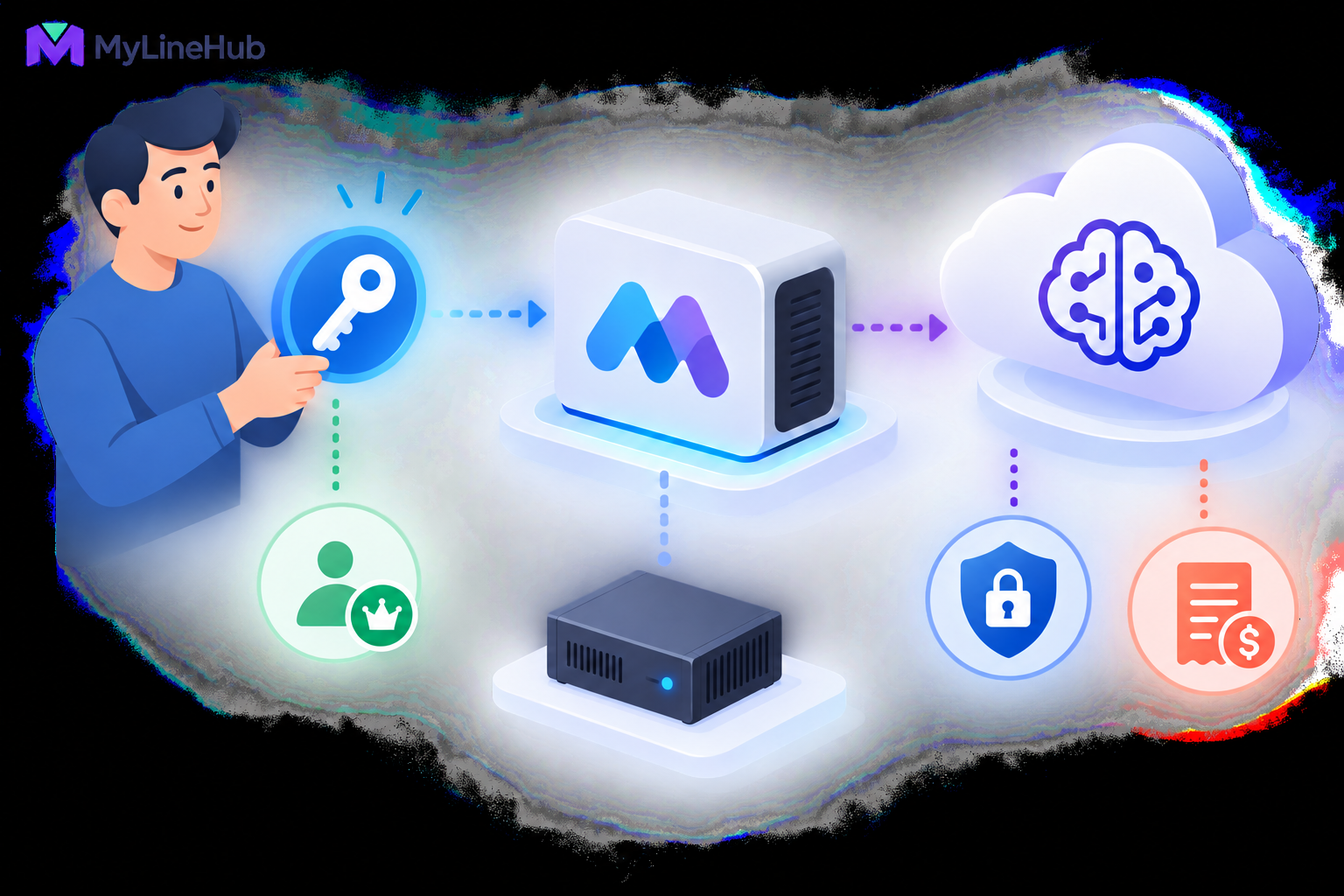
MYLO uses the customer’s own AI-provider key so the customer keeps a direct relationship with the selected provider, controls the account, and pays that provider for actual AI usage under its terms. The key allows supported MYLO assistance to interpret requests, ask useful questions, and prepare explanations or proposals. It is not a telecom credential, and it does not move live call pacing, retry, capacity, or safety decisions into the AI model. Those operations remain deterministic. The customer decides which supported provider to use, protects the credential through the approved interface, monitors provider billing, and can replace or revoke the key when needed. Without a valid key, AI-assisted features may be unavailable, while non-AI functions should be understood according to the current MYLO product behaviour.
Who Owns the AI Account?
The business creates or controls its account with the chosen AI provider. That provider, not MYLO, defines account eligibility, model availability, usage limits, billing methods, regional options, and data-processing terms. Keeping the provider relationship with the customer makes those choices visible instead of hiding them inside an unspecified bundled allowance.
Account ownership also simplifies continuity. An authorised administrator can review provider usage, rotate a key, change a spending limit, or move to another supported provider without depending on a shared key owned by an unrelated customer.
Who Pays for AI Usage?
The customer pays the AI provider according to the selected service and its current pricing. AI usage is separate from the MYLO appliance price, SIP trunk rental, phone numbers, channels, and telephone calling charges. These cost categories should not be merged into one vague estimate.
Usage can vary with the provider, model, request size, response size, and frequency of assisted work. Before enabling a provider, the administrator should review its current prices and configure any available budgets or alerts. MYLO should not publish a permanent price for a third-party model that may change.
Deterministic runtime design helps prevent unnecessary model usage. A campaign scheduler should not ask an LLM which lead comes next, whether a channel is free, or how to classify every retry. Those decisions belong to controlled software and live telephony evidence.
Why a Separate Customer Key Improves Control
- Account visibility: the customer can review usage and invoices directly with the provider.
- Provider choice: the customer can select among currently supported options according to its needs.
- Credential revocation: an authorised owner can invalidate a key if it is suspected to be exposed.
- Budget ownership: provider-side limits and alerts remain attached to the customer’s account.
- Separation between customers: one organisation’s usage does not depend on a common credential shared with another.
These advantages depend on good administration. Owning the key does not help if it is pasted into email threads, stored in an open spreadsheet, or left active after an administrator departs.
Protecting the Credential
Enter the key only through MYLO’s approved protected credential workflow. The key should not appear in ordinary AI chat, diagnostic output, article screenshots, support tickets, or exported configuration. An assistant can direct the administrator to the secure action without reading or repeating the secret.
Limit access to authorised administrators, rotate the credential according to business policy, and revoke it promptly after suspected exposure. The provider account itself should use strong authentication and protected recovery methods. Where the provider offers scoped keys, project separation, or budget controls, choose settings that match the deployment after reviewing current provider documentation.
Logs and audits should record that a protected credential action occurred without storing the secret value. Backups also need appropriate protection because encrypted or protected application data can still be sensitive.
What the AI Provider Does in MYLO
Within the supported product, AI helps translate a human business request into structured understanding. It can recognise intent, ask for missing information, explain current evidence, identify a relevant skill or example, and prepare a proposed action for review.
AI output is not treated as proof of live state. Asterisk remains authoritative for telephony configuration and call evidence. Linux remains authoritative for machine and network state. MYLO’s database records the application-owned users, permissions, approvals, campaigns, and history. Deterministic tools validate and apply supported operations.
This boundary keeps a persuasive natural-language response from becoming an unrestricted system command. The key enables assistance; it does not grant the model independent authority over the appliance.
Changing to Another Provider
A customer may want to change provider because of commercial terms, model availability, organisational policy, or performance. The first question is whether the target provider and model are supported by the current MYLO product. A provider logo or compatible API style is not sufficient evidence.
Before changing, review the target provider’s account requirements, data terms, pricing, regional availability, limits, and credential format. Add the new credential through the protected interface, select the supported provider configuration, and run an approved functional test. Revoke the old key only after the transition is verified and according to the rollback plan.
Switching an AI provider does not switch the telecom carrier. AI-provider credentials and SIP-trunk credentials serve different systems and should never be interchanged.
What Happens Without a Valid Key?
If the key is missing, expired, revoked, incorrectly scoped, over its provider limit, or rejected, AI-assisted requests may fail or be unavailable. MYLO should present the failure without exposing the credential and should avoid pretending that an unverified AI result was completed.
The exact effect on other functions depends on the current supported product behaviour. A valid telephony configuration does not cease to exist merely because an external AI account has a billing or authentication problem. Live call execution that is designed to run deterministically should not depend on an LLM deciding every step. Administrators should consult current product documentation for the precise degraded mode.
A Practical Customer-Control Example
A small support company selects a supported AI provider and creates a dedicated project under its business account. Its MYLO administrator configures a spending alert and enters the new key through the protected settings action. The support manager can then describe an IVR requirement conversationally, while the administrator reviews the structured proposal before any consequential change.
Months later, the business rotates credentials under its security policy. It creates a replacement key, updates MYLO through the protected workflow, verifies assisted requests, and revokes the old key. No employee posts the secret in chat, and the provider invoice remains visible directly to the business.
Customer Responsibilities and Limits
- Confirm that the selected provider and model are currently supported.
- Review provider pricing, terms, data handling, and regional availability.
- Protect the provider account, key, recovery method, and billing controls.
- Authorise only appropriate staff to change credentials or provider settings.
- Monitor usage and investigate unexpected changes.
- Do not treat AI output as authoritative network or telephony evidence.
- Keep customer data and prompts within the organisation’s approved policies.
- Request custom review if a desired provider or workflow is outside MYLO’s prepared boundary.
AI-Provider Readiness Checklist
- Choose a provider supported by the current MYLO product.
- Create an organisation-controlled account rather than using an employee’s personal account.
- Review current prices and configure available budgets or alerts.
- Create an appropriately controlled key.
- Enter it only through the protected MYLO credential action.
- Test an approved assisted workflow without exposing the key.
- Document the account owner, rotation process, and incident response.
- Keep AI, telecom, and MYLO costs as separate budget lines.
Review creating the first MYLO administrator before assigning credential responsibility. Next, prepare for telephony service with the SIP-trunk information checklist. Contact MyLineHub if the organisation needs a custom provider assessment or integration.
What Customer Ownership Changes—and What It Does Not
Using the customer’s own provider account gives the business a direct relationship with the AI provider for usage, model availability, billing, account policy, limits, and provider-side retention controls. It also prevents a shared MYLO-wide key from becoming a common credential across unrelated customers. The customer can revoke or rotate its key without relying on another business’s account.
Customer ownership does not make every prompt private by default or remove the need for governance. The business must choose an approved provider and model, review current provider terms, restrict who can configure the account, decide what information may be sent, and monitor usage. MYLO should minimise and sanitise context, protect telecom credentials, and keep deterministic authorization and execution outside the model. A key permits access to a provider; it does not grant the model authority to change trunks, Linux, roles, campaigns, or customer policy.
Provision, Test, and Rotate the Key Safely
Create a dedicated provider project or account boundary where the provider supports one. Apply the smallest practical permissions, budget alerts, usage limits, and administrator access. Enter the key only through MYLO’s protected credential flow. Never paste it into chat, documentation, source code, a browser screenshot, or an ordinary support ticket. Authorised staff should be able to confirm that a credential exists and was tested without reading the secret back.
Test a candidate provider or model before making it active. Confirm authentication, expected capability, error handling, billing visibility, and the behaviour when the provider is unavailable. MYLO’s deterministic telephony operations should remain safe when AI is temporarily unavailable; live calls should not depend on an unbounded model response.
Rotate the key after staff turnover, suspected exposure, provider instruction, or the organisation’s scheduled interval. Add the replacement through the protected process, test it, activate it, and revoke the old key at the provider. Review MYLO access records and provider usage for unexpected activity. If compromise is suspected, revoke first, preserve evidence, and follow the business incident process rather than sharing the exposed value for diagnosis.
Questions for the Data Owner
- Which approved tasks may use AI assistance?
- Which customer, call, attachment, or log data may be included?
- Which values must always be tokenised, redacted, or withheld?
- Who owns provider billing and usage review?
- How is the key rotated and who may activate a new model?
- What happens operationally when the provider cannot be reached?
Clear answers make the customer-owned-key model useful: ownership, cost, privacy decisions, and revocation stay with the business while MYLO continues to enforce its own product and security boundaries.
External AI Usage Remains a Customer Service
The customer chooses and configures a supported AI provider and remains responsible for that provider account and its usage charges. The key is associated with the customer’s appliance for authorised use; MyLineHub should not be understood as collecting every customer’s AI key into a central shared account. See what information may reach an AI provider before enabling an external model.
Continue planning
Continue with What Is a Telephony Appliance for a Small Business?; Creating the First MYLO Administrator; What Information Should You Collect Before Ordering a SIP Trunk?. For deeper implementation context, use MyLineHub technical architecture guidance.
Review current MYLO pricing, or discuss this requirement on WhatsApp.
Want to see API-driven CRM + Telecom workflows in action? Try the WhatsApp bot or explore the demos.
Comments (0)
Be the first to comment.