FreeSWITCH Troubleshooting: Registration, Routing and Audio
A failed business call is easier to repair when troubleshooting follows the call path instead of guessing. In a FreeSWITCH system, registration, routing, and audio are related but separate layers.
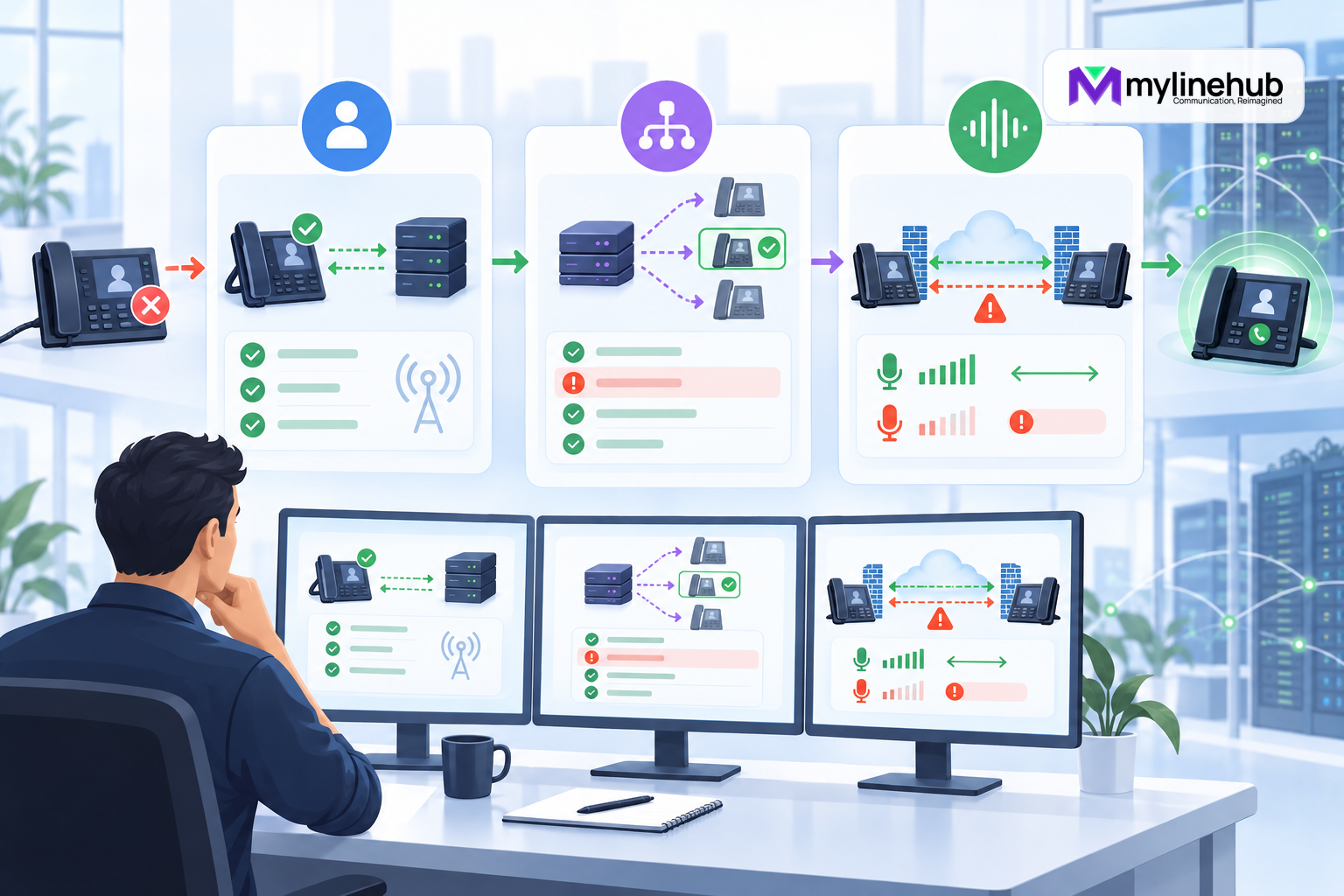
A failed business call is easier to repair when troubleshooting follows the call path instead of guessing. In a FreeSWITCH system, registration, routing, and audio are related but separate layers. A phone can register while its calls route incorrectly. A call can reach the right destination and still have one-way audio. A gateway may be healthy without registering at all. The operator's job is to identify the first layer where observed evidence differs from the expected design.
Record one precise symptom
“Calls do not work” is not a diagnostic statement. Record who called whom, the time and timezone, the source network, the destination presented to FreeSWITCH, whether ringing occurred, whether either side answered, what each party heard, and how the call ended. Capture a sanitized call identifier so logs and records can be correlated without publishing customer data.
Determine the scope. Does the problem affect one phone, one office, one carrier, one destination pattern, all inbound calls, or only calls after a change? A narrow scope often points to endpoint or route configuration. A broad simultaneous failure suggests shared network, profile, gateway, service, or resource dependencies.
Protect production before diagnosing
Do not make several speculative changes. Preserve current configuration, recent change history, service state, and sanitized evidence. If a new release created a material outage and the rollback is known and safe, restore service first. Troubleshooting should not extend customer impact merely to satisfy curiosity.
Use a controlled test destination and obtain permission before enabling verbose traces. SIP messages, events, and logs can contain phone numbers, network addresses, and identity information. Limit collection, redact exports, and disable extra logging when the test ends.
Understand the call as separate legs
A bridged call usually contains at least an A-leg from the caller to FreeSWITCH and a B-leg from FreeSWITCH to the destination. Each leg has its own SIP dialog, negotiated media, variables, and hangup cause. “The call answered” may describe only one leg. Correlate both legs before assigning a business outcome.
Draw the intended path: endpoint or carrier, receiving SIP profile, context, dialplan extension, application, destination gateway or user, remote endpoint, and media path. This provides a checklist for evidence and prevents the operator from jumping directly to the most familiar subsystem.
Layer one: local service and listener health
Confirm the FreeSWITCH process is running, expected modules are loaded, disk and memory are not exhausted, and the correct Sofia profiles are active. Verify the expected local address, port, and transport are listening. A configuration file existing on disk does not prove it was loaded.
Check whether a recent profile, certificate, firewall, DNS, routing, or interface change altered reachability. Listener and transport changes may not behave like ordinary dialplan reloads; consult the installed release documentation before choosing reload or restart.
Layer two: endpoint registration
For a registering office phone, confirm that FreeSWITCH has a current registration for the intended user and domain. Verify the contact points to the expected address and transport and has not expired. If registration is absent, inspect the REGISTER exchange: did the request reach the correct profile, receive an authentication challenge, return valid authorization, and receive success?
Common causes include wrong realm or domain, stale credentials, clock or certificate problems for secured transport, NAT rewriting, firewall timeouts, duplicate devices replacing a contact, or a phone registering to the wrong server. Never paste live authentication headers or passwords into tickets, chats, or AI prompts.
A successful registration proves only that the phone completed that SIP transaction. It does not prove dialplan permission, outbound carrier service, or media reachability. Continue with a functional call.
Layer three: gateway state
First determine whether the carrier is supposed to register. A password-authenticated gateway may need a current registration. An IP-authenticated trunk may intentionally use no registration. Treating a non-registering design as failed sends investigation in the wrong direction.
For a registering gateway, inspect its state, last response, retry behavior, proxy, realm, and network resolution. For an IP-authenticated gateway, verify reachability, provider source networks, access lists, and any OPTIONS health mechanism. A gateway can appear available while the provider rejects the dialed format, caller identity, account state, or destination.
Layer four: SIP call setup
Place one controlled call and trace signaling on the relevant profile for the shortest practical window. Follow the initial INVITE, provisional responses, final response, acknowledgement, and termination. Identify which system generated the failure rather than interpreting a user-facing message alone.
A local immediate rejection often indicates endpoint identification, authentication, context, dialplan, or gateway selection. A remote rejection may indicate destination format, caller identity, provider policy, capacity, or account status. Timeouts suggest DNS, routing, firewall, transport, or an unavailable peer. Preserve the SIP response and hangup cause as evidence, but do not assume every provider uses causes identically.
Layer five: dialplan selection
Confirm the actual context, destination number, and dialplan used by the channel. A rule written in one context cannot match a call arriving in another. The number may contain a country code, prefix, or formatting different from what the expression expects. Normalize once at a trusted boundary and log the sanitized normalized result.
Follow which extension and conditions matched and which actions ran. Look for broad expressions, unexpected continuation, variable-expansion timing, time conditions, and transfers to another context. Do not “fix” a route by making a public context broadly permissive. That can turn a troubleshooting shortcut into toll fraud.
Layer six: destination reachability
If the dialplan selects a local user, verify a current contact exists and that FreeSWITCH can reach it. If it selects a gateway, verify the gateway name and profile are correct and the provider receives the expected destination. If it selects an application, confirm the module is loaded and the dependency responds within the designed timeout.
Separate no answer, busy, rejected, and unavailable outcomes. They may require different caller treatments and reports. An endpoint ringing without being answered is not the same failure as a request never reaching the endpoint.
Layer seven: audio and RTP
If signaling completes but there is silence or one-way audio, move to media evidence. SIP and RTP take separate paths. Each side advertises in SDP where it expects to receive media and which codecs it supports. An unreachable private address in a public call, a blocked UDP range, symmetric routing failure, or incompatible negotiation can leave signaling healthy while audio fails.
Inspect the offer and answer on both legs. Compare advertised connection addresses, media ports, codec lists, and selected codec. Verify the firewall and NAT policy allow RTP in both directions. Packet capture at the appropriate boundaries can show whether packets leave and arrive, but collection must be authorized and limited.
One-way audio identifies direction. If the caller hears the agent but the agent hears nothing, trace the caller-to-agent media path separately from the return path. Do not randomly change codecs when packets are being sent to an unreachable address.
DTMF is its own media symptom
A caller may hear an IVR while key presses fail. Determine whether DTMF is negotiated as RTP telephone events, delivered through SIP INFO, or sent in-band. Inspect what each call leg offers and what FreeSWITCH detects. A transcoding or provider mismatch can affect digits while normal speech remains audible.
Test from representative mobile, landline, and office endpoints. Avoid configuring several DTMF modes blindly; mismatched duplicates can be as confusing as missing digits.
Use logs and traces deliberately
Increase logging only enough to answer a question. Sofia status and registration views explain current state. SIP tracing shows the signaling and SDP that crossed a profile. Channel inspection exposes variables and negotiated media. Dialplan logs show the context and route evaluated.
Correlate evidence by call identifier and timestamp. Disable temporary tracing afterward. Retain a sanitized diagnostic summary: symptom, cause, corrective change, test evidence, and any follow-up prevention. Avoid retaining raw sensitive traces longer than policy allows.
Common misleading signals
- A registered phone can still lack permission or usable RTP.
- An IP-authenticated carrier can be healthy without registration.
- A successful configuration reload does not prove a route works.
- A SIP answer does not prove two-way audio or agent connection.
- A gateway marked available does not prove every destination is allowed.
- A changed codec list cannot repair a blocked media path.
- A public-context wildcard can hide the symptom while creating risk.
A disciplined change loop
Form one evidence-based hypothesis, change one controlled item, and repeat the same functional test. Record before and after behavior. If the result does not change as predicted, revert and reassess. Several simultaneous edits destroy the ability to learn which one mattered.
For high-impact changes, create a backup and rollback trigger in advance. Verify both successful and rejected calls after repair. The system must still enforce restrictions while restoring service.
Post-repair verification
Repeat the original failing call and a representative set of unaffected calls. Confirm registration or gateway state, routing, caller identity, ringing, answer, two-way audio, DTMF, transfer, hangup, and reporting. Test after-hours or failover paths if the change touched shared logic.
Monitor for recurrence through a realistic window. A NAT timeout or expiring registration can appear fixed immediately and fail later. Where practical, add a synthetic call or alert that measures the complete path instead of checking only process uptime.
Build a reusable incident worksheet
A repeatable worksheet improves speed and reduces unsafe experimentation. Record the affected journey, first failure time, recent changes, known-good comparison, source and destination, profile, context, gateway or user, SIP result, media observation, scope, and current customer workaround. Add an evidence link and owner for each statement rather than relying on memory.
Include a decision log with hypothesis, observation, action, result, and rollback. This is especially valuable during handoffs. The next operator can continue from proven facts instead of repeating traces or applying an already rejected fix. After resolution, convert durable findings into monitoring, documentation, or a regression test.
Separate containment from permanent correction
An incident workaround may route traffic through a backup carrier, alternate office, or simplified call flow. Label it as containment, set an expiry or review date, and monitor its limitations. Temporary routes can quietly become permanent and bypass caller identity, recording, capacity, or cost controls.
The permanent correction should address the proved cause and include a regression test. Remove temporary logging and access after verification. Update the known-good baseline so future operators can distinguish intended state from residue left by the incident.
Version and documentation caveat
Commands, state names, defaults, and troubleshooting fields vary across FreeSWITCH releases and packaging. Confirm them against the deployed build before acting. Primary sources reviewed in September 2026 include the official FreeSWITCH chapters on the diagnostic toolbox, call-setup failures, no audio and one-way audio, and gateways and trunk registration.
Bottom line
FreeSWITCH troubleshooting becomes predictable when registration, identification, routing, signaling, and media are tested as separate layers. Start with one precise symptom, follow both call legs, and let evidence choose the next check. The goal is not merely to make one call work. It is to restore service with a controlled change, preserve security boundaries, and leave evidence another operator can understand.
Continue planning
Continue with MYLO Appliance vs MyLineHub Open Source: Which Path Fits?; How to Build and Test an IVR in FreeSWITCH; Asterisk, FreeSWITCH or Custom Architecture: How to Decide. For deeper implementation context, use MyLineHub technical architecture guidance.
For a requirement outside the prepared MYLO scope, discuss the exact outcome with MyLineHub.
Want to see API-driven CRM + Telecom workflows in action? Try the WhatsApp bot or explore the demos.
Comments (0)
Be the first to comment.