Can One SIP Trunk Carry Multiple DIDs and Business Numbers?
One SIP trunk can often carry several business phone numbers, but this is a provider capability and contract decision rather than a universal promise.
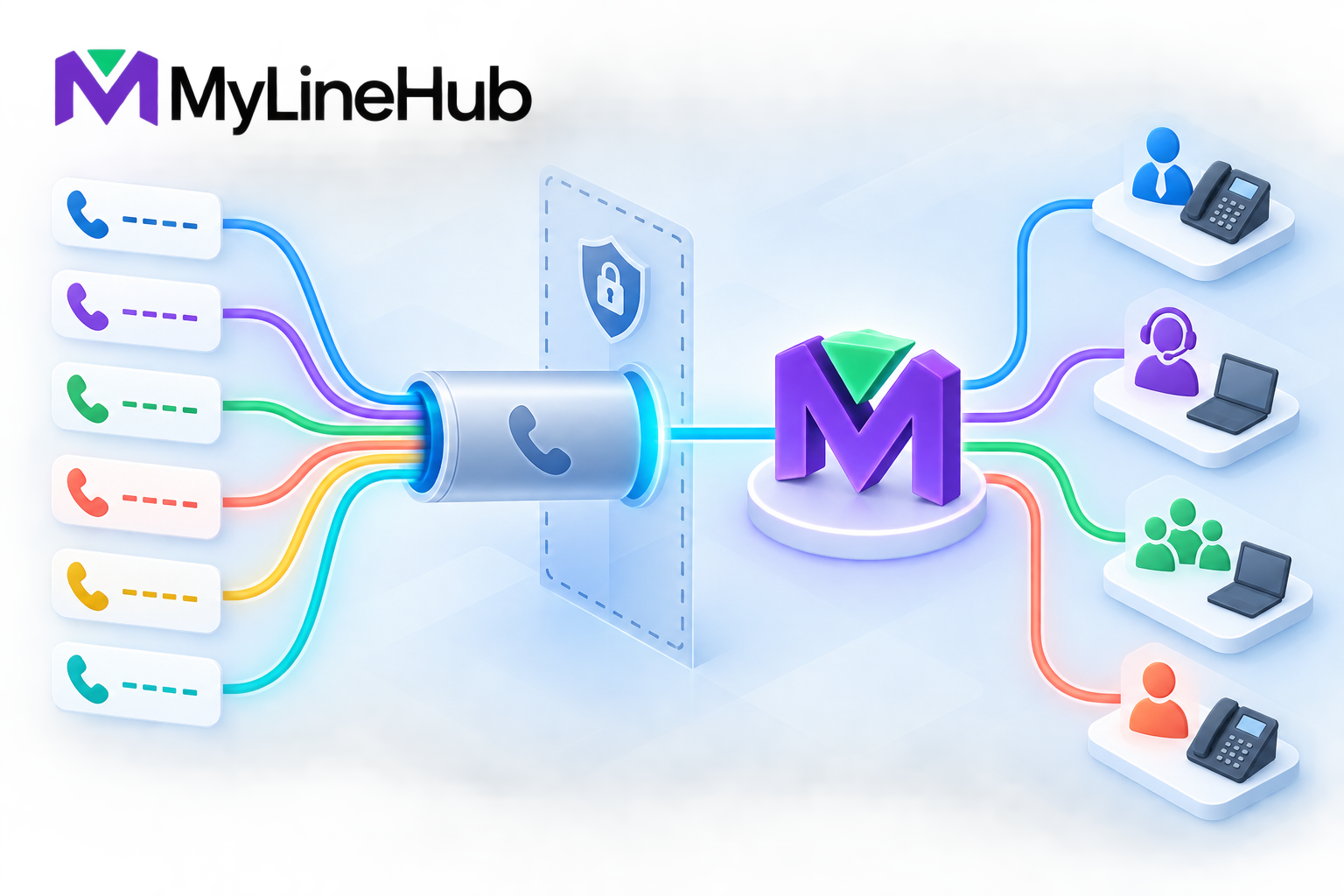
One SIP trunk can often carry several business phone numbers, but this is a provider capability and contract decision rather than a universal promise. The trunk is the connection that transports calls; a DID is a public number delivered across that connection. A provider may assign multiple DIDs to one trunk so a business can publish separate numbers for sales, support, locations or campaigns while using one local MYLO system. The number of DIDs does not automatically determine simultaneous-call capacity, and having many numbers does not create unlimited channels. Plan the number portfolio, routing rules, caller-ID permissions and provider limits as separate parts of the design.
Trunk and DID Are Different Concepts
Think of the trunk as a managed delivery path and each DID as an address. Several addresses can lead through one path, just as several departments can receive mail at one building. The provider recognises the dialled number and delivers enough information for the local system to decide what should happen next.
Providers implement this in different ways. Some send the called number in the request address; others use headers or a documented number format. Some deliver a block of consecutive numbers, while others add individual DIDs. MYLO configuration must follow the provider's actual signalling contract. Guessing the number format can cause calls to reach the trunk but miss the intended local route.
Multiple Inbound Numbers on One Trunk
Separate numbers can create distinct customer journeys without requiring a separate appliance or trunk for every department. A business might publish one number for sales, one for support and one for appointments. When a call arrives, Asterisk identifies the delivered DID and executes the route configured for that number.
- The sales DID can ring a sales group during business hours.
- The support DID can enter a short IVR or support queue.
- A location DID can route to the team serving that branch.
- A campaign response number can reach a dedicated follow-up destination.
- An after-hours number can use a different message and emergency path.
Each route should define normal, busy, no-answer and unavailable behaviour. It should also have a named business owner. A collection of numbers without documented ownership quickly becomes difficult to maintain.
Department Routing Without Separate Trunks
Using one trunk for several departments can simplify provider administration and local configuration. It may also allow channel capacity to be shared across the organisation. However, shared capacity means one department's traffic can affect another unless the provider and local system have suitable controls.
Build a traffic model for the busiest period. Count incoming calls, ordinary outgoing calls and any outbound campaign legs that may overlap. A trunk with ten numbers but four channels may still allow only four concurrent external call legs, subject to the provider's rules. Conversely, one published number can use several channels when several callers reach it at once.
Outbound Caller ID Is a Separate Permission
Receiving a DID does not always mean the business may present that number on every outbound call. Providers often validate the caller ID against an authorised list, account, route or user. They may require a particular From identity, P-Asserted-Identity value, or other signalling relationship.
A useful design maps approved caller IDs to business purposes. Sales users might present the sales number, while support presents the support number. The mapping must be validated locally and accepted by the carrier. MYLO cannot make an unauthorised identity legitimate, and caller-ID configuration must never be used to impersonate another party.
Provider Limits to Confirm
Ask the provider to state the following rather than relying on general SIP assumptions:
- the number and type of DIDs permitted on the trunk;
- whether numbers must be consecutive or can be added individually;
- the exact inbound number format and signalling location;
- simultaneous inbound, outbound and total channel limits;
- whether capacity is shared across all DIDs;
- the caller IDs authorised for outbound presentation;
- restrictions by destination, service type or geographic area;
- activation, rental, porting and usage charges; and
- the process for adding, removing or moving a number.
Provider documentation is also needed for authentication, signalling addresses, media networks, codecs and failure escalation. A number allocation list alone is not a complete trunk specification.
Plan the Local Number Map
| DID purpose | Primary destination | Fallback | Outbound identity |
|---|---|---|---|
| Main business number | Reception or main menu | Voicemail or duty team | General office calls |
| Sales | Sales ring group or queue | Callback capture | Authorised sales users |
| Support | Support flow | Ticket or voicemail process | Authorised support users |
| Location | Local branch | Central reception | Branch users if permitted |
Treat this table as a planning record, not live configuration. The actual Asterisk state and provider service remain authoritative. Keep number ownership, retention, consent and recording decisions alongside the routes so a technical change does not silently alter the customer experience.
Testing Each Number
Test every DID from an external network. Confirm that the intended caller experience occurs during open and closed hours, that busy and no-answer behaviour works, and that two-way audio is present. For outbound use, test each authorised caller ID and confirm what the recipient sees. A successful trunk registration or configuration reload does not verify number-level behaviour.
Retest after provider migration, number porting, major route changes or network changes. Record timestamps and call references so the provider can investigate failures that occur before calls reach the appliance.
Include negative and fallback tests
Do not test only the happy path. Call while the main destination is busy or unavailable, call outside business hours, enter an invalid IVR choice where applicable, and confirm that an unassigned number does not fall into an unintended department. For outbound calls, verify that a user who is not authorised for a particular identity cannot select it. These checks reveal routing defaults and permission mistakes that a single successful call would miss.
Maintain a Number Inventory
Keep a business-controlled inventory with the DID, published purpose, provider account, inbound destination, permitted outbound use, recording policy and responsible owner. Mark temporary campaign numbers and numbers scheduled for retirement. The inventory should reference, rather than duplicate, sensitive carrier credentials.
Review the list before changing a trunk. A route that appears unused may still be printed on packaging, listed in advertisements or used by an important customer. Removing it from local configuration does not cancel provider billing, and cancelling it at the provider can make recovery impossible. Coordinate commercial and technical changes explicitly.
When a new DID is added, use a small acceptance record: provider confirms activation, local route is approved, inbound call is verified, outbound presentation is verified if required, fallback works and the business owner signs off. This makes a multi-number trunk manageable as it grows.
When Separate Trunks May Be Better
Multiple DIDs on one trunk are often efficient, but separate trunks can be justified when providers, locations, billing owners, security boundaries, failover paths or regulatory requirements differ. Do not split service merely for visual neatness, and do not consolidate services when doing so would hide distinct responsibilities or create a single unacceptable failure domain.
Continue with who supplies the number and calling minutes, and review users, extensions, channels and concurrent calls. The technical guide to caller ID on SIP trunks provides further background. Confirm the current provider contract before promising a multi-number design; contact MyLineHub for a scoped custom requirement when it falls outside the supported MYLO product boundary.
Numbers and Channels Solve Different Problems
A provider may assign several direct-inward-dial numbers to one trunk while applying one shared channel limit. The numbers identify which public address a customer called; channels limit how many external call legs can be active at the same time. Ten numbers do not necessarily provide ten concurrent calls, and ten channels do not automatically create ten public numbers.
Ask the provider for the exact called-number format it sends for every number and the caller-ID values it permits outbound. Some services present a full national format, some a local form, and some place the information in a different SIP header. MYLO routes must match observed provider delivery, not assumptions copied from another carrier.
Design Ownership for Each Number
Maintain an inventory with provider, account, business purpose, department, opening hours, inbound destination, fallback, recording policy, authorised outbound use, and owner. Decide whether sales, support, recruitment, and other functions need distinct greetings and reports. Avoid a catch-all route that silently sends an unknown or newly added number to the wrong team.
Adding a number is a coordinated change. The provider activates and delivers it; the customer approves its purpose and policy; MYLO configures a supported route; the network permits the existing trunk traffic; and users or queues must be ready. Broader multi-tenant, multi-site, or custom integration requirements may need a separate MyLineHub or engineering assessment.
Test Every Number and the Shared Capacity
Call each public number through the real provider and verify delivered identity, greeting, DTMF, destination, two-way audio, no-answer handling, hang-up, and recording decision. Place outbound tests for each authorised caller ID. Then run a controlled concurrency test against the purchased channel capacity and confirm how the provider reports or rejects excess calls.
Keep provider evidence and MYLO routing evidence separate. A number can be active at the carrier but unmatched in the PBX, or correctly routed in MYLO but not delivered by the provider. Clear boundaries make the fault owner obvious and protect unrelated numbers from broad configuration changes.
Continue planning
Continue with What Is a Telephony Appliance for a Small Business?; Who Supplies Your Phone Number and Calling Minutes?; What Equipment Do MYLO Users Need at Their Desks?. For deeper implementation context, use MyLineHub technical architecture guidance.
Review current MYLO pricing, or discuss this requirement on WhatsApp.
Want to see API-driven CRM + Telecom workflows in action? Try the WhatsApp bot or explore the demos.
Comments (0)
Be the first to comment.