Who Supplies Your Business Phone Number, DID, Channels and Calling Minutes?
Your business phone number and external calling minutes normally come from a licensed telecom or SIP trunk provider, not from the MYLO appliance itself.
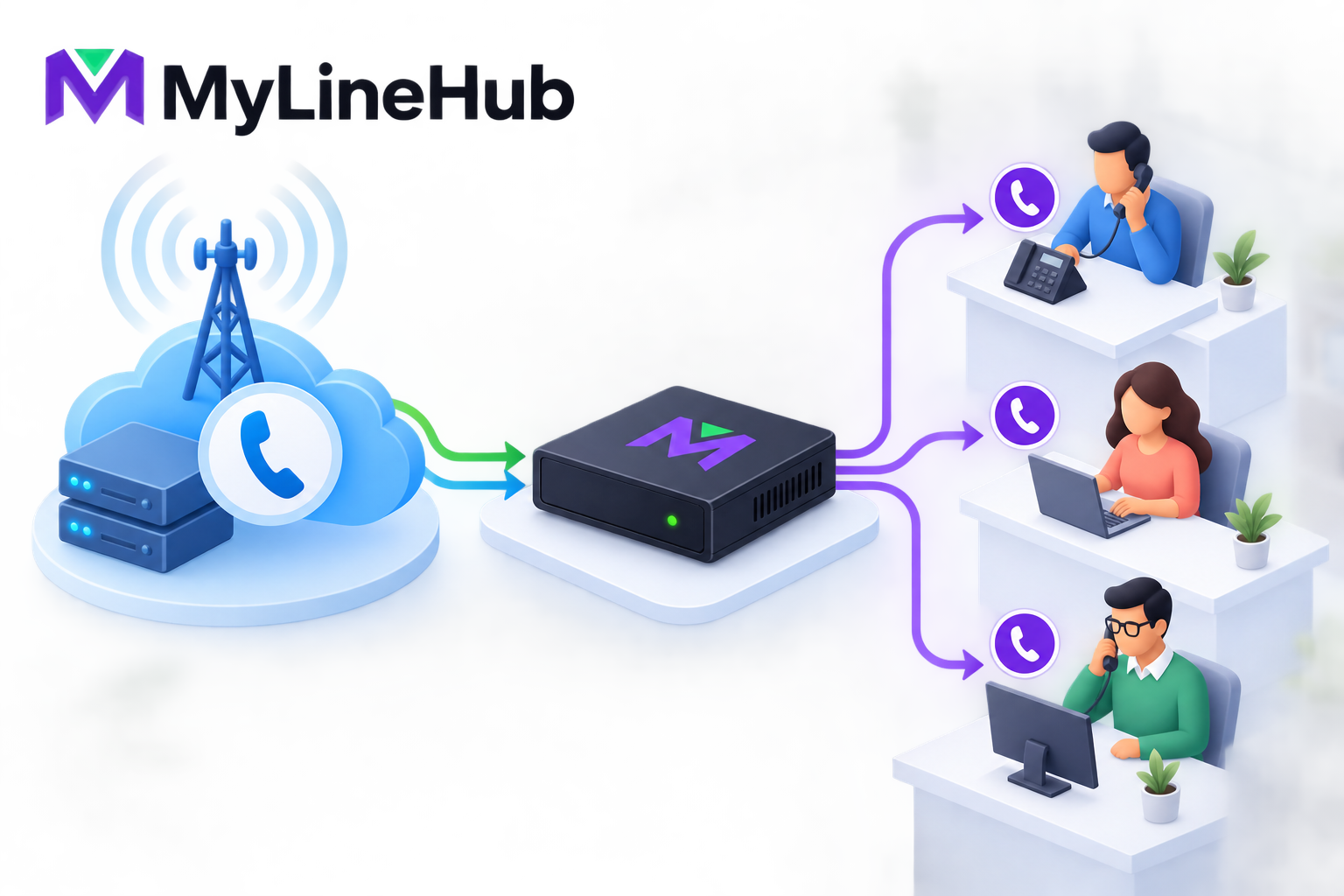
Your business phone number and external calling minutes normally come from a licensed telecom or SIP trunk provider, not from the MYLO appliance itself. The provider activates the number, carries calls between the public telephone network and your office, defines available channels, and bills rental or usage according to its commercial plan. MYLO is the local business calling system: it connects to the service you procure, applies your approved call-routing rules, sends calls to the right users or departments, and provides a guided way to manage supported operations. Understanding this division prevents a common buying mistake—assuming that purchasing a phone-system appliance automatically includes a public number, carrier approval, and unlimited calls.
Who Owns or Controls the DID?
A public business number is often called a DID, or direct inward dialling number. The provider assigns it under an account or contract and controls how the public network routes calls to it. The business may be the subscriber or authorised user, but the exact ownership, renewal and portability rights come from the provider's terms and applicable regulation. MYLO can route an incoming DID after the provider delivers it; MYLO does not create the number or make it reachable from the public network by itself.
Keep the provider agreement, account name, number list, activation date and escalation contacts with the business's records. If an employee or consultant opens the carrier account personally, future renewals and porting can become difficult. A business-critical number should be registered and managed under an appropriate business-controlled identity wherever the provider permits it.
The SIP Trunk Carries the Service
A SIP trunk is the connection through which a provider exchanges call signalling and, depending on the design, audio with the local phone system. The service may use registration credentials, an authorised source address, a private provider network, or another agreed delivery method. Provider documents can also define signalling addresses, media networks, codecs, number formats and caller-ID rules.
MYLO helps configure the local side from those authoritative details. It cannot guess missing credentials, activate an unprovisioned trunk, or override a carrier restriction. A successful local configuration also does not prove that the provider account is commercially active. Verification should include real inbound and outbound calls, correct number presentation and two-way audio.
Who Bills the Calling Plan and Minutes?
External call charges belong to the carrier relationship. A plan may include a rental fee, bundled usage, per-minute billing, channel charges, number rental, installation, porting, or other provider-defined items. Mobile, landline, national, international and toll-free destinations may be priced differently. Taxes and minimum commitments may also apply.
Ask for the current tariff in writing and determine how charging works for every call flow you intend to use. A normal call from an office extension to a customer may use one external leg. A customer-to-agent-mobile workflow can use two external legs: one to the customer and another to the agent. The business conversation may therefore consume or bill more provider capacity than its user-facing appearance suggests.
MYLO can provide call records and operational evidence within its supported scope, but the provider's invoice and network records govern the commercial service. Reconcile unexpected charges with the precise route, destination, duration and provider tariff rather than assuming the appliance price included them.
What MYLO Does With the Number
Once a working provider service is available, MYLO can help the business use it locally. Depending on the supported product scope and approved configuration, this can include:
- mapping an incoming number to reception, an IVR, a queue, a ring group or another destination;
- sending calls to internal extensions or supported external destinations;
- applying business-hours, overflow and failure behaviour;
- selecting an authorised outbound caller ID where the provider allows it;
- supporting approved recording, reporting or campaign workflows; and
- showing evidence that helps distinguish a local routing issue from a carrier issue.
Asterisk remains the telephony engine that executes the live call path. MYLO guides supported administration and uses controlled services for consequential changes. Neither component becomes the carrier merely because it processes calls locally.
Porting a Number to Another Provider
Number portability is a provider and regulatory process. Eligibility, documents, fees, lead time and service interruption risk vary. Before starting a port, confirm that the receiving provider supports the number type and delivery method, that the subscriber details match, and that the old service will remain active until the transfer is complete.
Local MYLO routing may need adjustment when provider addresses, authentication, number presentation or media requirements change. Plan a test window and rollback or continuity arrangement. Do not cancel the old account merely because a local configuration for the new trunk has been prepared. A port is complete only when the provider confirms it and real calls reach the intended destination.
Who Supports Which Problem?
| Issue | Likely first owner | Useful evidence |
|---|---|---|
| Number not activated or renewed | Telecom provider | Account status and provider ticket |
| Calls never arrive at the contracted service | Provider, then local administrator | Provider trace, source details and timestamps |
| Call reaches MYLO but takes the wrong route | MYLO administrator or scoped support | Live Asterisk evidence and routing configuration |
| Wrong outbound caller ID | Both provider and local configuration | Authorised number list and signalling evidence |
| Unexpected usage charge | Provider billing | Invoice tariff and corresponding call records |
| One-way or missing audio | Network, provider or local configuration | Call trace, routes, firewall and media evidence |
Questions to Ask Before Ordering
- Which legal entity or person will hold the account?
- Which DIDs are included, and can they be ported later?
- How many simultaneous channels are supplied?
- How are inbound, outbound and two-leg calls billed?
- Which caller IDs may the business present?
- Does the trunk use Internet delivery, a private interface or fixed IP authorisation?
- Which credentials, routes, codecs and media networks must be configured?
- What are the support hours and fault-escalation process?
Keep a provider handover record
Create a short service record that names every active DID, its purpose, the trunk that carries it, authorised caller IDs, channel limit, billing account, provider support number and renewal date. Add the provider's reference for activation or porting and the person inside the business who may authorise changes. Store credentials separately in an approved secret-management process; the handover record should identify what exists without exposing passwords.
This record becomes especially valuable when an installer or employee leaves. A replacement administrator can see that the public number belongs to a carrier contract while the local route belongs to the office phone configuration. Without that distinction, teams sometimes renew the appliance but overlook the number rental, or change a local route while expecting it to repair a provider-side outage.
Verify the boundary with one call in each direction
After activation, place an external call to every important DID and make an outbound call through each intended identity. Confirm ringing destination, two-way audio, displayed caller ID, duration and the corresponding provider or local record. Repeat a representative test after porting, credential changes or network migration. Timestamped evidence gives both MYLO support and the carrier a concrete place to start when responsibility is unclear.
Start with what a SIP trunk provider supplies and the pre-order SIP trunk checklist. For a deeper technical background, see the introduction to SIP providers. Confirm live MYLO package terms and provider quotations before purchase; contact MyLineHub when the requirement needs custom integration rather than the prepared appliance scope.
Confirm the Commercial Service in Writing
Ask the telecom provider which public numbers are active, which customer account owns them, whether any number is being ported, how inbound numbers are delivered to the PBX, which caller IDs are authorised for outbound use, how many simultaneous channels are included, which destinations are permitted, and how usage is billed. Record setup fees, number rental, channel charges, minute rates, minimum commitments, taxes, prepaid or postpaid rules, balance alerts, and the process for increasing capacity.
Provider terms and prices can change. Use the current quotation and service order rather than treating an educational article or old invoice as a binding offer. MYLO’s appliance price and optional implementation work are separate from carrier rental and call consumption.
Protect Ownership and Continuity
Register the carrier account in the business’s approved name and keep more than one authorised internal contact where policy allows. Store account and credential references in the organisation’s protected system, not in a personal mailbox or installer’s chat. Document renewal, balance, number-porting, and escalation responsibilities so a staff departure does not make the number unreachable.
A business number can be operationally critical even when monthly charges are small. Review account status, caller-ID authorization, channel capacity, and usage alerts. If the provider suspends the account or withdraws a number, editing MYLO cannot restore the provider’s service.
Verify Numbers and Minutes End to End
Place inbound calls to every number from external networks and confirm the exact delivered format, correct MYLO route, answer, two-way audio, DTMF, and hang-up. Place outbound calls using every authorised caller ID and representative destination. Compare provider usage records with expected calls and verify channel limits under controlled concurrency.
Keep a number inventory containing business purpose, provider, account owner, inbound route, permitted outbound use, renewal status, and last test. This separates the public telecom asset from the MYLO configuration that uses it and makes future migrations or incidents easier to manage.
Continue planning
Continue with What Is a Telephony Appliance for a Small Business?; What Does a SIP Trunk Provider Supply?; Can One SIP Trunk Carry Multiple Business Numbers?. For deeper implementation context, use MyLineHub technical architecture guidance.
Review current MYLO pricing, or discuss this requirement on WhatsApp.
Want to see API-driven CRM + Telecom workflows in action? Try the WhatsApp bot or explore the demos.
Comments (0)
Be the first to comment.