How to Plan Power Backup for MYLO and Office Calling
Power backup for office calling must protect the whole live call chain, not only the MYLO appliance. If the appliance remains on but the router, telecom provider's termination device, network switch or employee phone loses power, external calls can still fail.
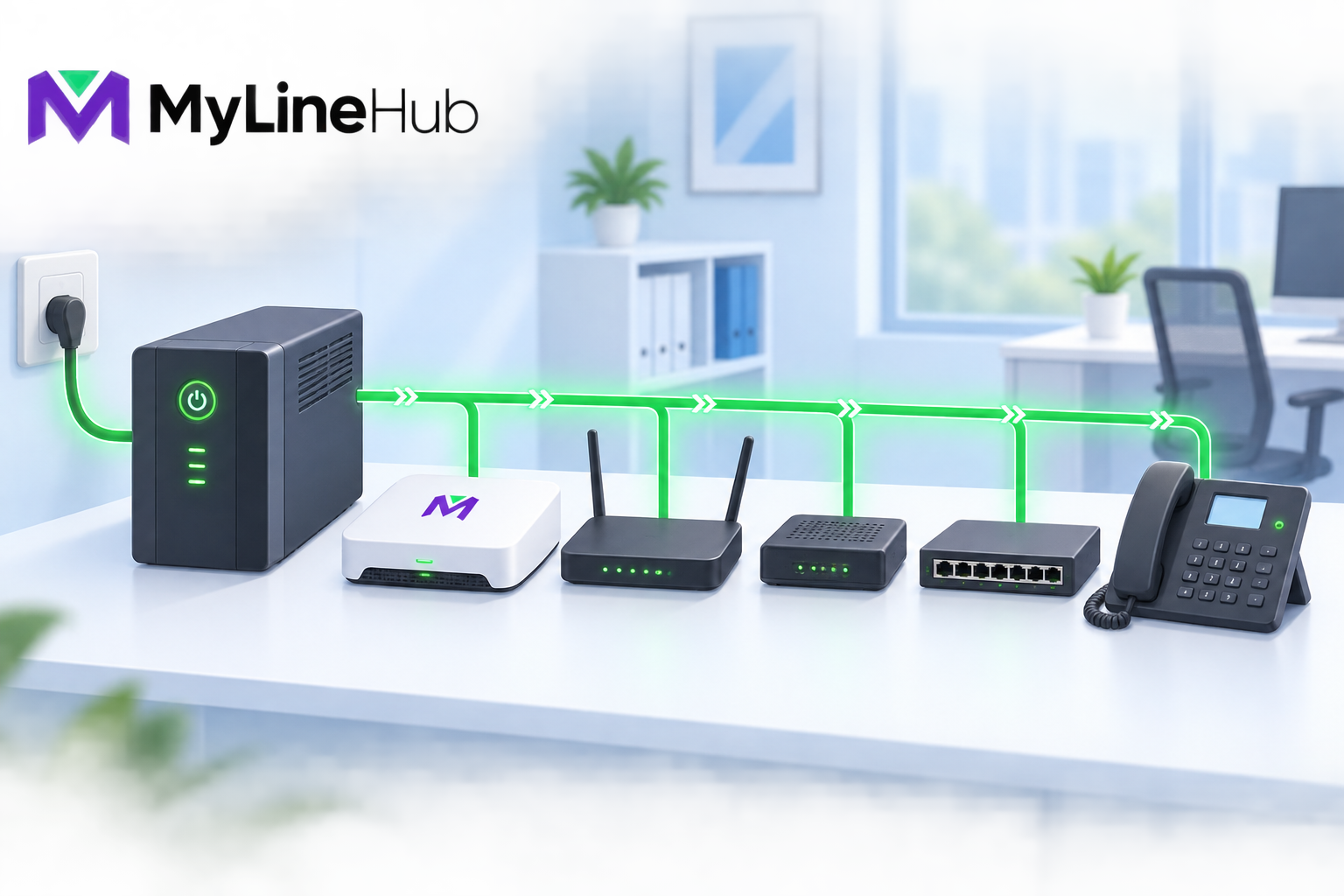
Power backup for office calling must protect the whole live call chain, not only the MYLO appliance. If the appliance remains on but the router, telecom provider's termination device, network switch or employee phone loses power, external calls can still fail. Begin by drawing the exact path from the provider connection to the people who answer calls, list the power requirement of every essential component, and decide how long the business needs to operate during an outage. A UPS or inverter should then be selected from measured load, required runtime, battery condition and safe operating margin—not from the appliance wattage alone.
Define What Must Keep Working
Start with a business outcome. “Keep everything powered” is rarely a useful requirement. Decide whether an outage must preserve one reception phone, all support agents, outbound campaigns, only incoming emergency calls, or enough access to shut systems down safely. Priorities affect the required load and cost.
A small office may choose to protect the appliance, the network core, the provider device and two essential phones for an hour. A larger team may use an inverter or generator-backed circuit for more endpoints. Document what will deliberately stop. Pausing nonessential campaigns during a prolonged outage may preserve capacity and power for inbound customer service.
Protect the MYLO Appliance
The appliance needs stable input power and a supported shutdown process. Sudden loss can interrupt calls and may damage active writes or leave services requiring recovery. A UPS provides short-term battery power and may also offer voltage regulation, but model capabilities differ. Confirm the electrical specification of the actual appliance and its adapter before selection.
Place the appliance and UPS in a ventilated, secure location. Do not bury either unit under papers or place it where liquids, heat or casual disconnection are likely. Label the outlet and prevent cleaning or office equipment from being plugged into the protected socket without review.
Router, Firewall and Internet Equipment
External calling usually depends on network equipment. Protect the router, firewall, modem or optical termination equipment required for the selected service. If the Internet provider's upstream network is also down, a local UPS cannot restore it, so discuss provider resilience and consider an independently delivered backup connection where continuity justifies the cost.
Failover must be tested with the real SIP provider. Some trunks depend on an authorised public address, private circuit or specific route and will not simply move to mobile broadband. Backing up both routers without validating signalling and audio creates the appearance of resilience without the result.
Telecom Termination Equipment
A provider may install a modem, router, media gateway, session-border device or other termination equipment. Identify which unit is essential, who owns it, its power adapter rating and whether it can share the planned backup supply. Do not modify provider equipment or substitute power adapters without approval.
In deployments where a telecom-facing network connects to the appliance's second port, the termination device and every active network component between it and MYLO must remain powered. A working Internet-side interface cannot compensate for a dead provider-side path.
Switches, PoE and Phones
Network switches are easy to overlook. If desk phones receive Power over Ethernet, the PoE switch powers every connected phone and may represent a significant part of the backup load. Its maximum power rating is not necessarily its live consumption, so inventory the connected devices and measure representative load where possible.
Phones using individual adapters also need protected outlets. Computer softphones depend on the computer, monitor where needed, network access and possibly a powered USB hub or wireless headset charger. Decide which endpoints remain essential and avoid adding every office computer to a voice UPS by accident.
Estimate Backup Runtime
List each protected device and its measured watts or verified specification. Add the loads, allow for conversion losses and headroom, and choose a battery system whose runtime curve supports that load for the required period. UPS labels often emphasise volt-amperes or maximum capacity; neither directly guarantees a particular runtime at your real load.
| Protected component | Why it matters | Evidence to collect |
|---|---|---|
| MYLO appliance | Runs the local phone environment | Adapter rating and measured load |
| Router/firewall/modem | Maintains provider or Internet path | Device load and failover behaviour |
| Provider device | Terminates telecom service | Provider guidance and adapter rating |
| Switch or PoE switch | Connects and may power endpoints | Base load plus connected PoE draw |
| Essential endpoints | Allow people to answer calls | Phone, computer and headset load |
Battery capacity declines with age, heat and repeated discharge. Size conservatively and test the delivered system under controlled conditions. Use a qualified electrical professional for inverter wiring, fixed circuits, earthing or generator integration.
Plan Safe Shutdown and Restart
When backup runtime is nearly exhausted, a controlled shutdown can be safer than an abrupt loss. Define who receives the alert, which calls or campaigns should stop, and how the appliance is shut down. Automatic shutdown integration should be designed and tested for the selected UPS rather than assumed.
Also document startup order. Provider and network devices may need time to establish connectivity before telephony registrations and routes become usable. After power returns, confirm application health, network interfaces, provider status, endpoints and a real two-way call. “The lights are on” is not an end-to-end test.
Maintenance and Outage Drills
- Inspect batteries, cables, ventilation and warning indicators on a schedule.
- Record battery age and the expected replacement date.
- Test representative runtime without risking active business calls.
- Verify alerting and controlled shutdown procedures.
- Test provider and Internet failover with inbound and outbound calls.
- Review the protected load whenever phones, switches or network equipment change.
- Keep outage contacts and provider escalation details available offline.
Use staged tests, not surprise failures
Begin with a documented maintenance window and a small protected load. Verify UPS indicators, alarms and expected runtime, then test the intended shutdown procedure. A later exercise can confirm that essential calls continue when normal input power is removed safely. Do not pull plugs from unknown equipment during active operations or create an electrical hazard in the name of testing.
Record what actually remained available. The appliance may stay online while an access point, unmanaged switch or provider box unexpectedly fails. Update the power-chain diagram and capacity calculation after every discovery. A drill is useful when it improves the next response, not when it merely proves that a battery contains some charge.
Plan for Longer Outages
A plug-in UPS is normally a bridge, not an indefinite source. For longer outages, decide whether the business will transfer essential calls at the provider, use an approved alternate destination, operate from another site, or rely on generator or inverter power. Each option has technical, commercial and consent implications and should be tested before an emergency.
Keep an offline contact sheet for the electricity supplier, Internet provider, telecom carrier and responsible administrators. If batteries approach their safe discharge point, stop nonessential calls and shut down equipment according to the plan. When power returns, inspect for unstable cycling before restoring the full load and complete a real call test before declaring service recovered.
Power-Readiness Decision
A credible plan states the essential call outcome, protected components, real load, target runtime, shutdown method, recovery test and maintenance owner. It also admits upstream limits: local backup cannot guarantee that a carrier exchange or Internet network remains available.
Review the MYLO two-cable connection journey and desk equipment for MYLO users when drawing the complete chain. The office Internet planning guide covers network resilience. Confirm current MYLO hardware details before buying backup equipment, and use an appropriate electrical or network specialist when the design extends beyond ordinary plug-in UPS protection.
Test the Whole Powered Call Path
A UPS plan should include every powered component required by the chosen call journey. For an office extension that may mean the MYLO appliance, router or firewall, Internet-provider equipment, Ethernet switch, PoE source, desk phone, and any local converter. A laptop softphone may have its own battery, but it still loses service when the router or ISP device shuts down. A mobile destination may continue on the cellular network, yet the appliance and provider path must remain available to route the call.
Estimate load from measured device consumption and select equipment with a suitable power rating, battery runtime, outlet type, battery-condition monitoring, and safe shutdown behaviour. Leave margin for battery ageing and avoid treating a marketing runtime measured at a different load as a guarantee. Follow electrical and battery-safety guidance from the manufacturers and a qualified professional.
Conduct a Controlled Outage Exercise
During a maintenance window, remove mains power and place real inbound and outbound test calls. Observe which components transfer cleanly, how long the service remains stable, whether network links renegotiate, and whether the appliance shuts down safely at the defined threshold. Restore power and verify the call path again. Never perform the first outage test during a customer-critical period.
Record test date, measured load, achieved runtime, battery-replacement plan, shutdown owner, and the human procedure for an outage that lasts longer than the available backup. A UPS is not a generator, second ISP, carrier failover service, or guarantee that provider infrastructure remains powered. MYLO can preserve its supported local state, but it cannot supply electricity to external networks or office devices that were left outside the plan.
Choose a Recovery Level That Fits the Office
There is no universal best power design. A small office may accept manual restart after power returns; another may protect the full call path with a UPS; a longer-duration site may combine an online UPS with a generator; and a continuity-sensitive operation may use a second prepared appliance, a managed server room or professionally hosted own equipment. Each option changes cost, operating skill, recovery time and failure modes.
Automatic startup after AC restoration is available only when the supplied unit’s hardware and BIOS support and retain that setting. Confirm the capability for the exact unit being purchased; do not assume every refurbished computer behaves identically.
Continue planning
Continue with What Is a Telephony Appliance for a Small Business?; What Equipment Do MYLO Users Need at Their Desks?; What Does a ₹2,000 Guided Telephony Session Include?. For deeper implementation context, use MyLineHub technical architecture guidance.
Review current MYLO pricing, or discuss this requirement on WhatsApp.
Want to see API-driven CRM + Telecom workflows in action? Try the WhatsApp bot or explore the demos.
Comments (0)
Be the first to comment.